How to set a static IP for KVM
This tutorial introduces the steps to set a static IP for your GL.iNet KVM directly on the console when its upstream router can't allocate one.
The following steps take Comet (GL-RM1) as an example.
-
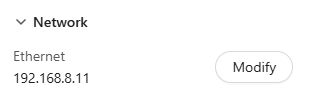
Log in to the Comet console and navigate to Settings -> Network. Click the IP address or right arrow icon.
-
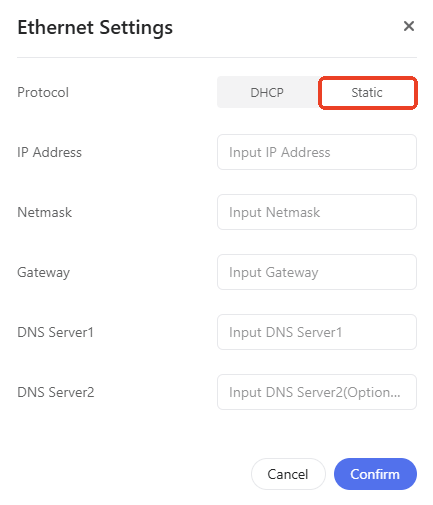
Switch to Static. Enter an IP address within the subnet pool, along with the netmask, gateway and DNS servers for your Comet, then click Confirm.
Still have questions? Visit our Community Forum or Contact us.