Comet (GL-RM1) V1/V2 Overview
Appearance
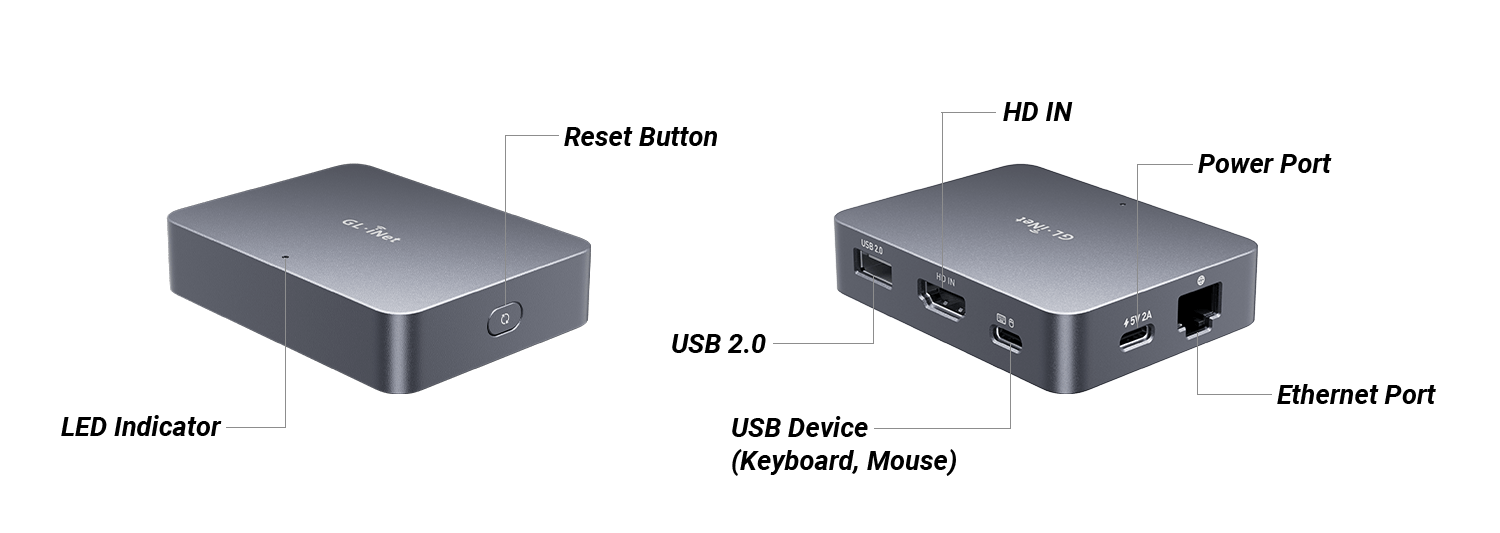
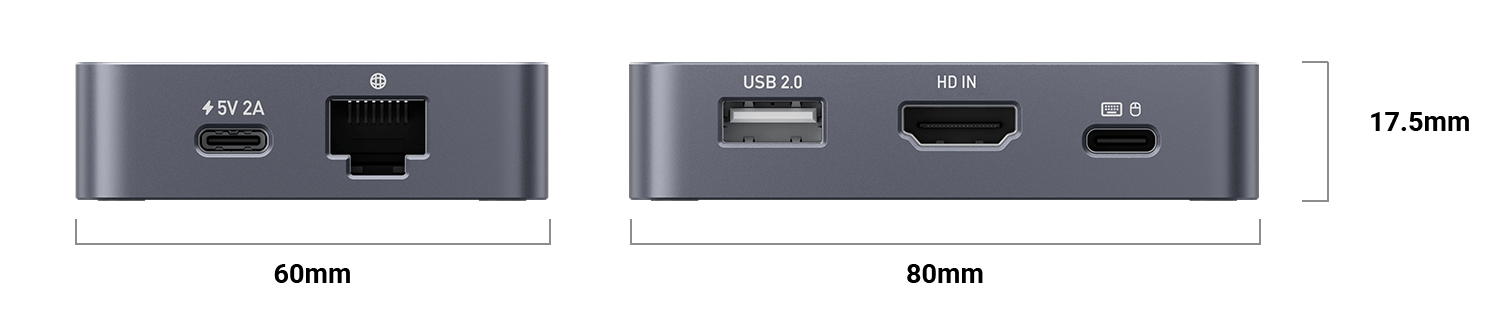
Dimension
LED
There is an LED indicator on the top panel of Comet.
| LED Status | Description |
|---|---|
| Solid Blue | Starting up |
| Flashing White | Started up but No Internet |
| Solid White | Connected to Internet |
| Flashing Blue & White | Firmware Upgrading |
Button
There is a button on the side panel of the Comet.
| Function | Operation | LED Status |
|---|---|---|
| Enter U-Boot Flashing Mode | With device powered on, press and hold the button for more than 3s then release |
Pressing the button: Flashing blue Entered U-Boot mode: Solid blue |
| Reset | With device powered on, press and hold the button for 8–20s then release |
Pressing for 1-8s: Slowly flashing Pressing for 8-20s: Quickly flashing |
Package Contents
- 1 x Comet (GL-RM1)
- 1 x User manual
- 1 x Thank you card
- 1 x Ethernet cable
- 1 x HD cable
- 1 x USB cable (Type-A to Type-C)
- 1 x USB cable (Type-C to Type-C)
- 1 x Power adapter
- 1 x Converter (Based on your shipping country)
Check out Comet's unboxing video below.