Content Filter
Content Filter is an intelligent online safety feature powered by DPI classification. It automatically blocks harmful and malicious websites to keep your network clean and secure, and also supports custom rules to block specific apps, domains, or IP addresses.
Supported Models
Supported Models
- GL-BE10000 (Slate 7 Pro)
- GL-MT5000 (Brume 3)
Quick Setup
On the left side of the web Admin Panel, go to FLOW CONTROL -> Content Filter.
Toggle the switch in the upper right corner, customize blocked content (such as apps, domains or IP addresses), then click Apply.
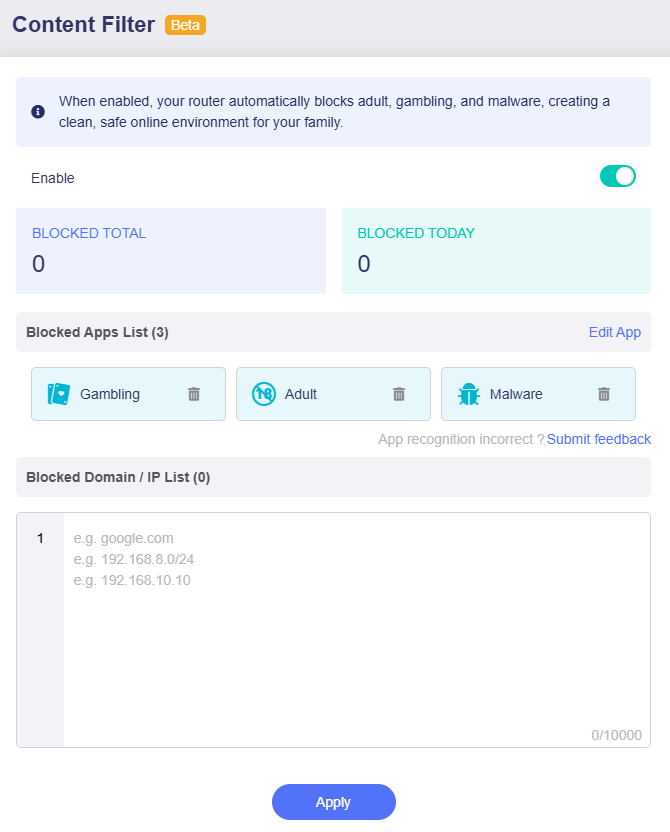
This page consists of two parts:
-
Blocked Apps List: This section includes three pre-selected categories: Gambling, Adult, and Malware. When enabled, any websites, services or apps related to these three categories will be blocked.
You can also click Edit App to add more categories (e.g., Game, Social Media) as needed.

In the pop-up window, select the categories you want to block. The default three categories are empty; all other categories include a list of apps.
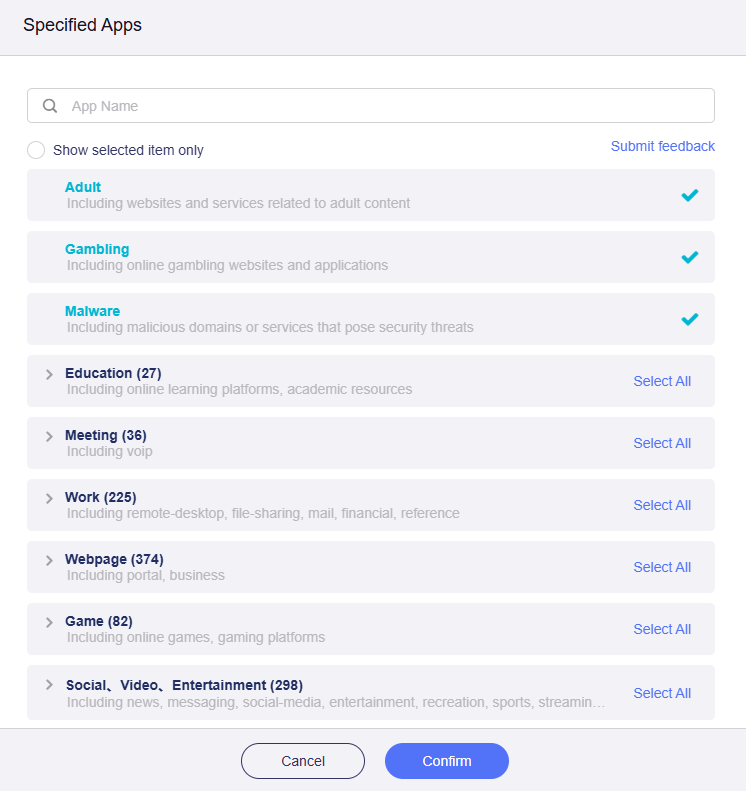
Click any category to view and select the apps you want to block, or click Select All in the upper right to block all apps in that category at once, then click Confirm.
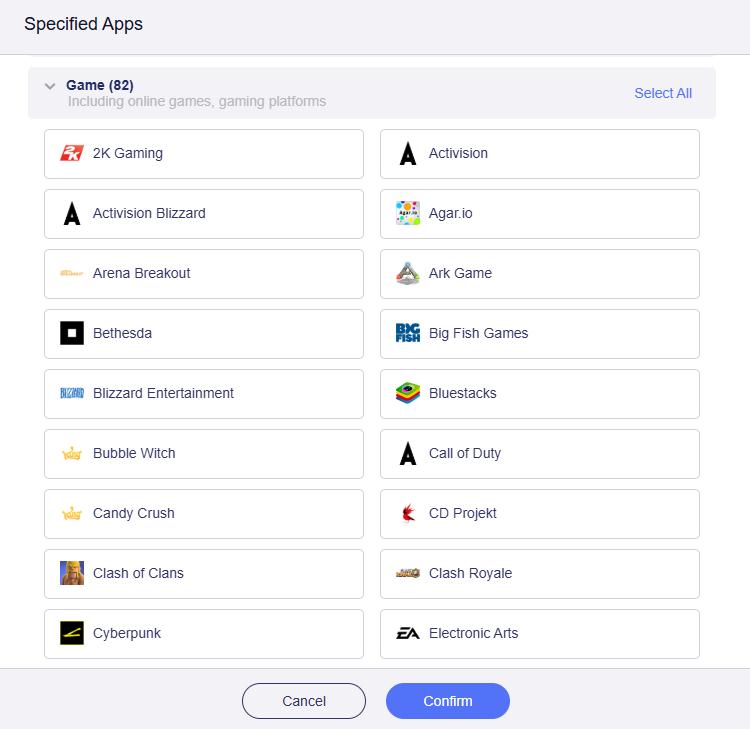
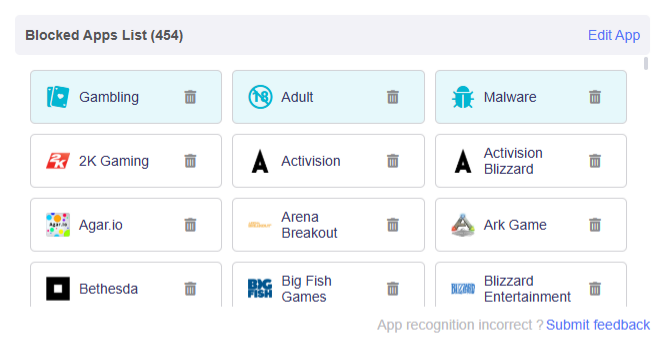
You will then see the selected apps in the Blocked App List.
-
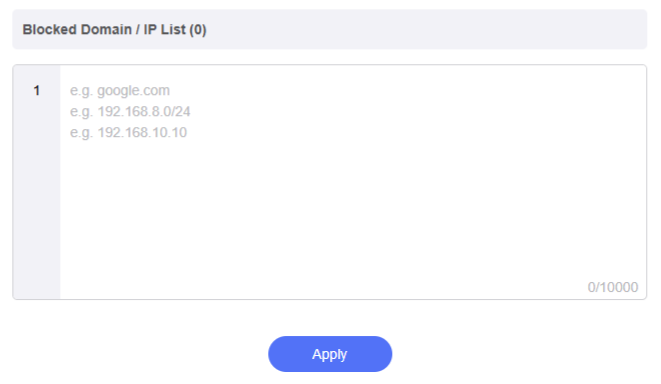
Blocked Domain / IP List: This section allows you to manually enter specific domains (e.g., google.com), CIDR range (e.g., 192.168.8.0/24), or IP addresses (e.g., 192.168.10.10) to block access to them. The list supports up to 10000 entries.
Enter the domains or IP addresses you want to block, then click Apply.
Content Filter Test
For example, we have selected the Game category, which includes Nintendo.
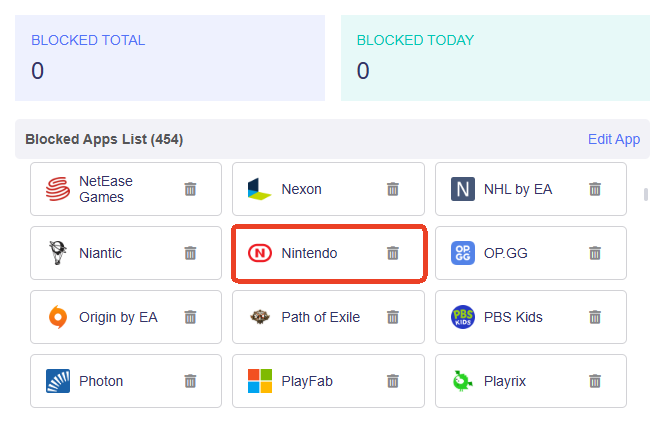
On a laptop connected to your router, the site nintendo.com can no longer be accessed, though it was reachable before Content Filter was enabled.

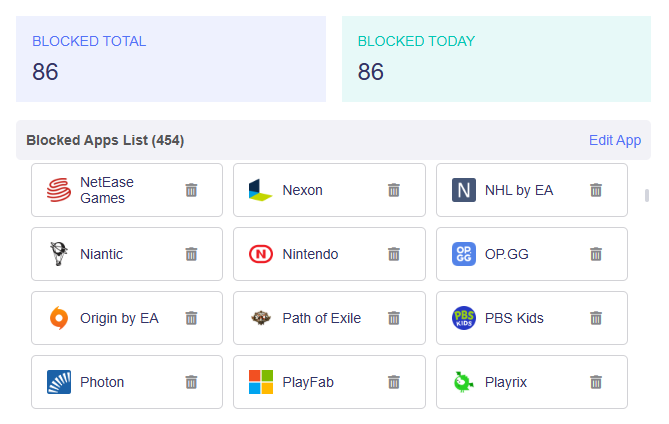
In the router's web Admin Panel, you can see the number of access requests that have been blocked.
Still have questions? Visit our Community Forum or Contact us.