QoS (Quality of Service)
QoS (Quality of Service) optimizes bandwidth allocation by prioritizing critical activities (e.g., video calls, gaming) during network congestion, reducing latency and improving overall network performance.
Note: This feature affects traffic passing through the router as a gateway (including local client traffic and VPN Client traffic) but not incoming traffic when the router acts as a VPN Server.
Supported Models
Supported Models
- GL-BE10000 (Slate 7 Pro)
- GL-MT5000 (Brume 3)
Quick Setup
On the left side of the web Admin Panel, go to FLOW CONTROL -> QoS.
Toggle the switch to enable QoS, and the page displays as follows.
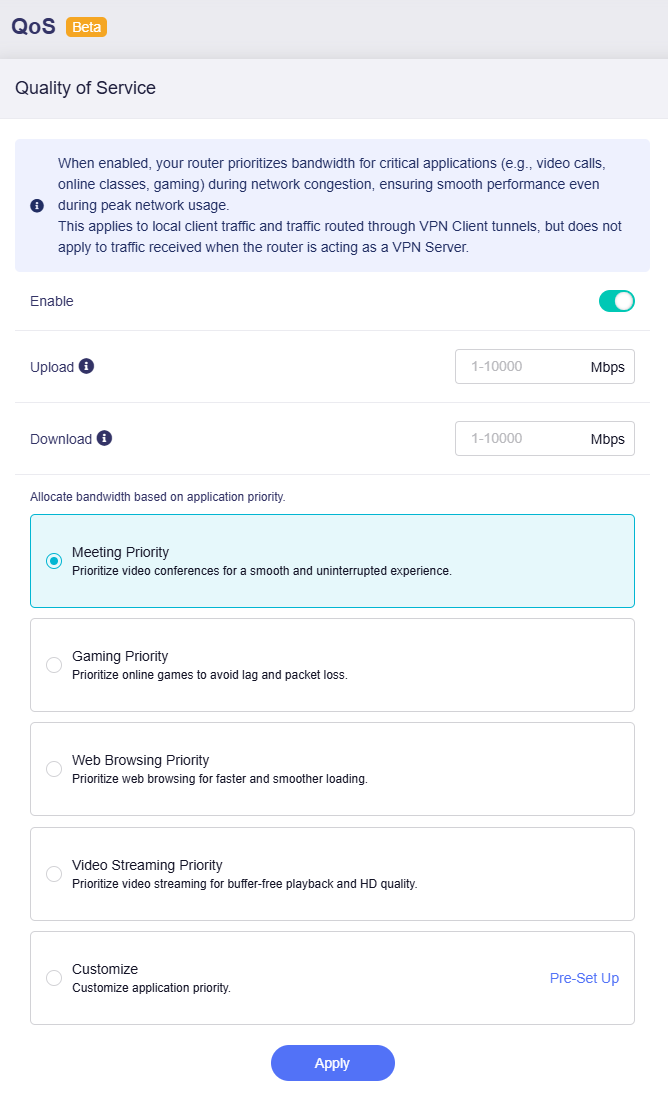
Set your maximum upload and download speeds (input range: 1 - 10000) for traffic scheduling. Match them to your actual internet bandwidth for the best results.
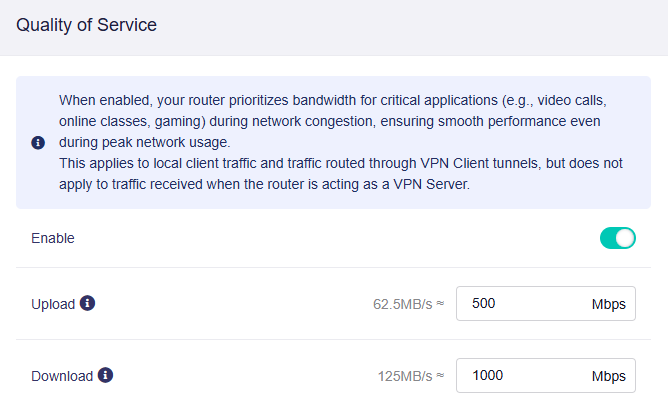
Note: Values entered in the input field are in Mbps (megabits per second). The equivalent MB/s (megabytes per second) is displayed for your reference.
Then set priorities for different applications. The router will allocate bandwidth accordingly.
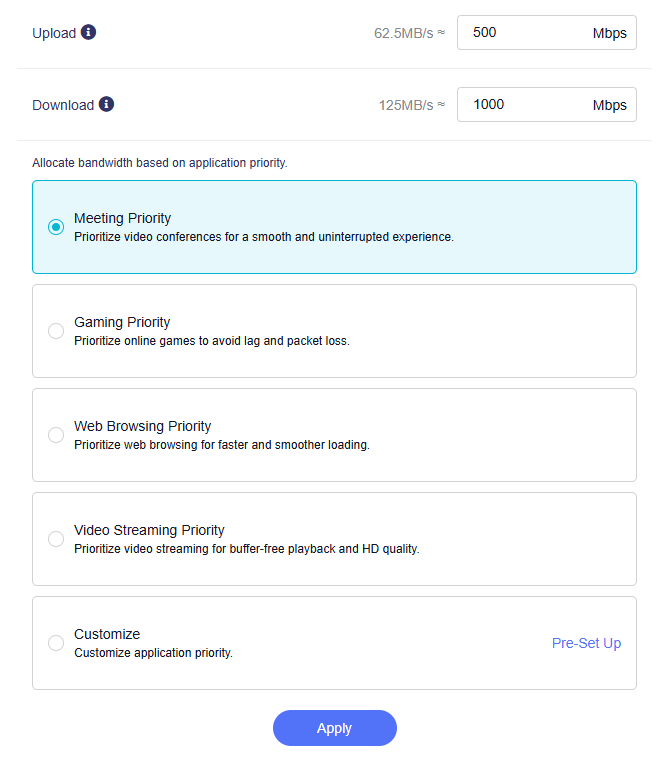
Customize App Priority
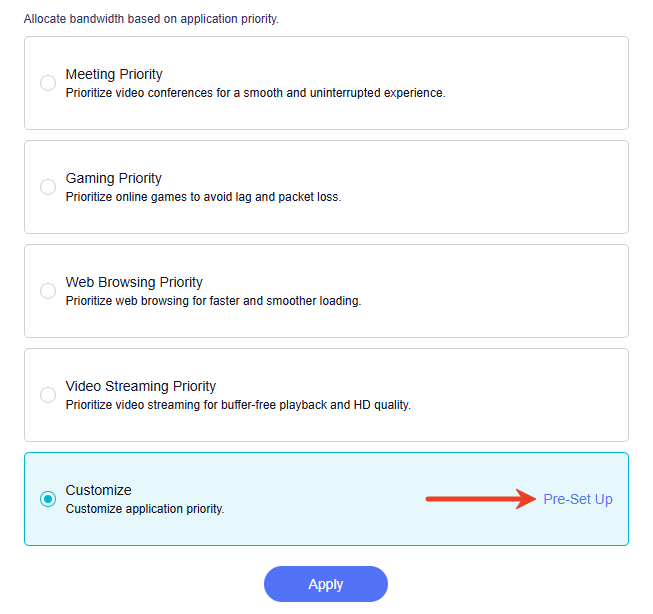
To customize application priority, select Customize and click Pre-Set up.
In the pop-up window, all categories are set to Medium Priority by default.
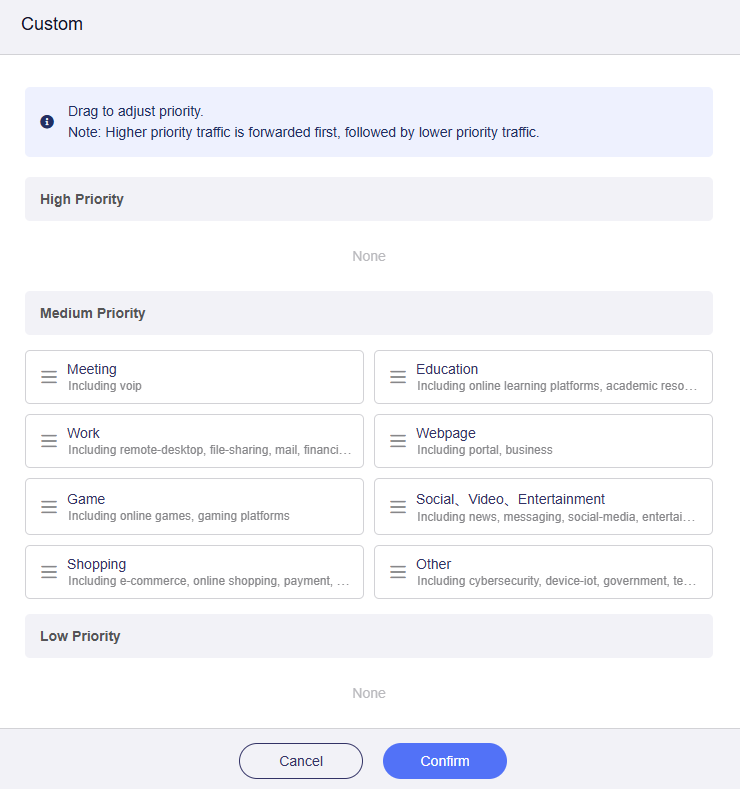
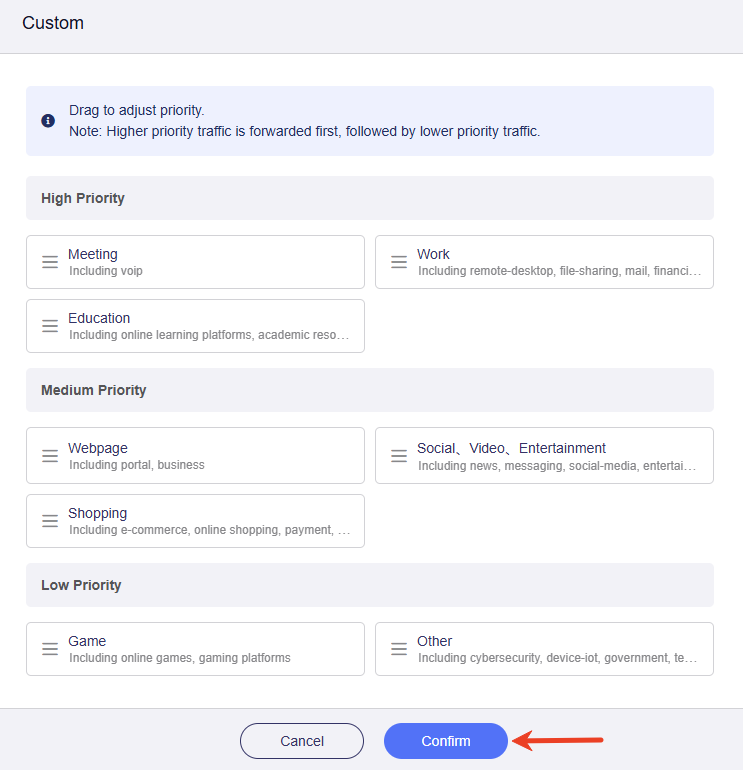
Drag the categories to adjust their priority as needed, then click Confirm.
Still have questions? Visit our Community Forum or Contact us.