How to install or change external antennas for cellular routers?
This tutorial introduces the installation and replacement of external antennas for some cellular routers.
Install external antennas
Spitz AX / Puli AX
Spitz AX (GL-X3000) and Puli AX (GL-XE3000) come with the following external antennas:
- 2 x Wi-Fi antennas (RP-SMA, 2.4G~2.5GHz, 5.15~5.84GHz)
- 4 x 5G NR antennas (SMA, 600MHz~6GHz)
Follow these steps to install the external antennas.
-
Attach the antennas (in no particular order).
- Attach the two identical Wi-Fi 6 antennas to the Wi-Fi 1 and Wi-Fi 2 ports.
- Attach the four identical 5G NR antennas to the MAIN, DIV, MIMO 1, and MIMO2.

-
Position the antennas upwards for optimal performance.
Spitz Plus
Spitz Plus (GL-X2000) comes with the following external antennas:
- 2 x Wi-Fi antennas (RP-SMA, 2.4G~2.5GHz, 5.15~5.84GHz)
- 2 x 4G antennas (SMA, 600MHz~3.8GHz)
Follow these steps to install the external antennas.
-
Attach the antennas (in no particular order).
- Attach the two identical Wi-Fi antennas to the Wi-Fi 6 ports.
- Attach the two identical 4G antenna to the 4G port.
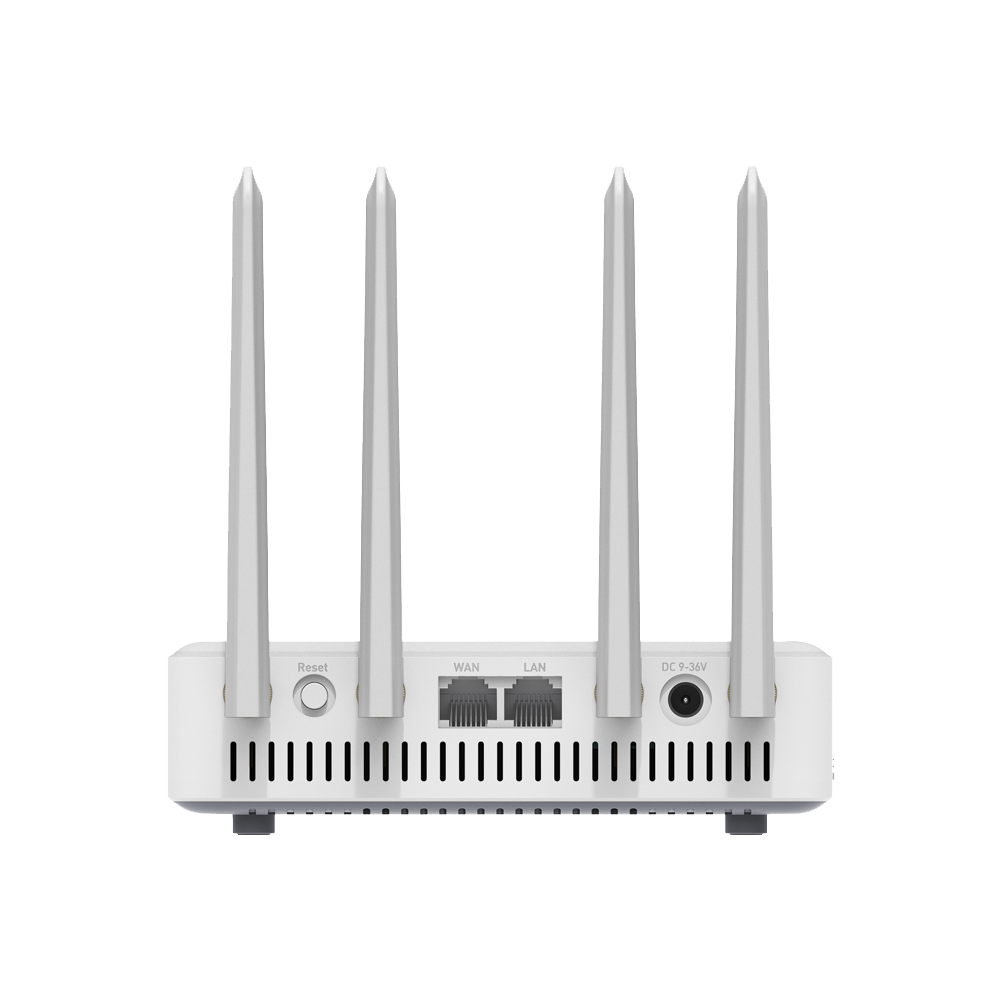
-
Position the antennas upwards for optimal performance.
Spitz
Spitz (GL-X750/GL-X750V2) comes with 2 x external 4G antennas (SMA, 700M~2700MHz).
Follow these steps to install the external antennas.
-
Attach the two identical 4G antennas to the antenna ports.
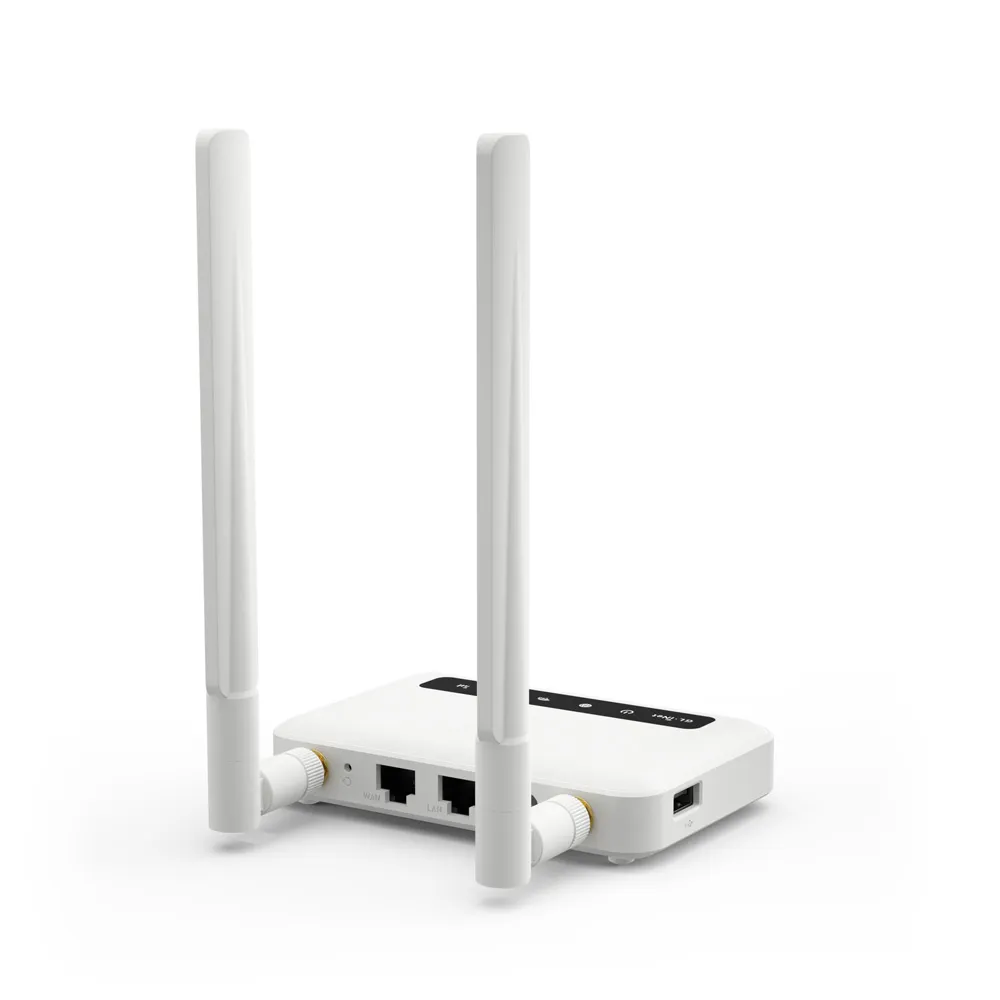
-
Position the antennas upwards for optimal performance.
Collie
Collie (GL-X300B-RS485) comes with the following antennas:
- 1 x External 4G antenna
- 2 x External Wi-Fi antennas
Follow these steps to install the antennas.
-
Attach the antennas (in no particular order).
- Attach the two identical Wi-Fi antennas to the 2.4G ports.
- Attach the single 4G antenna to the 4G port.
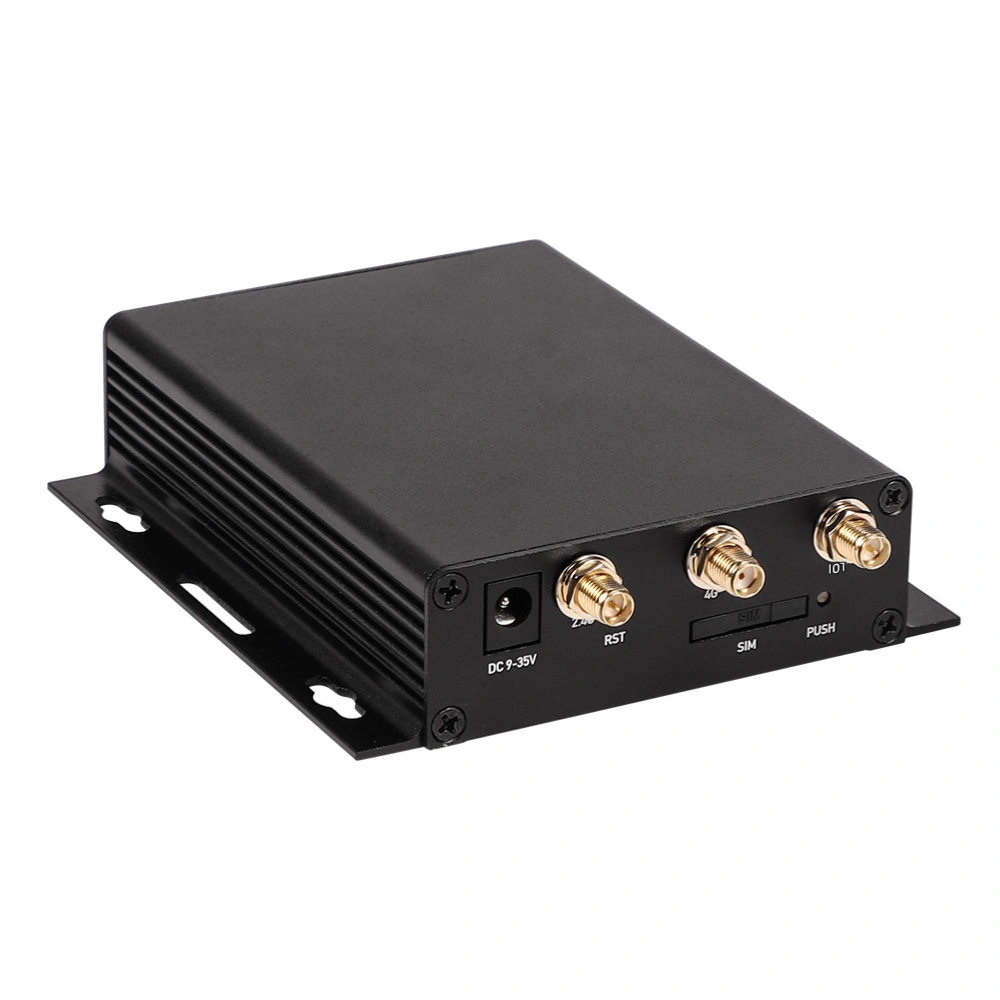
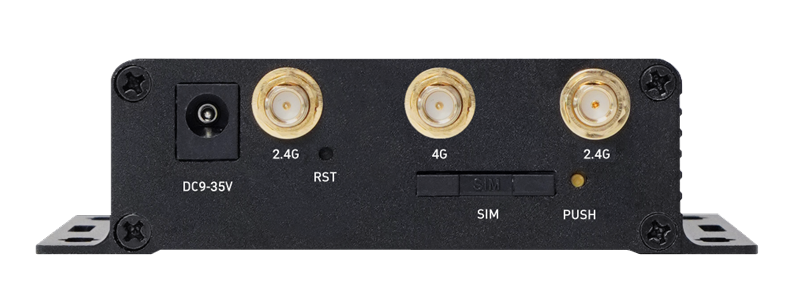
-
Position the antennas upwards for optimal performance.
Change external antennas
The following guidance applies to all cellular routers with external antenna interfaces, except Mudi 7 (GL-E5800).
You can buy additional Wi-Fi or 4G/5G NR antennas to replace those included in the package, allowing you to customize your network setup.
However, we recommend using the original antennas, as they have undergone extensive pre-shipment testing to ensure optimal performance and compatibility.
If you prefer to use third-party antennas, please refer to the sections below to make sure you select antennas with the correct connector type.
Tips: If you bought the incorrect antennas, you may consider buying an adapter which converts between connectors (e.g., SMA-RP male to SMA female).
Wi-Fi antennas
The base of the Wi-Fi antenna uses an RP-SMA female connector (external thread and internal pin). It requires a Wi-Fi antenna which uses an RP-SMA male connector (internal thread and internal hole).

5G NR antennas
The base of the 5G NR antenna uses an SMA female connector (external thread and internal hole). It requires a 5G NR antenna with an SMA male connector (internal thread and internal pin).

Still have questions? Visit our Community Forum or Contact us.