How to delete my Cloud account?
For security reasons, you may delete your cloud account if it is no longer in use.
WARNING:
- GL.iNet routers and KVM devices share a unified cloud service. If you delete your cloud account, the change will take effect for both routers and KVM devices.
- Deletion will permanently erase all associated services, data, and personal information, with no option for recovery.
- Please leave all organizations before proceeding with deletion.
There are two ways to delete your cloud account: via GLKVM app or via the Cloud.
Follow the steps below to delete your cloud account if required.
Delete in GLKVM app
-
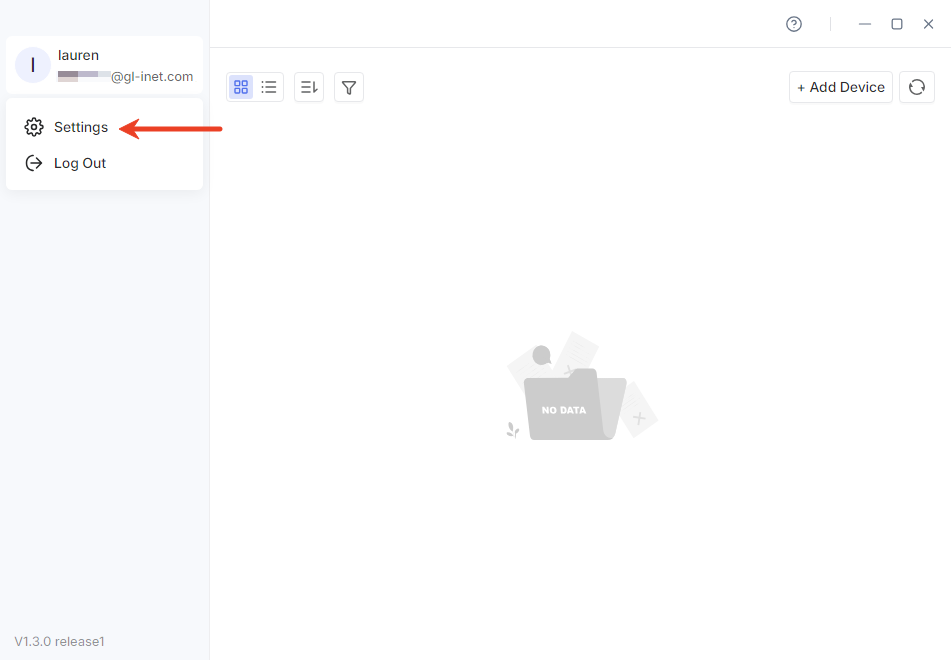
Log in to the GLKVM app, click your profile in the upper left corner, and click Settings.
-
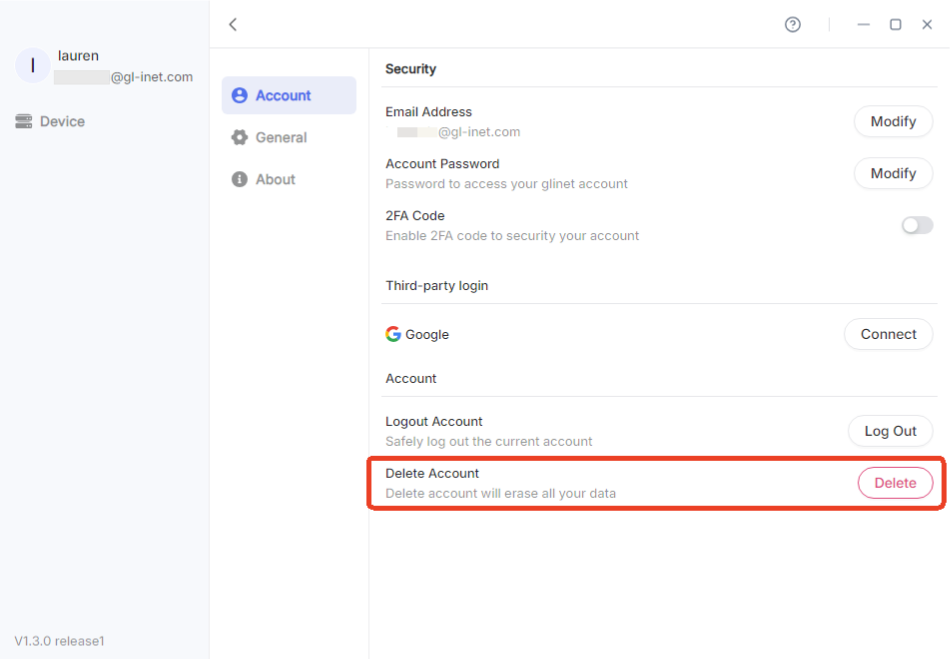
In the Account settings, click the Delete button. It will erase all your data. Proceed with caution.
Delete in the Cloud
-
Launch a web browser on your computer (Chrome or Edge is recommended for better compatibility). Enter
glkvm.comin the address bar, and log in with your cloud account. -
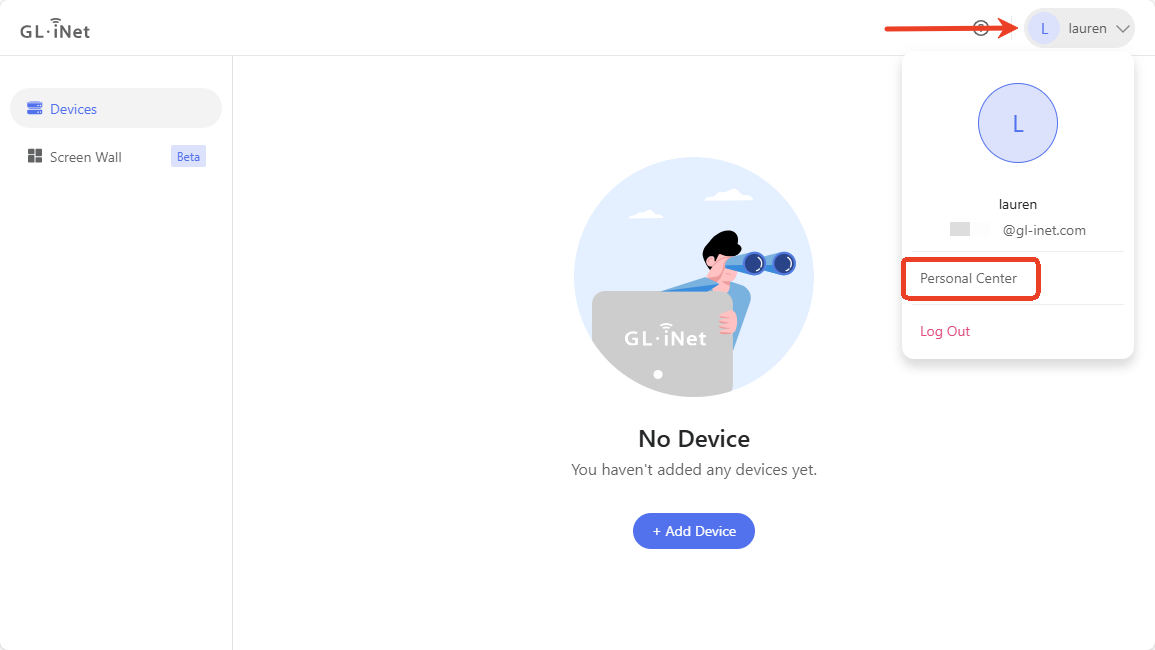
After login, click your profile in the upper right corner, and click Personal Center.
-
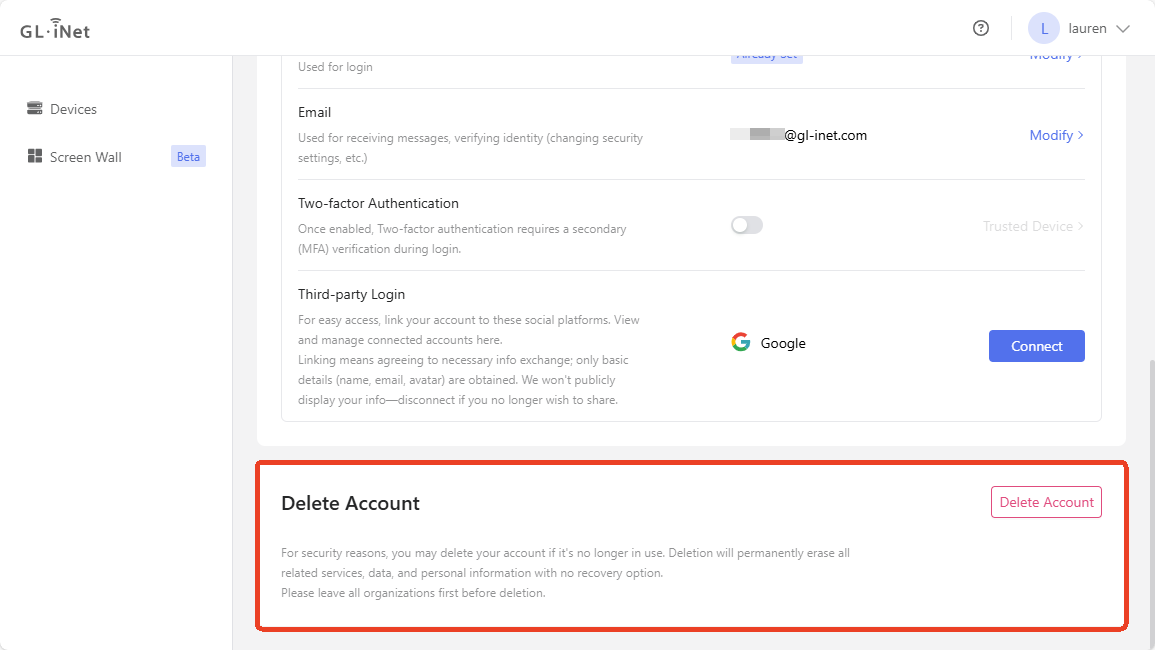
Scroll down to the bottom of the page, and click the Delete button. It will erase all your data. Proceed with caution.
Still have questions? Visit our Community Forum or Contact us.