How to disable Cloud service?
GL.iNet KVM Cloud service is enabled by default, allowing users to bind KVM devices to their Cloud account for remote access.
If you don't want to use Cloud service, you can manually disable it. Once disabled, remote access from the Cloud Service and GLKVM App will be unavailable. To re-enable it, you need to log in to your KVM locally via domain or IP address, or remotely via Tailscale.
Follow the steps below to disable Cloud service if required.
-
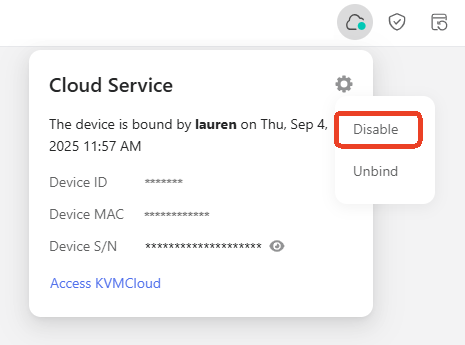
Log in to your KVM device, and navigate to Cloud Service in the upper right corner. Click the gear icon and click Disable.
-
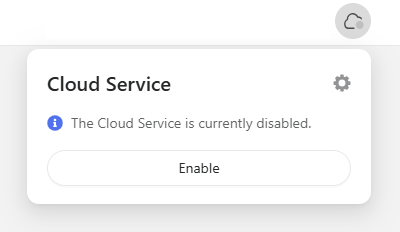
Once disabled, the page will be displayed as shown below.
Still have questions? Visit our Community Forum or Contact us.