What should I do if I cannot hear audio from the controlled device?
After connecting the KVM and the controlled device, if you fail to hear audio from the controlled device (e.g., no sound when you play videos on the device), here are some troubleshooting tips:
-
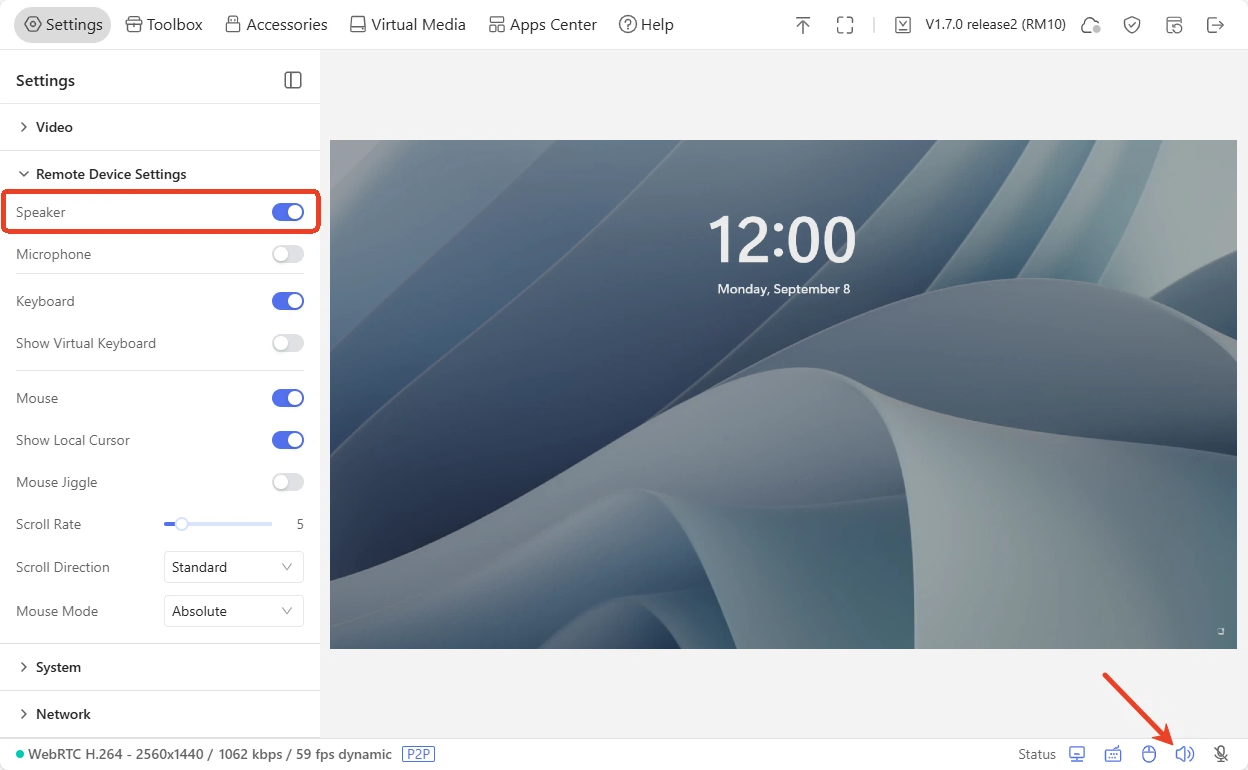
Ensure the Speaker is enabled on KVM console.
On the KVM console, navigate to Settings -> Remote Device Settings -> Speaker and make sure the speaker is enabled. Meanwhile, confirm the icon in the bottom right corner lights up (indicating it is active).
-
Ensure all cables are firmly connected between the KVM and the controlled device. Loose wiring may affect the audio output.
-
Check whether an HDMI converter is connected. Some converters do not support audio.
It is recommended to use the HDMI cable that comes in the box, as some older-standard HDMI cables may not support audio transmission.
-
Check whether the host device and the controlled device are set to mute.
-
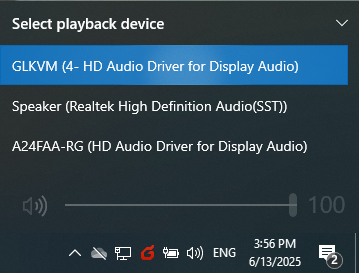
Check the output settings of your controlled device and ensure the output device is GLKVM.
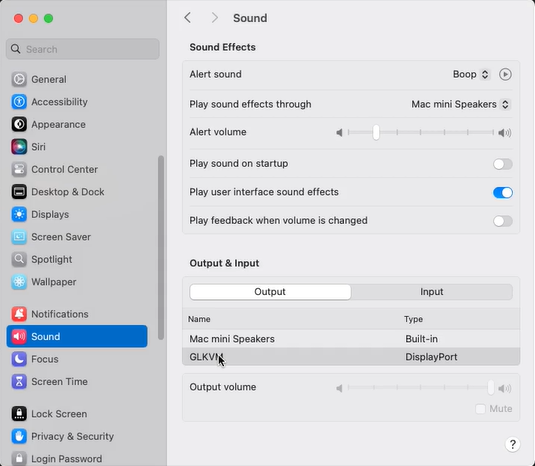
macOS
On your controlled device, go to Settings -> Sound -> Output & Input -> Output, switch the output device to GLKVM.
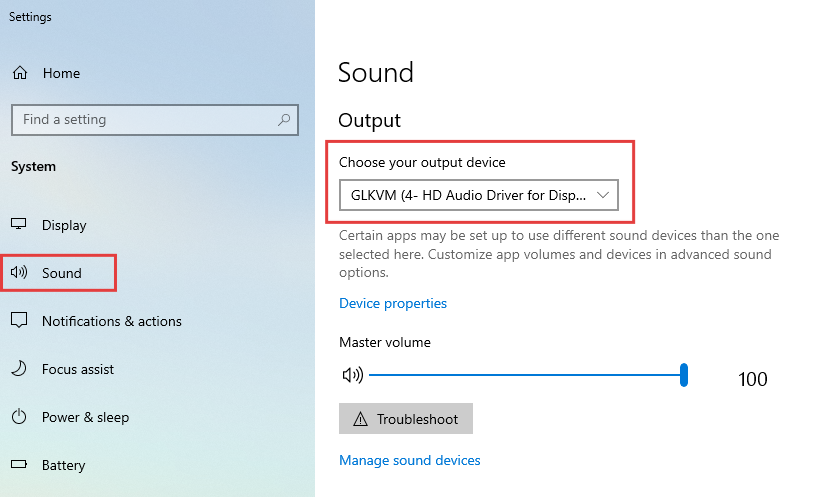
Windows
On your controlled device, go to Settings -> Sound -> Output, switch the output device to GLKVM.
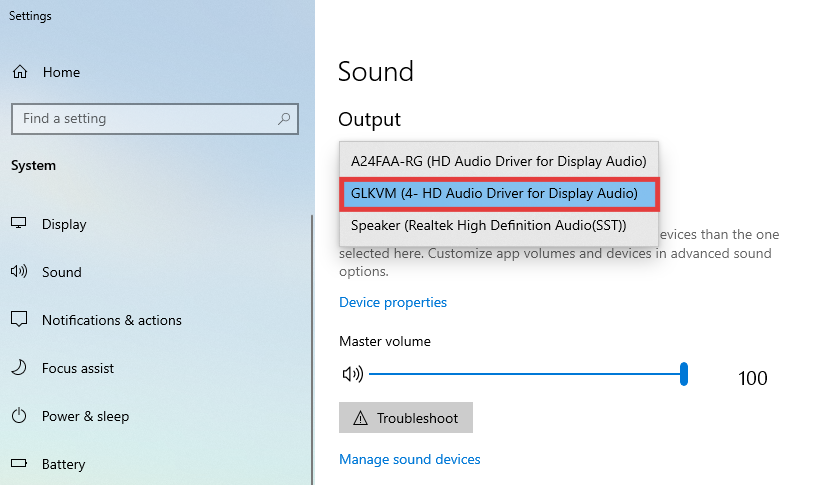
Alternatively, you can click on the sound icon in the bottom right corner of your controlled device, and select the playback device as GLKVM.
-
Check the graphics card driver of the controlled device. If the controlled device does not have a graphics card driver, it will not be able to output audio, thus the sound cannot be heard at the controlling end.
-
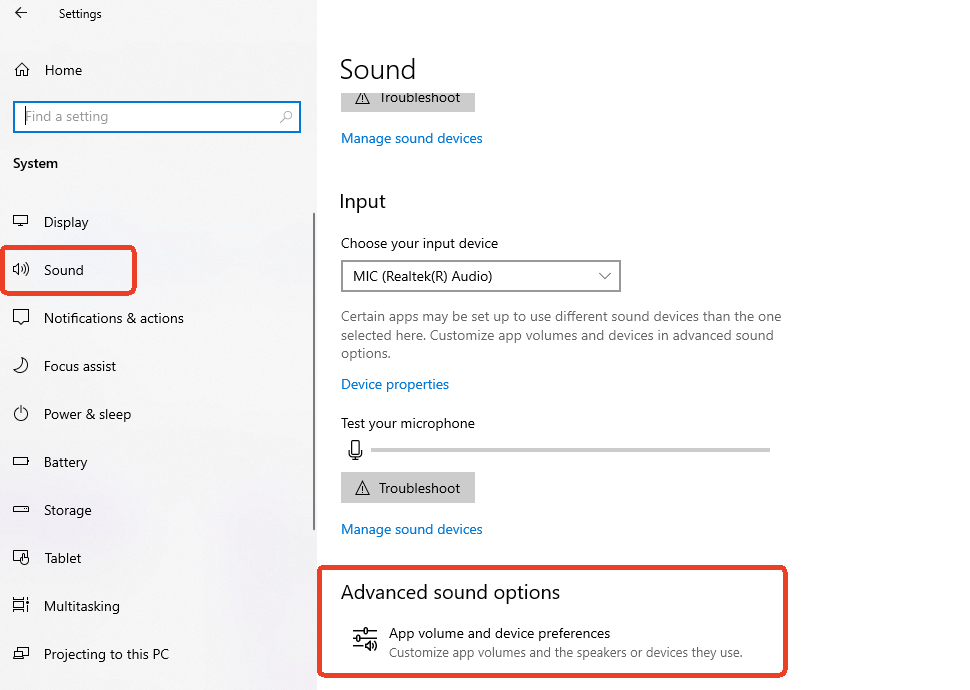
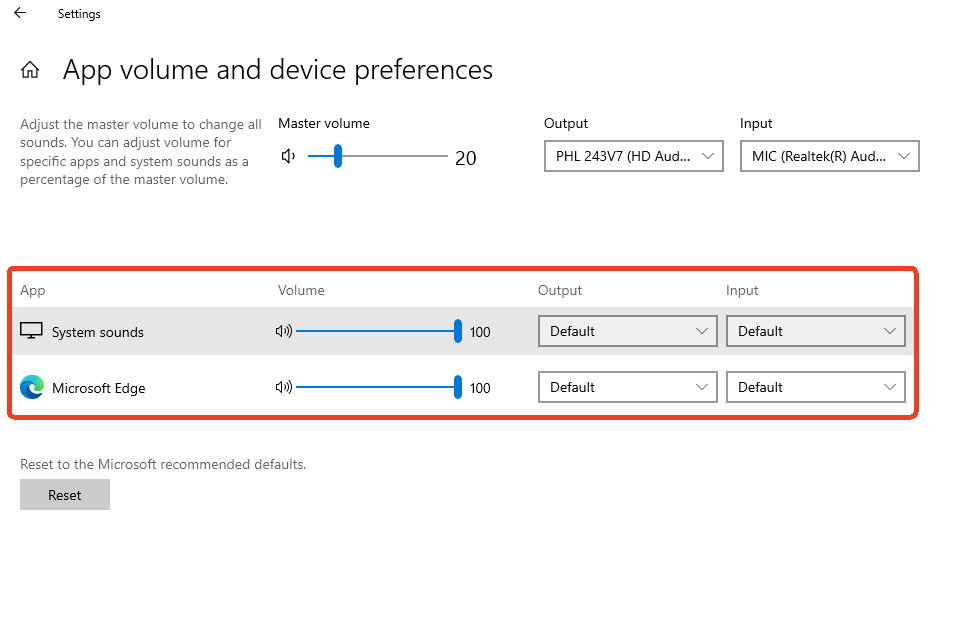
Check the advanced sound settings on your host device, and ensure that your browser has an active volume output.
Below is an example of the advanced sound settings in Windows 10 Pro for reference.
Go to Settings -> Sound -> Advanced sound options.
Adjust volume for specific apps and system sounds.
Still have questions? Visit our Community Forum or Contact us.