Installatie van de GLKVM-app op Windows mislukt: "The code execution cannot proceed"
Bij het installeren van de GLKVM-app op Windows kan de volgende fout optreden: "The code execution cannot proceed because VCRUNTIME140_1.dll was not found".
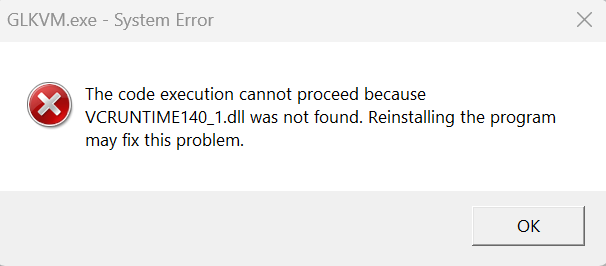
Deze fout treedt op doordat runtime-afhankelijkheden van Visual C++ ontbreken. De app heeft specifieke DLL-bestanden nodig uit het pakket Visual C++ Redistributable.
Volg deze stappen:
-
Download de nieuwste Visual C++ Redistributable voor Visual Studio hier van de officiële website van Microsoft.
-
Installeer het pakket en start uw computer opnieuw op.
Schakel antivirussoftware tijdelijk uit, omdat sommige beveiligingsprogramma's installatiebestanden ten onrechte kunnen blokkeren.
Hoe controleer ik of de afhankelijkheden van Visual C++ correct zijn geïnstalleerd?
-
Ga in Windows naar Configuratiescherm > Programma's > Programma's en onderdelen.
-
Zoek naar items zoals "Microsoft Visual C++ 2015-2022 Redistributable" (x64/x86). Als deze ontbreken, installeert u ze via de bovenstaande link.
-
-
Voer het installatieprogramma van de GLKVM-app opnieuw uit.
Hebt u nog vragen? Bezoek ons communityforum of neem contact met ons op.