How to upgrade to firmware 4.x?
This document is outdated and no longer maintained. Click here for the latest upgrade guide.
Volg de onderstaande stappen om je router van firmware 3.x naar 4.x bij te werken.
Opmerking: behoud de instellingen niet wanneer je van v3.x naar v4.x bijwerkt, omdat dit instabiliteit kan veroorzaken. Maak vóór de upgrade een back-up van belangrijke instellingen.
De GL-B1300 en GL-S1300 ondersteunen de meshfunctie niet in firmware v4.x.
Method 1. Local Upgrade
Je kunt de firmware via het webbeheerpaneel bijwerken.
-
Upgrade the firmware to the latest stable 3.x version.
-
Download the 4.x firmware here. Make sure you download the one for common upgrade.
-
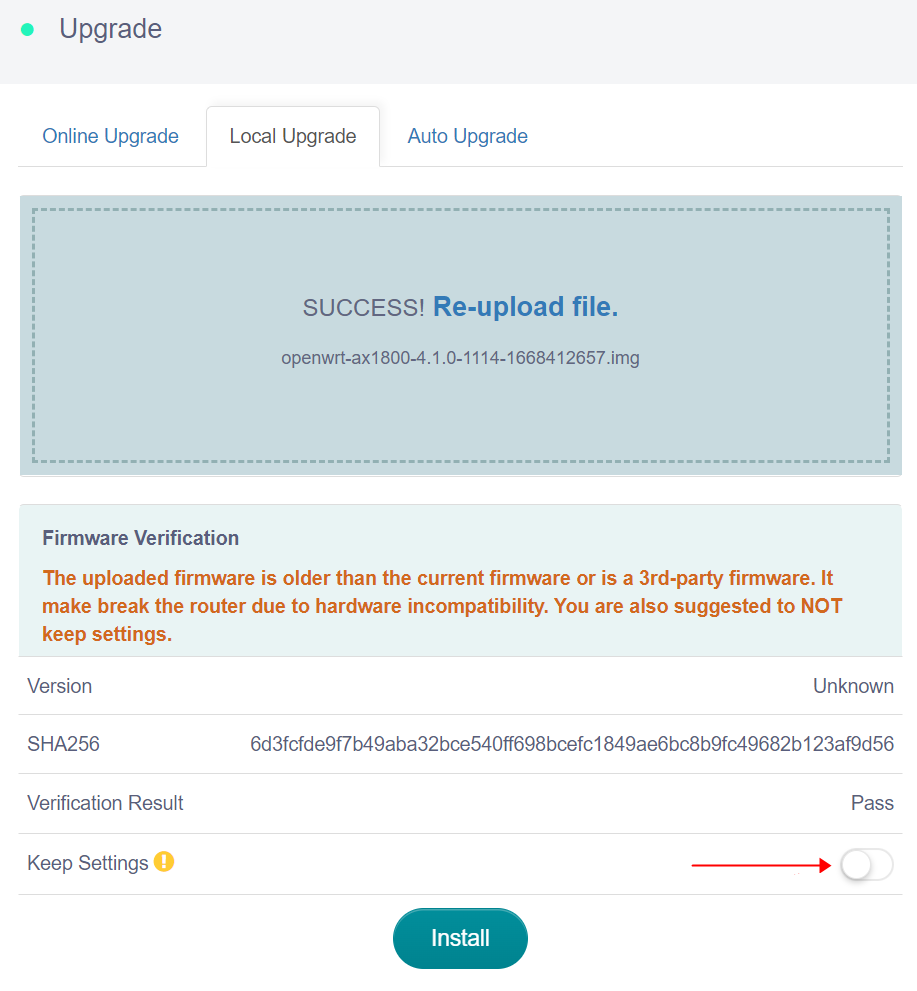
Meld je aan bij het webbeheerpaneel, ga naar Upgrade -> Local Upgrade en upload het firmwarebestand dat je zojuist hebt gedownload.
Opmerking: firmware 4.x is niet compatibel met firmware 3.x. Behoud de instellingen NIET wanneer je een upgrade uitvoert vanaf firmware 3.x.
Method 2. U-Boot Upgrade
-
Download the 4.x firmware here. Make sure you download the one for U-Boot.
-
Refer to this U-Boot guide to flash the firmware.
Heb je nog vragen? Bezoek ons Community Forum of neem contact met ons op.