Firmware v1.10
This release introduces native WebRTC, real-time data monitoring, centralized USB devices management, and a new Settings Center. It also improves startup performance, security, and microphone stability for a smoother and more reliable remote KVM experience.
Get the latest firmware from the Firmware Download Center
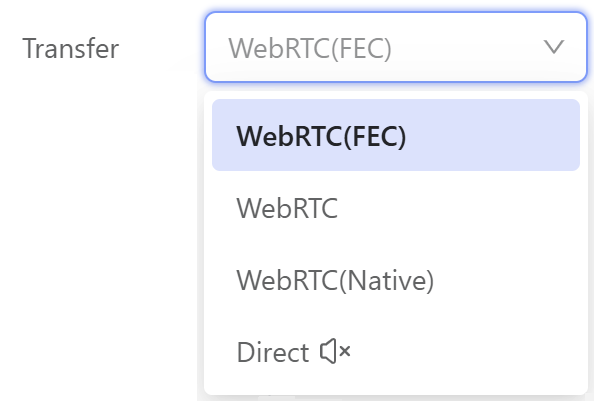
WebRTC (Native) Mode
This firmware introduces WebRTC (Native) Mode. It uses the Google WebRTC Library to improve streaming performance and provide a smoother real-time remote control experience.
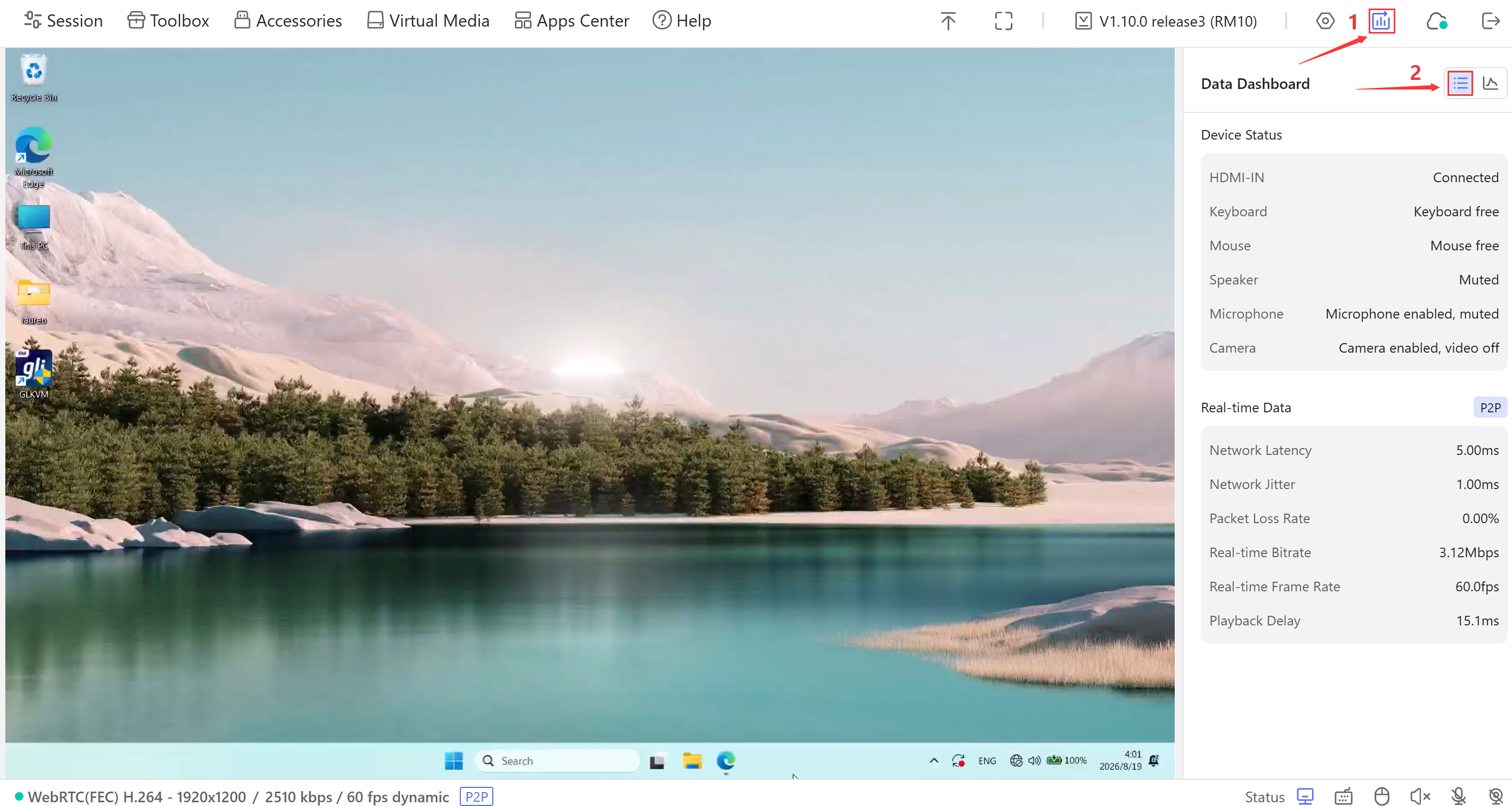
Connection Stats
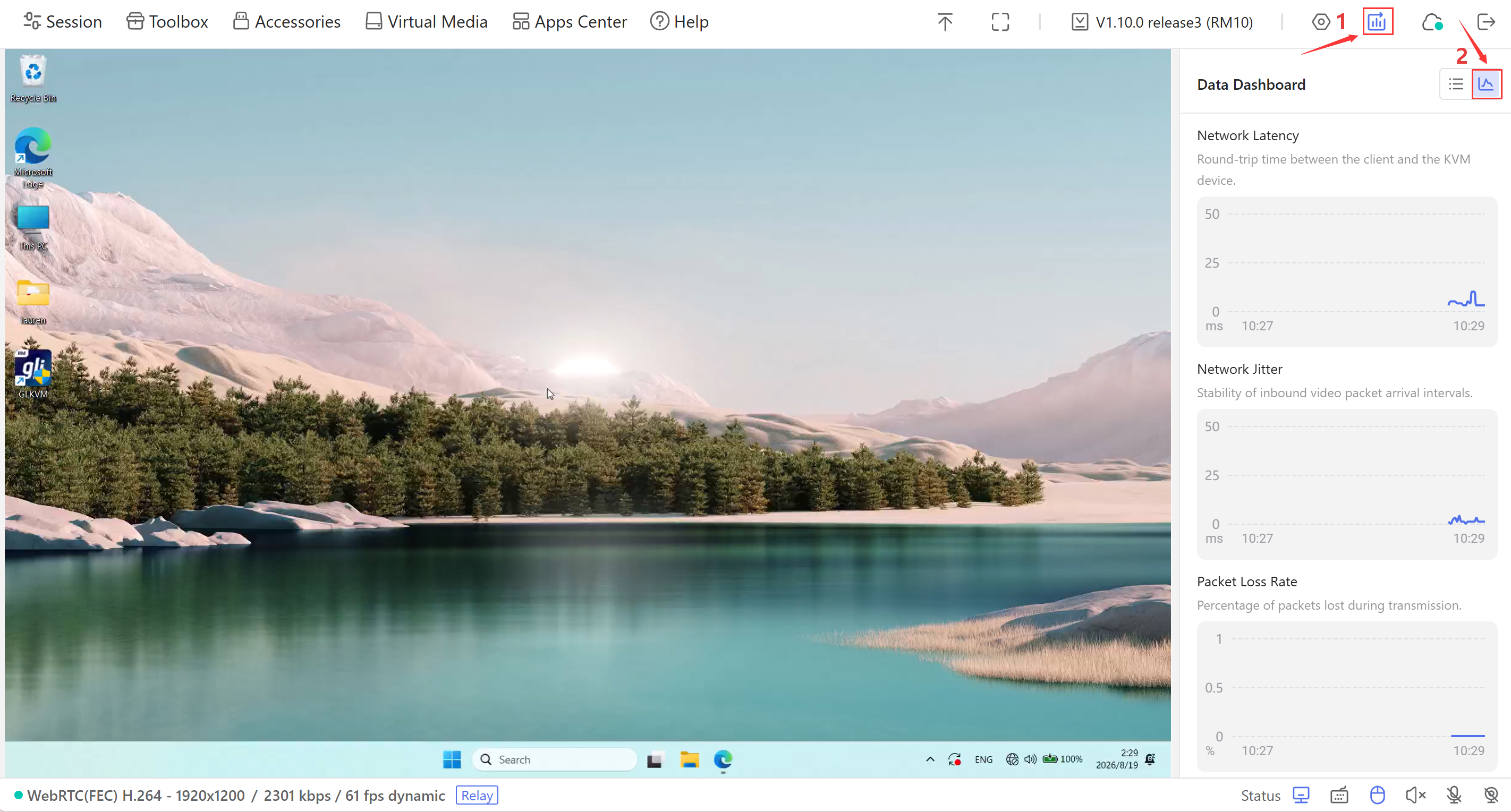
Connection Stats displays real-time connection information and trend charts, including network latency, jitter, packet loss rate, bitrate, frame rate, and playback delay.
Click the list icon to view real-time connection data and device status.
Click the chart icon to view trend charts for network latency, jitter, and packet loss rate.
Settings Center
This release adds a new Settings Center that centralizes USB device, preference, network, security, cloud, and system settings. Existing options, such as hostname configuration, cloud management, and firmware upgrades, are now easier to access in one place.
USB Devices
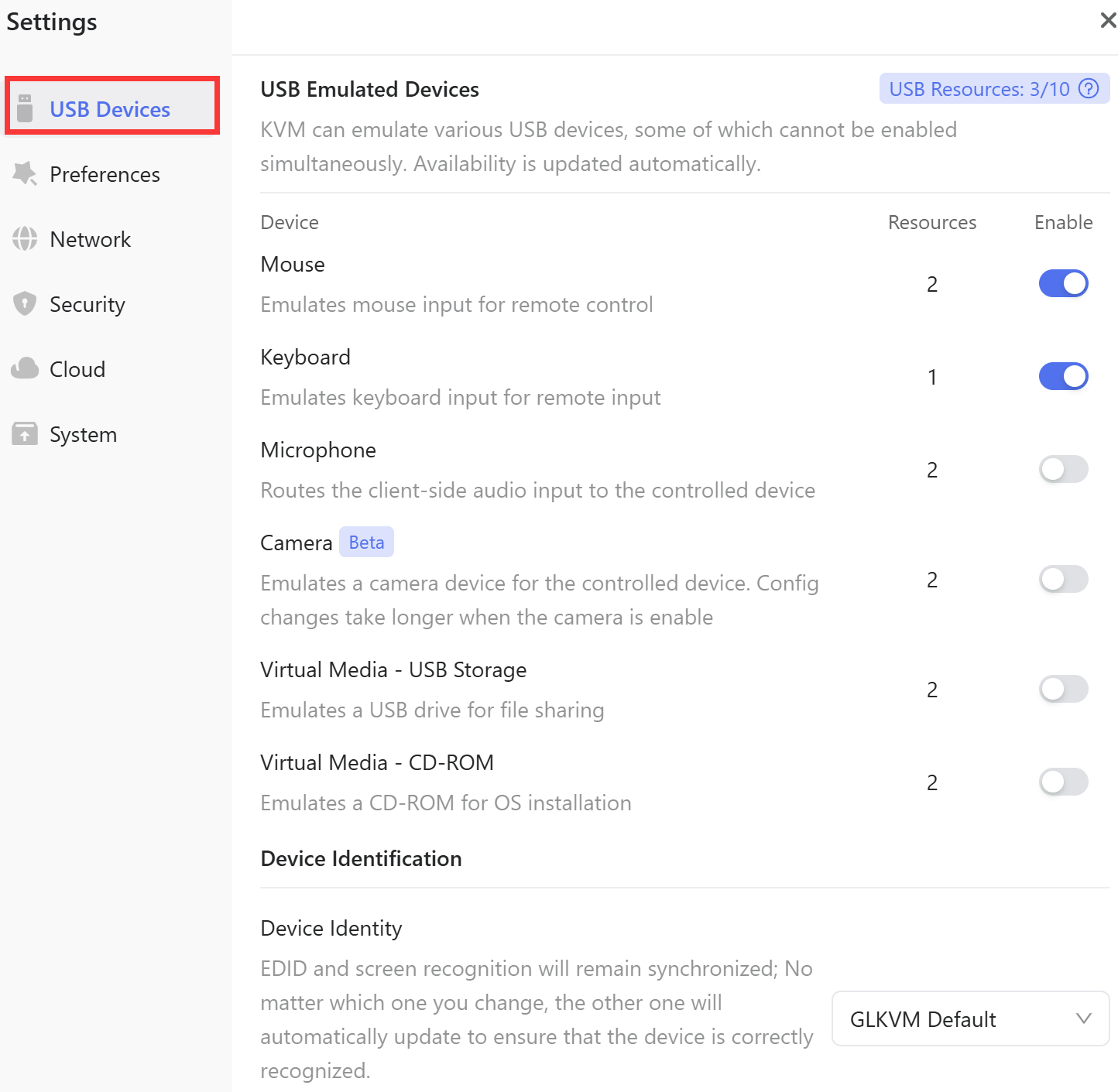
The USB Devices provides centralized management for USB emulation devices. From this page, you can enable or disable virtual peripherals to improve compatibility with the controlled host.
-
USB Emulated Devices: Enable or disable USB emulated devices, including the mouse, keyboard, microphone, camera, and virtual media. Some devices cannot be enabled at the same time. Availability is updated automatically.
-
Device Identity: Customize or modify the KVM's identity recognized by the controlled device. Note that EDID and device identification remain synchronized. Changing either one will automatically update the other to ensure correct device recognition.
Preferences
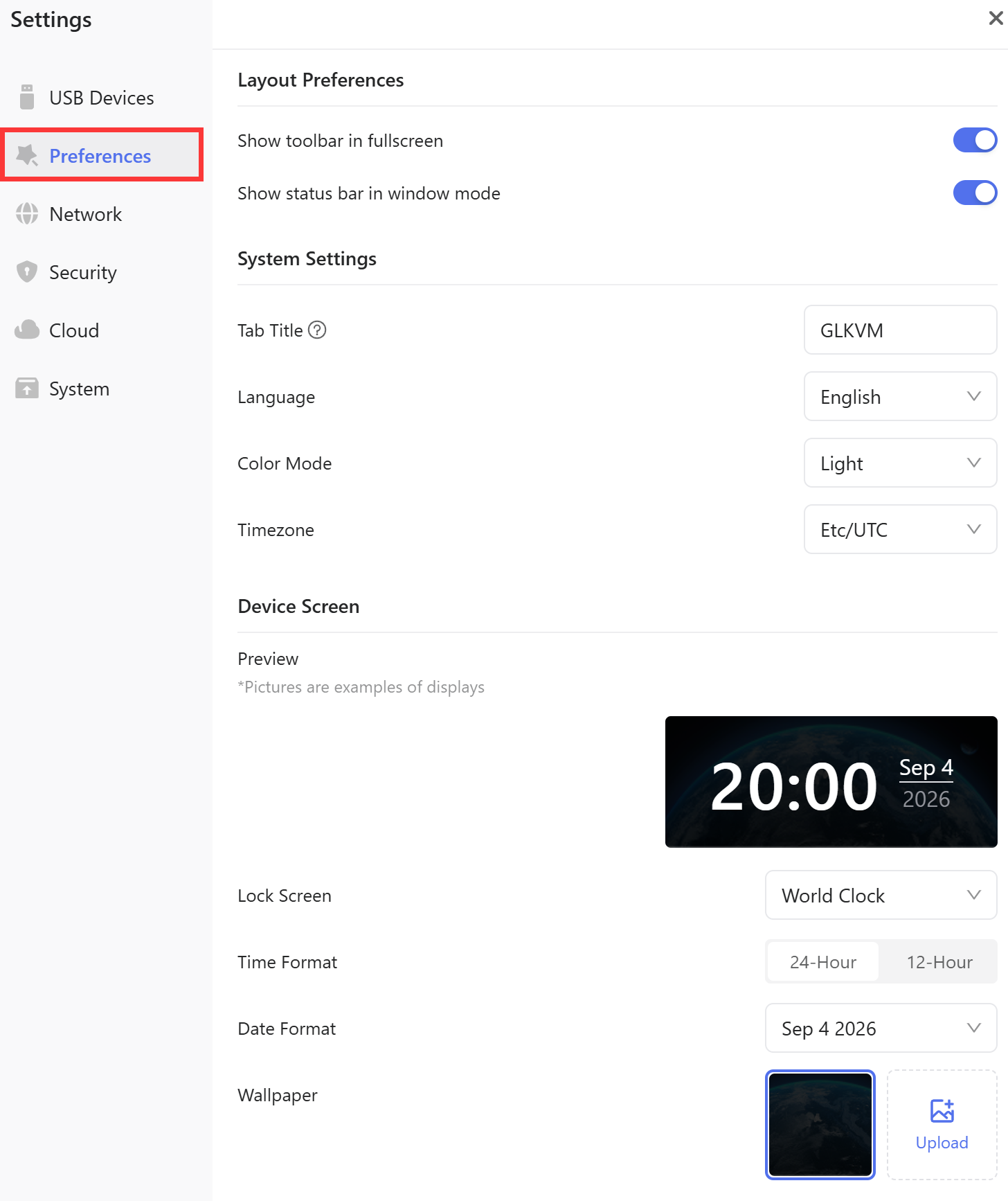
The Preferences let you manage layout preferences, system settings, and device screen settings.
-
Layout Preferences: Configure the toolbar in fullscreen mode and the status bar in windowed mode.
-
System Settings: Set the browser tab title, UI language, color mode, and timezone.
-
Device Screen: Preview and configure the built-in device screen, including lock screen mode, time format, date format, and wallpaper.
Note: This feature is available only on models with a built-in display.
Network
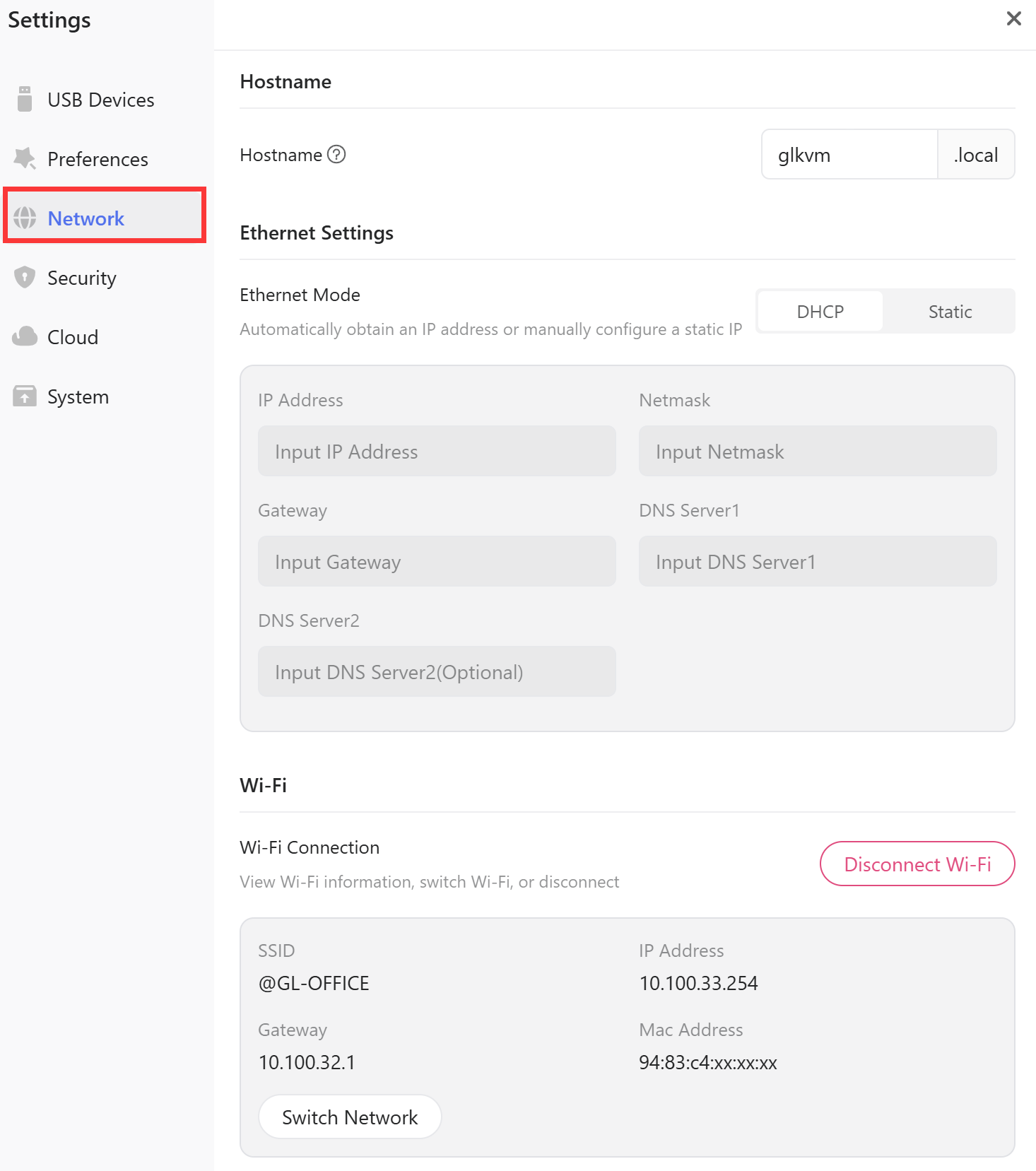
You can view and manage device network settings, including the hostname, Ethernet connection, and wireless network information.
-
Hostname: Change the device hostname directly from the console. This feature was introduced in firmware v1.7.0.
-
Ethernet Settings: View and configure the Ethernet connection. You can use DHCP to obtain network settings automatically, or select Static to manually enter the IP address, netmask, gateway, and other required parameters.
-
Wireless: IP address, gateway, and MAC address are displayed once the device joins a Wi‑Fi network.
Note: The Wireless feature is available only on supported models.
Security
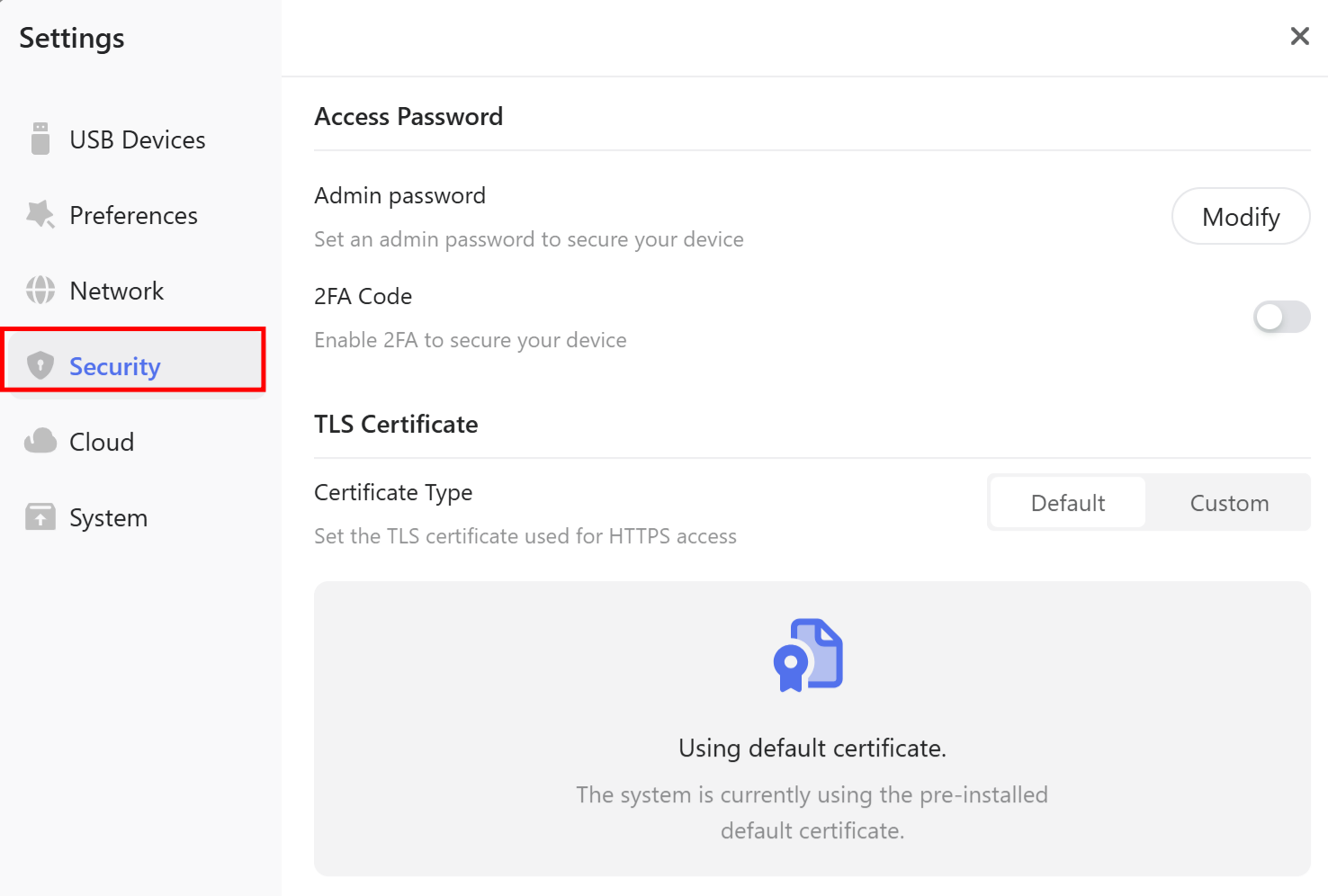
The Security lets you change the administrator password, enable two-factor authentication, and customize the TLS certificate.
-
Access Password: Manage the admin password or enable two-factor authentication (2FA) to secure device access.
-
TLS Certificate: Use the default certificate or upload a custom certificate and private key for browser access.
Cloud
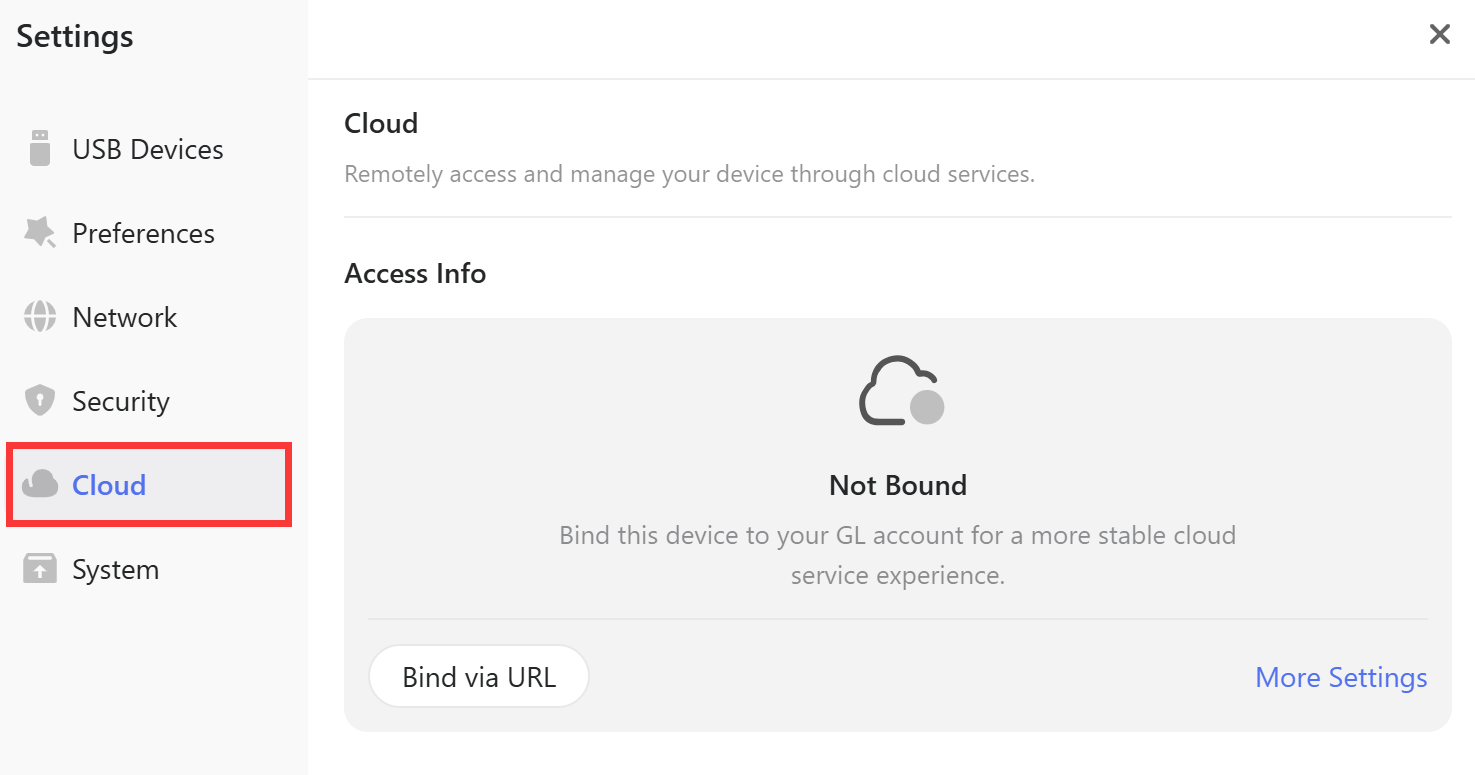
Devices can be bound to cloud services via URL or code for remote access and management. You can also download the mobile app, manage the connection, or unbind the device as needed.
System
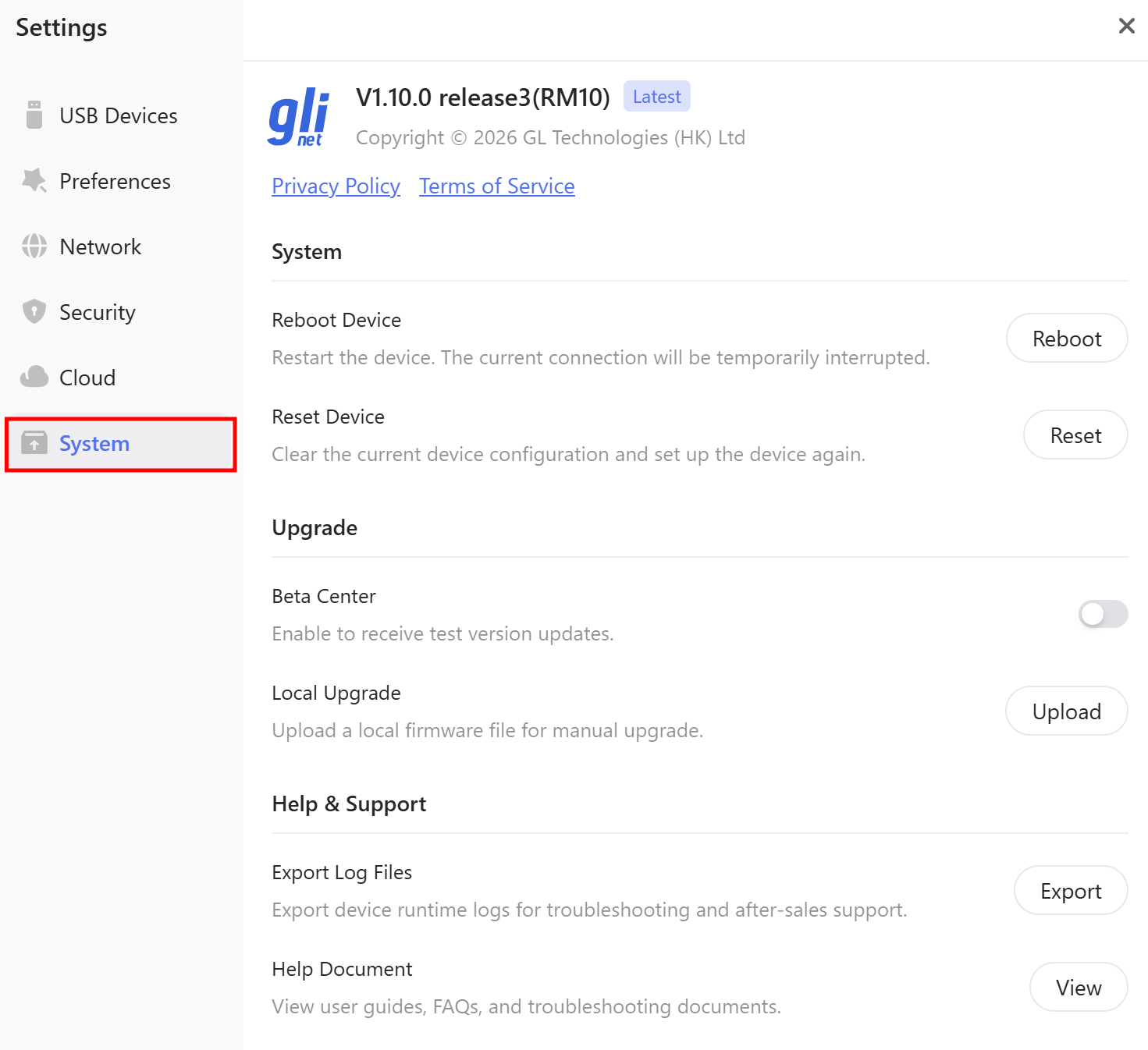
In System, you can access system management, firmware upgrade, and support options.
-
System: Reboot the device or reset it to its factory settings.
-
Upgrade: Enable Beta Center to receive beta firmware updates, or use Local Upgrade to install firmware from a local file.
-
Help & Support: Export device logs for troubleshooting and access user guides, FAQs, and other support documents.
Other Enhancements
-
Startup Performance: Improved device startup speed.
-
Password Policy: Strengthened password policy (minimum 10 characters with at least two character types) to enhance security.
-
Caps Lock Indicator: Added a Caps Lock status indicator for the controlled device.
Still have questions? Visit our Community Forum or Contact us.