What should I do if the remote screen only displays the desktop wallpaper
When accessing the controlled device through KVM, if you can only see the desktop wallpaper and no operations respond, it's likely that your controlled device uses multiple monitors configured in Extend Displays mode.
To resolve the issue, the controlled device's display mode needs to be switched to Duplicate display (Windows) or Mirror display (macOS).
Select the corresponding solution according to your operating system.
Take Windows 10 as an example. If Extend these displays is enabled, follow the steps below to switch to Duplicate display.

-
On the controlled device, go to Settings -> System -> Display.

-
On the Display page, scroll down to locate Multiple displays.
-
Switch from Extend Displays to Duplicate display.

-
Click Keep changes.

Then check if you can access the controlled device normally.
-
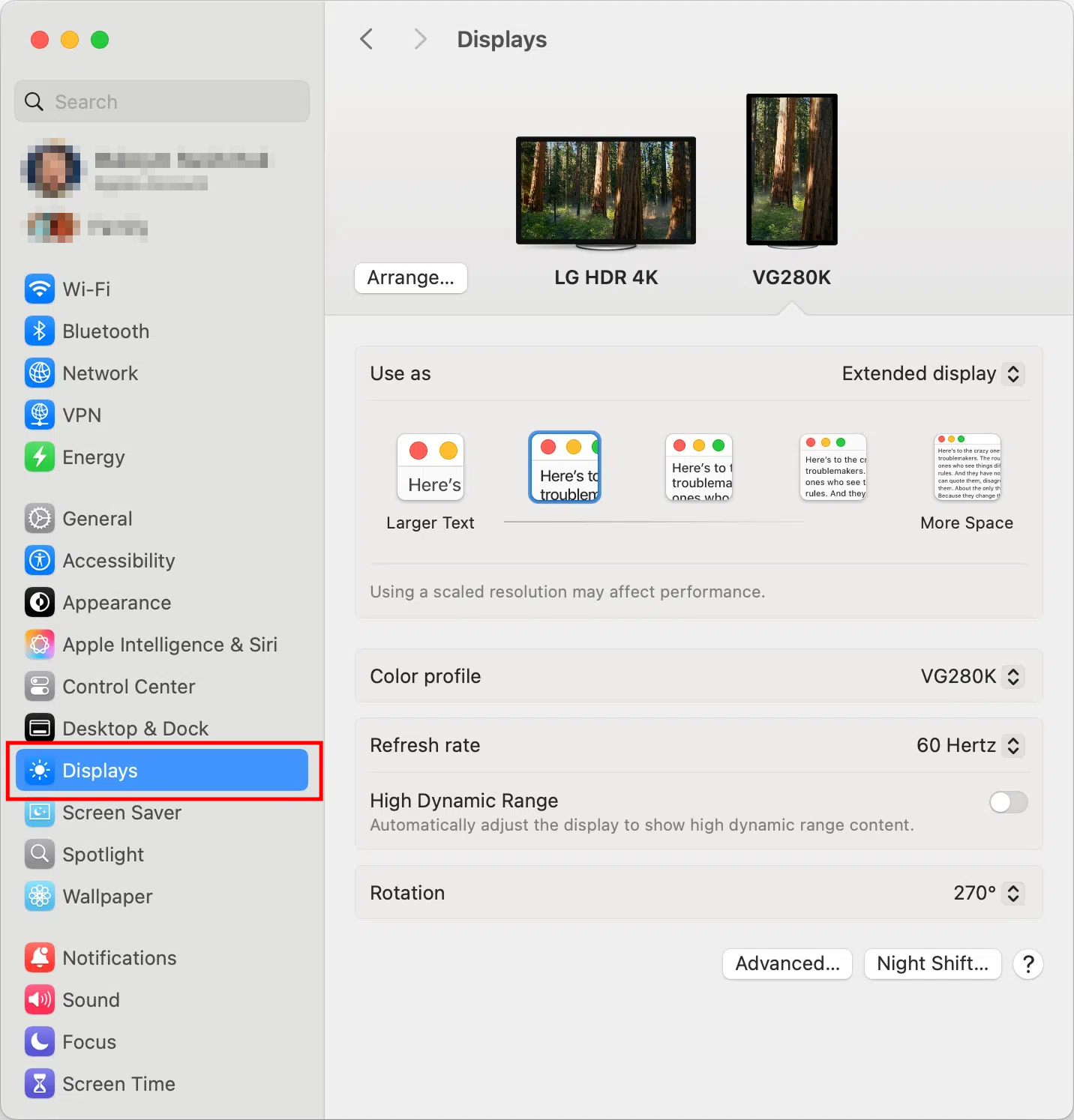
Click the Apple menu in the top-left corner of your screen and select System Settings.
-
Scroll down the sidebar and choose Displays.
-
In the layout view, click on the External display; you'll see MacBook screen and any connected monitors.
-
Click the Use as dropdown menu and select Mirror mode, usually Mirror for Built-in Display.
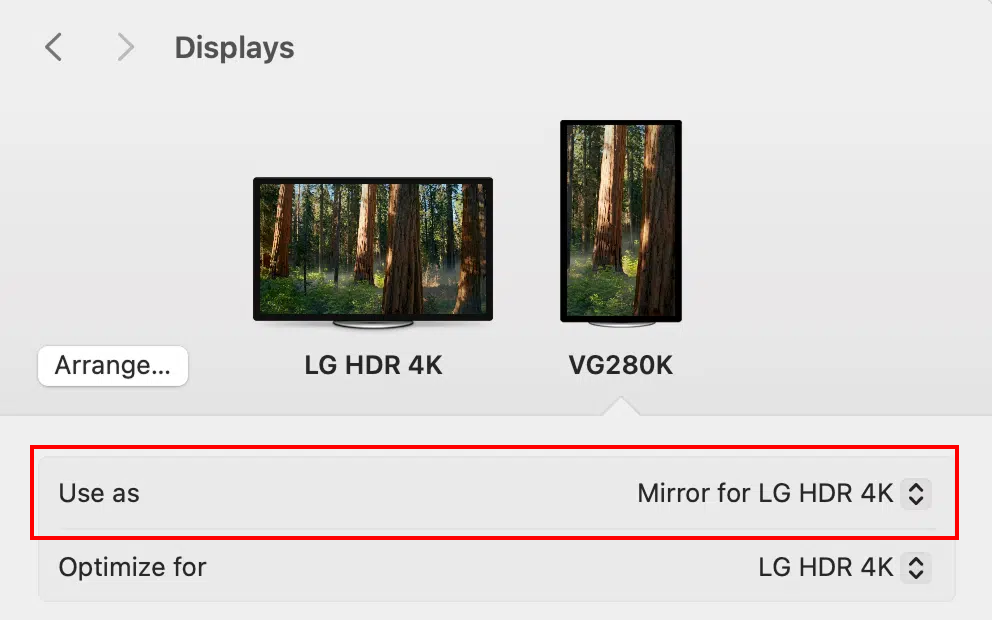
After setup, the full desktop and all application windows on the controlled device are accessible remotely.
Note
This solution only applies to display issues caused by Extend display mode. If the problem persists after enabling mirroring, please ensure your device has completed local user login and is not stuck at the system login screen.
Still have questions? Visit our Community Forum or Contact us.