How to share KVM devices with others
The cloud-based device sharing is a premium feature that lets you grant other users remote access to your KVM devices and manage their access permissions remotely.
Note: Please upgrade your KVM firmware to version 1.7 before using this feature.
Follow the steps below to share a KVM device with others.
-
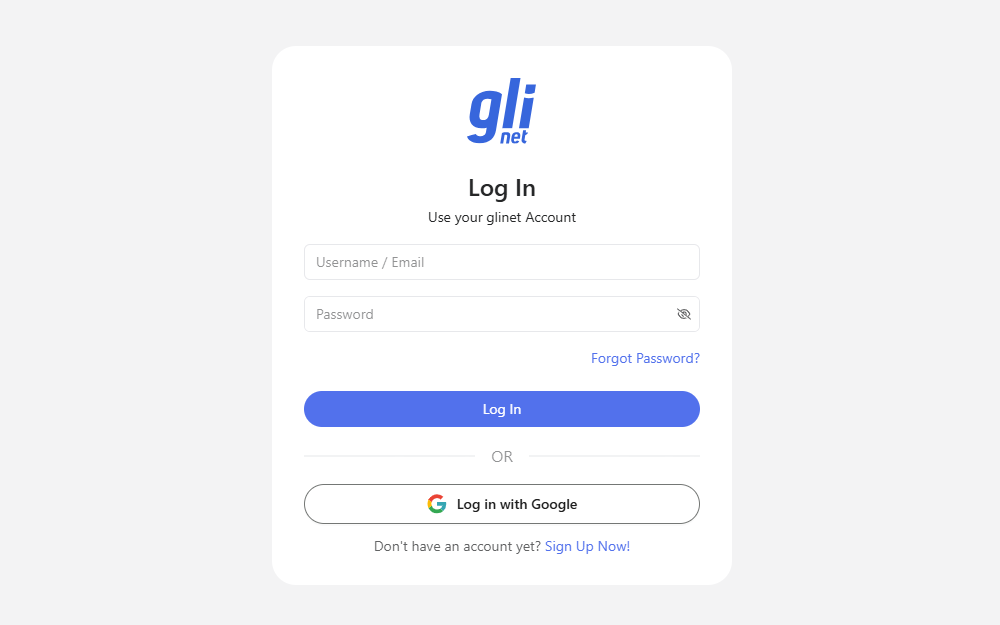
Bind your KVM device to the Cloud. See Bind your KVM to the Cloud for details.
-
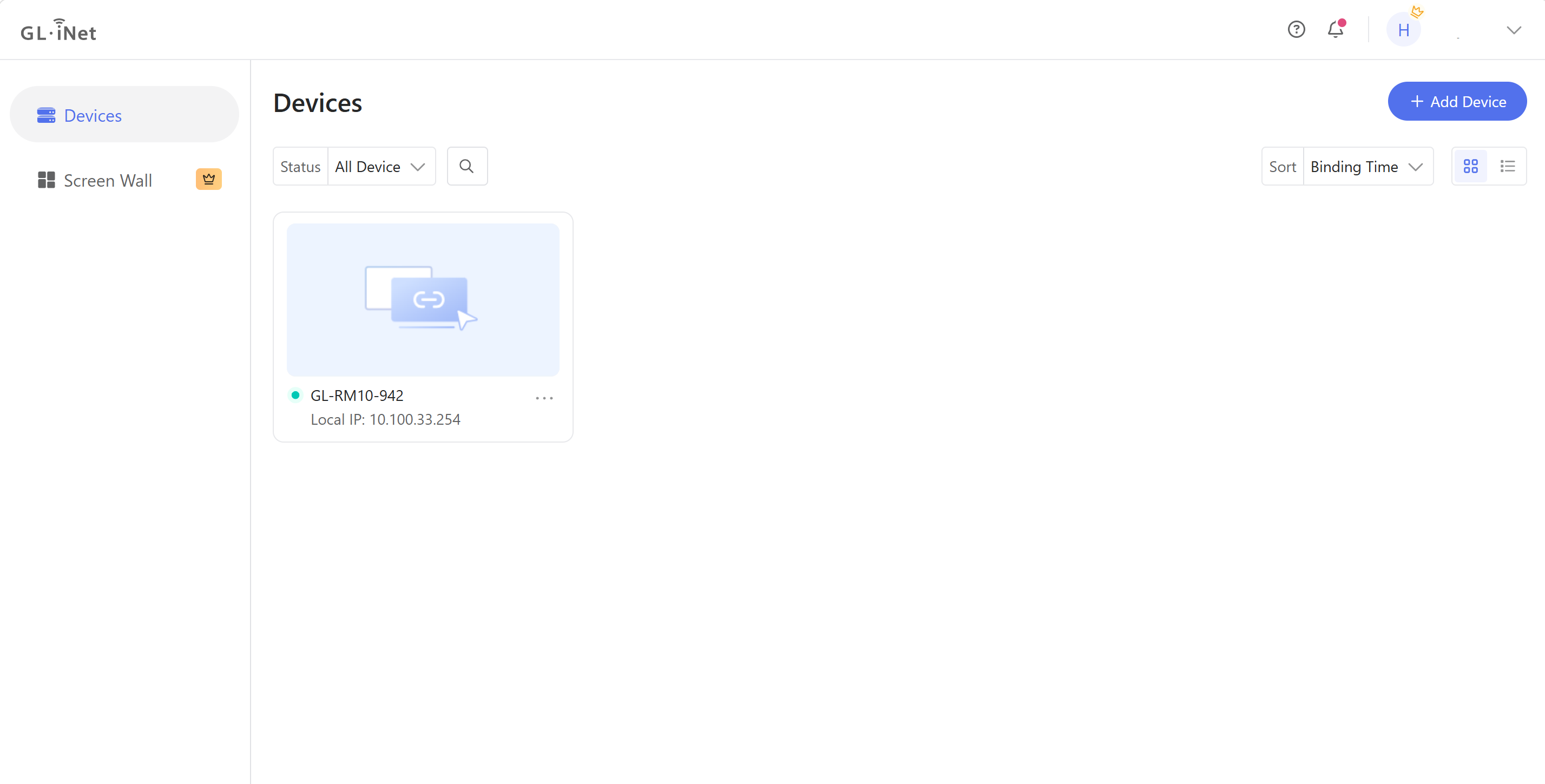
After binding, log in to https://glkvm.com/. Your bound devices will appear in the device list. Ensure the devices are online.
-
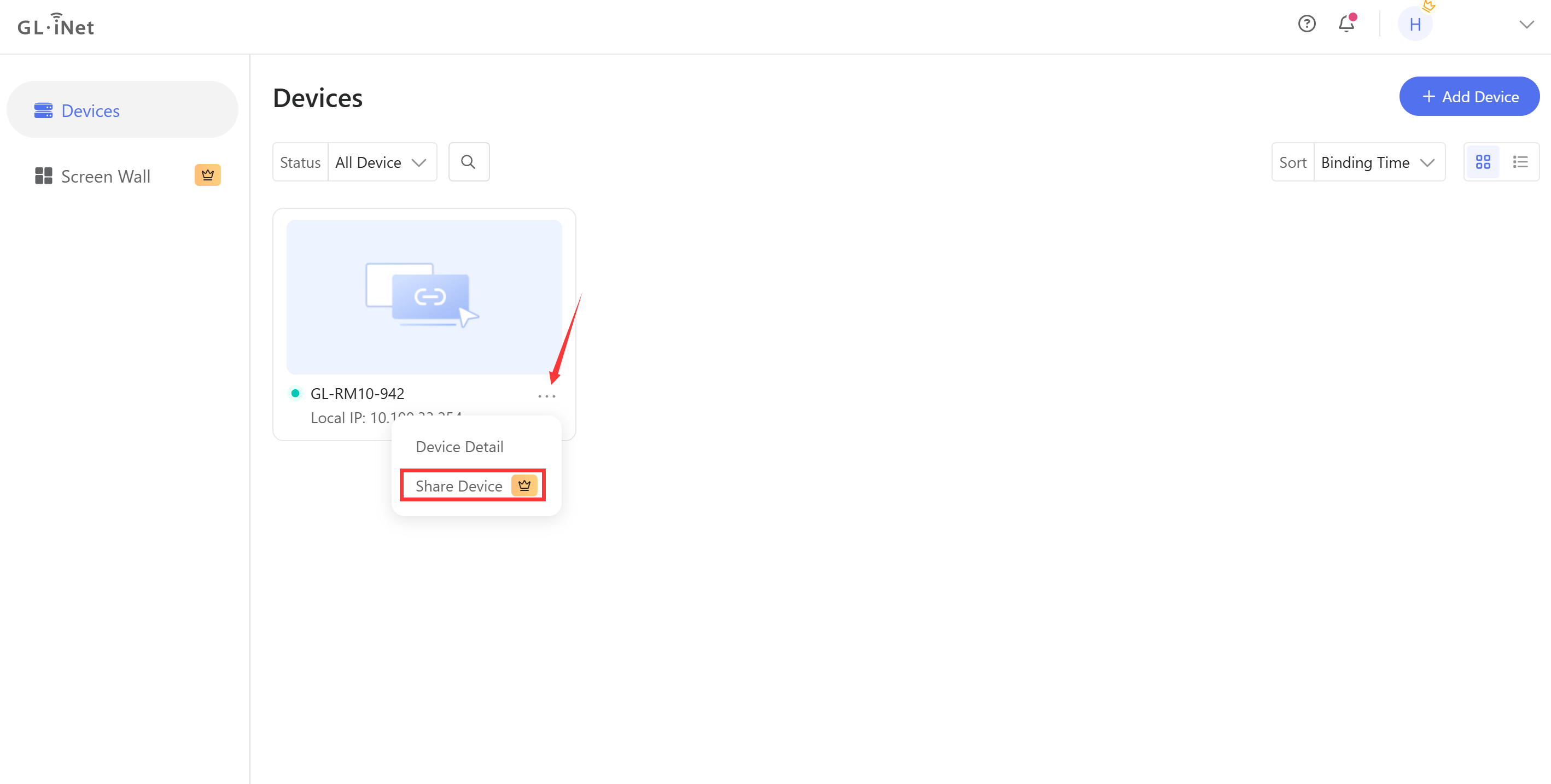
Click the three-dot menu on the device card, and click Share Device.
-
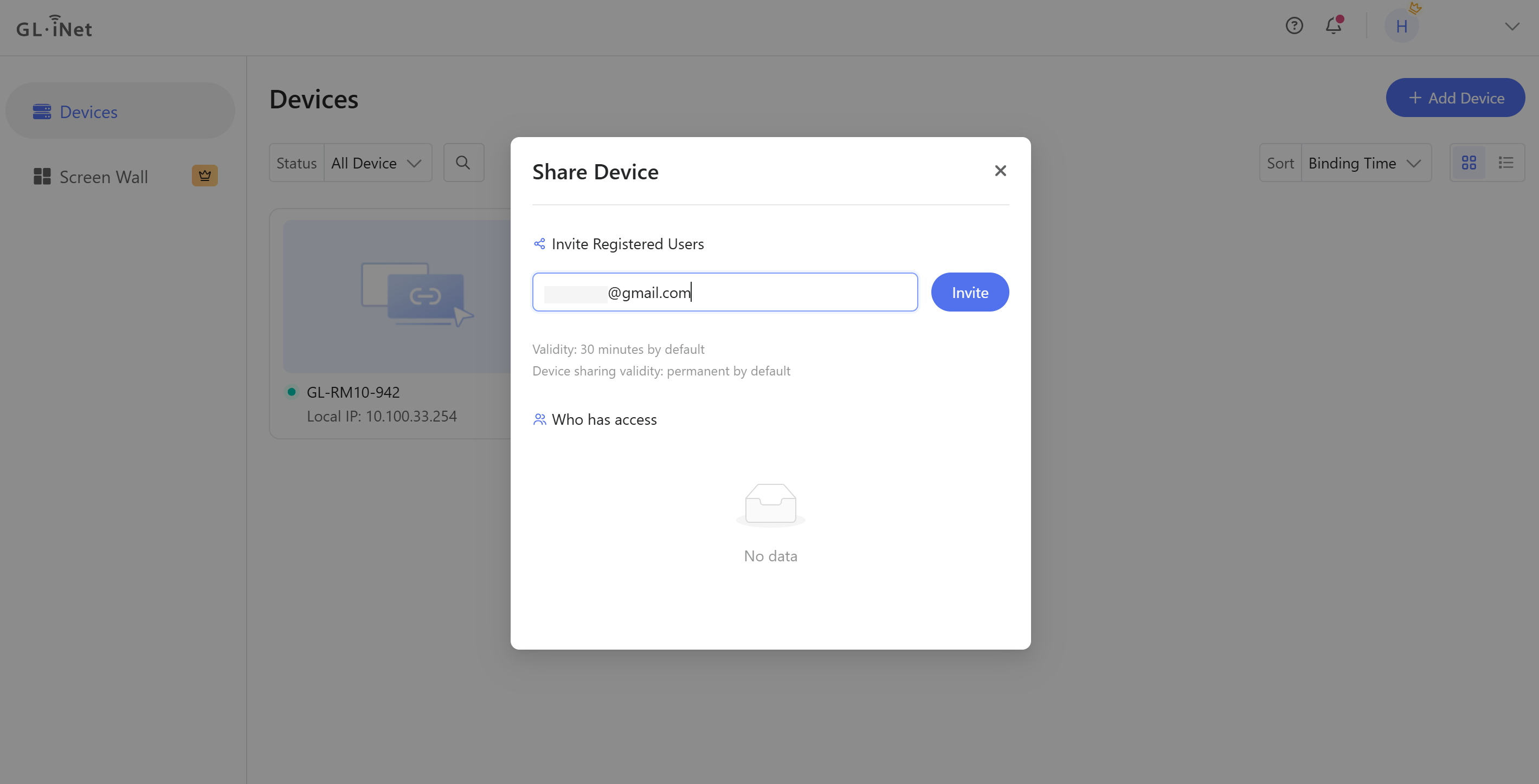
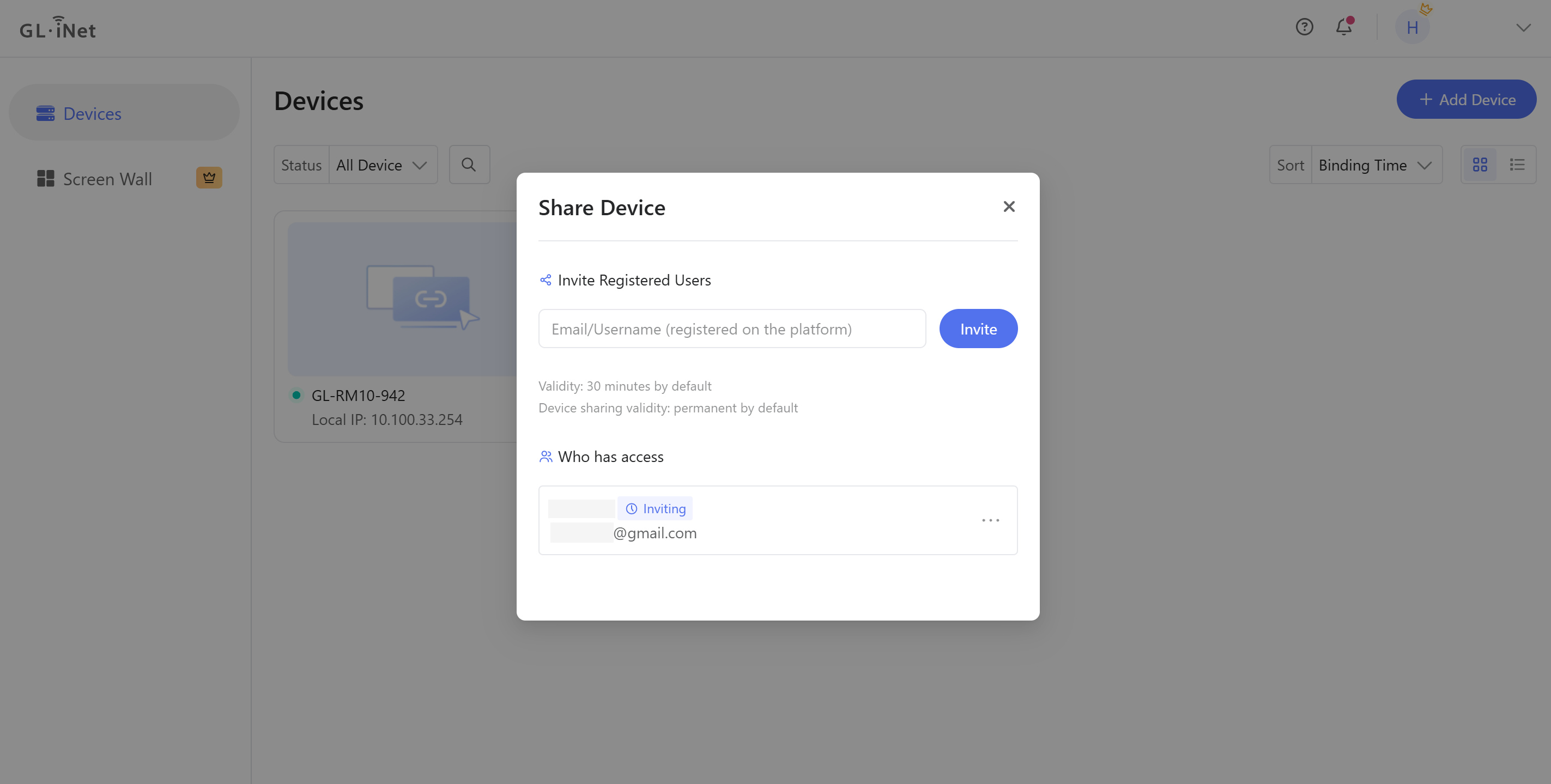
Enter the email or username of the registered user who you want to share with, then click Invite.
-
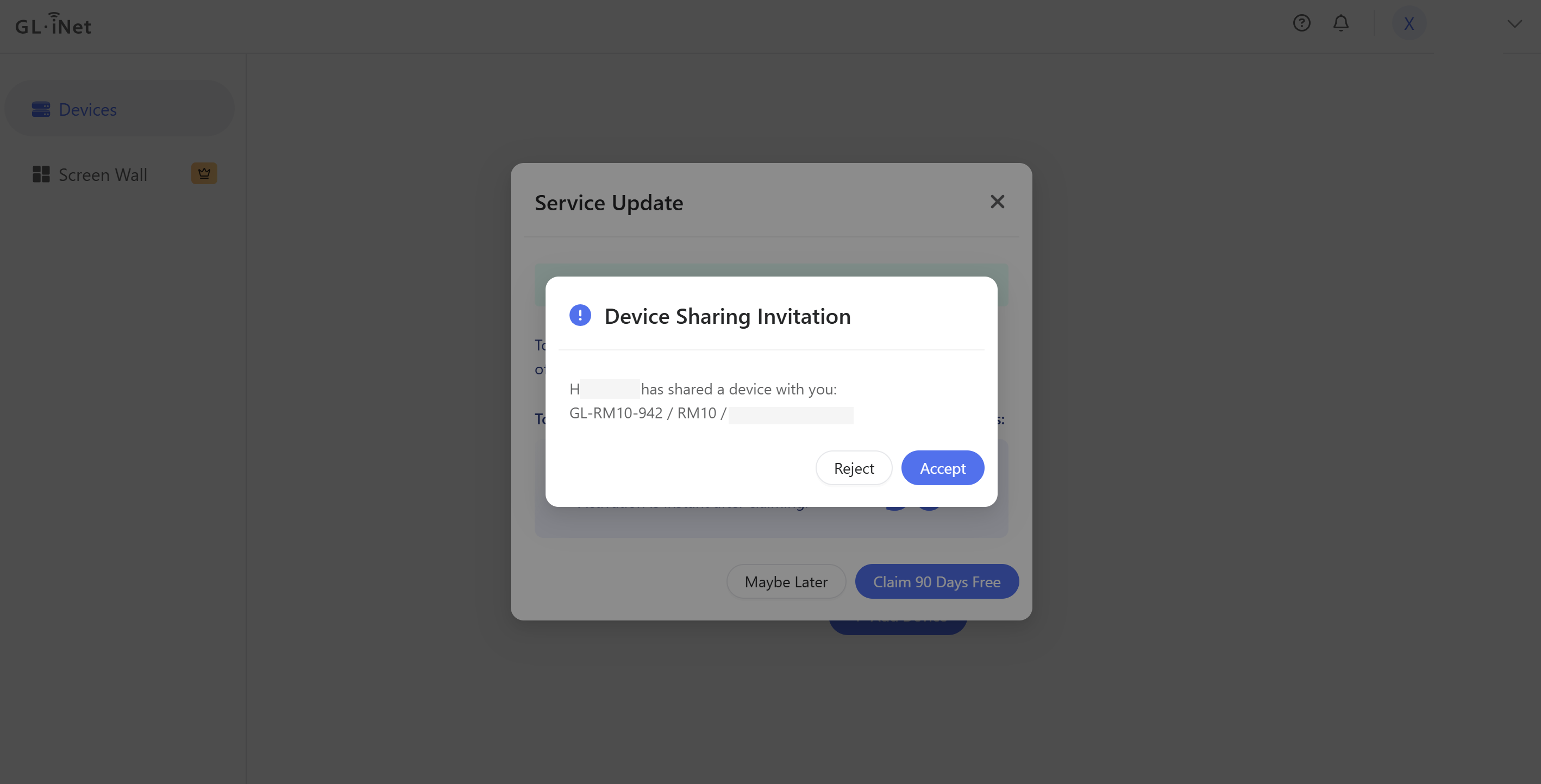
On the recipient’s cloud platform, the Device Sharing Invitation dialog pops up. Click Accept.
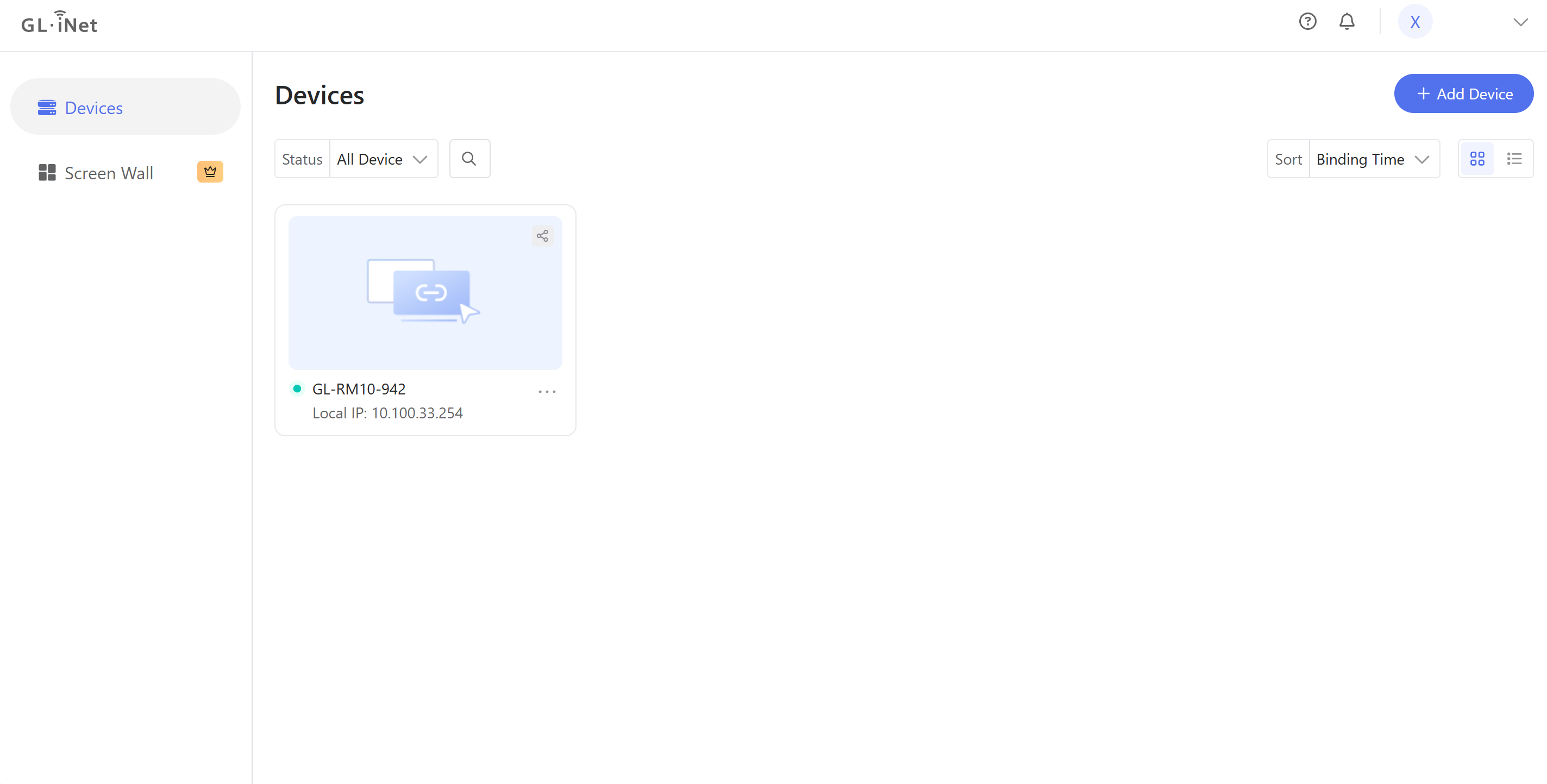
Once the invitation is accepted, the recipient can access the shared device.
-
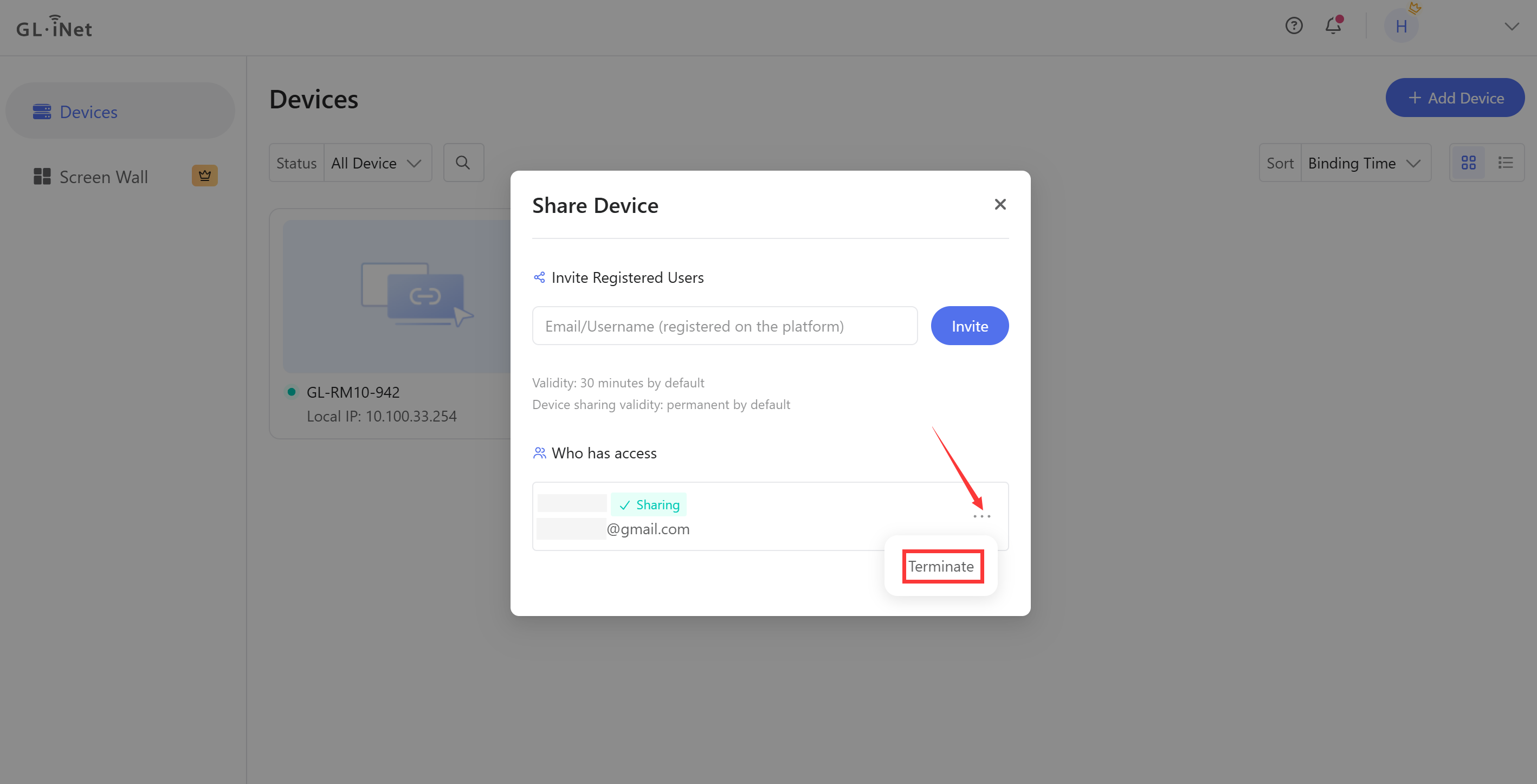
You can see the sharing status on the cloud platform.
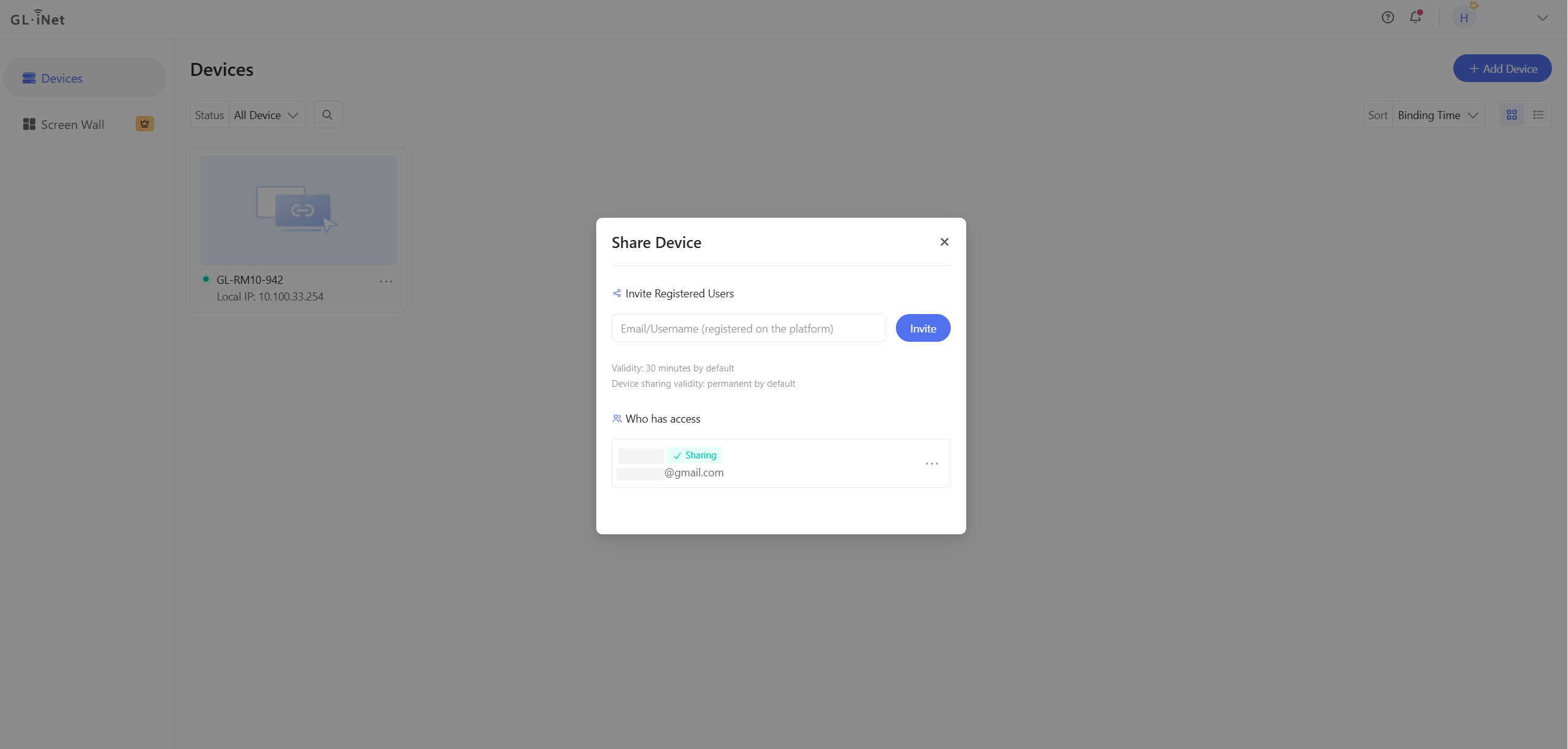
To end sharing, click Terminate. Once the sharing is terminated, the recipient will no longer have access to the shared device.
Still have questions? Visit our Community Forum or Contact us.