How to export device logs and app logs
This tutorial explains how to export logs from your KVM device and the GLKVM app for troubleshooting.
Device logs
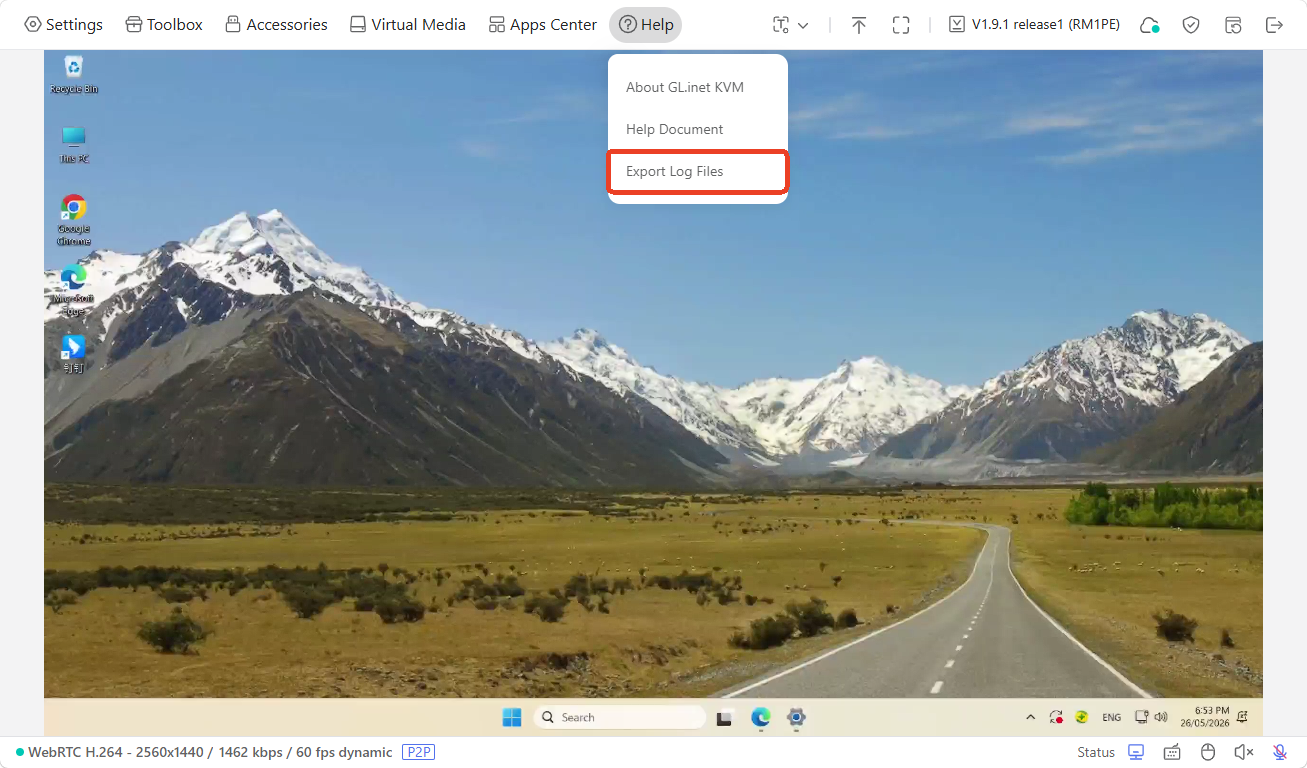
Log in to your KVM console, click Help and select Export Log Files.
App logs
You can export app logs from the desktop app or mobile app.
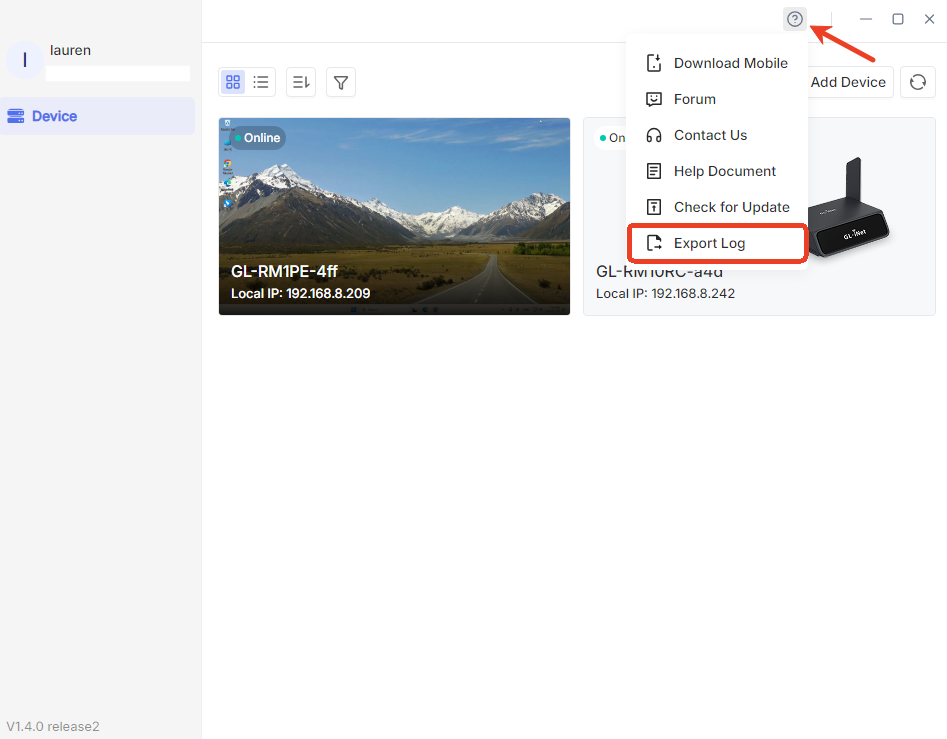
For the desktop app, log in to your GLKVM app, click the question icon in the top right corner and select Export Log.
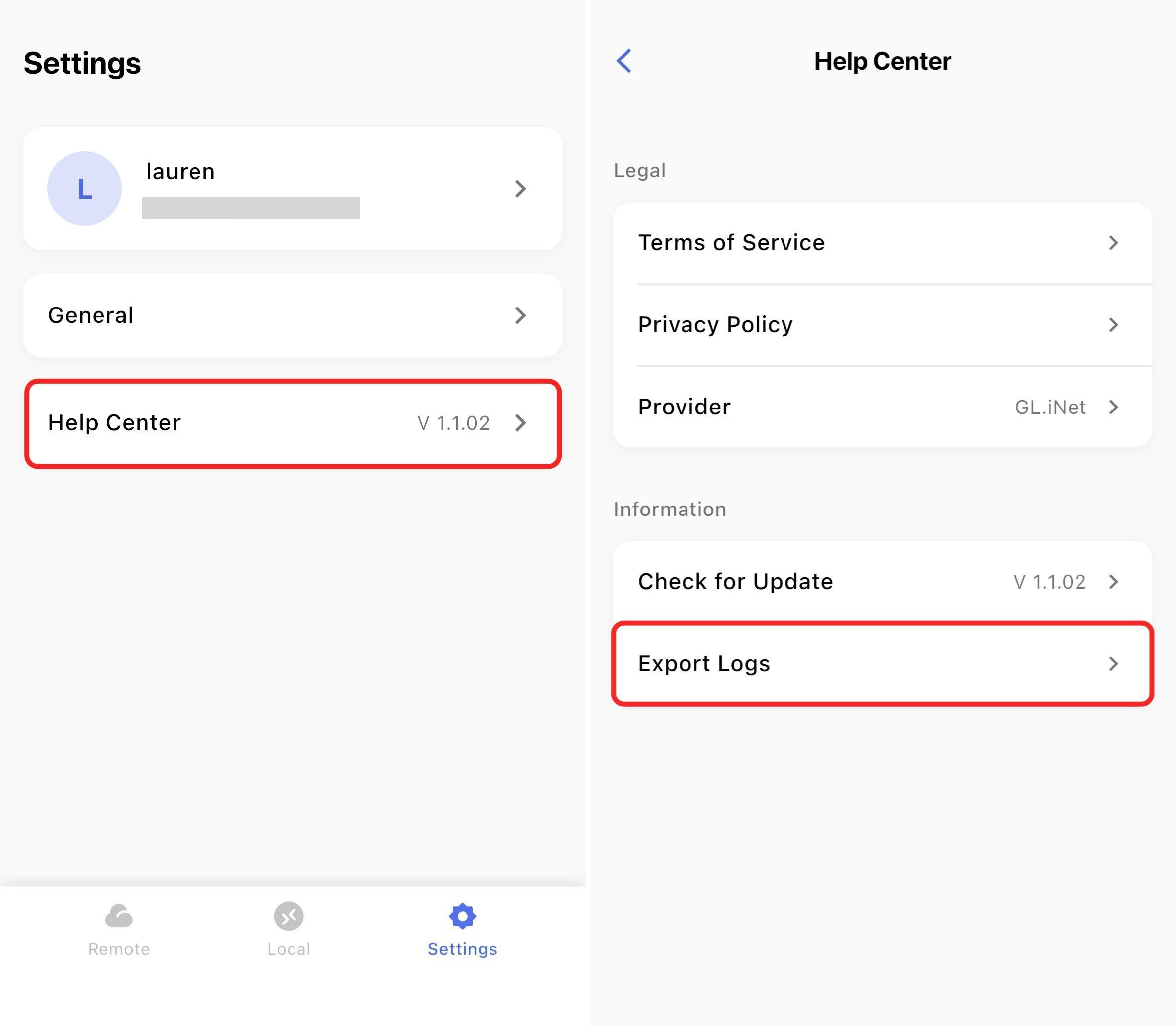
For the mobile app, log in to your GLKVM app, go to Settings -> Help Center and click Export Logs.
Still have questions? Visit our Community Forum or Contact us.
Last update:
October 21, 2026