How to make AdGuard Home DNS bypass the VPN tunnel
Normally, VPN and AdGuard Home can run simultaneously on GL.iNet routers. No problems arise when AdGuard Home is not set to handle DNS requests.
However, if you configure AdGuard Home to manage all DNS traffic and forward queries to public upstream DNS servers, enabling VPN will trigger DNS resolution failures.
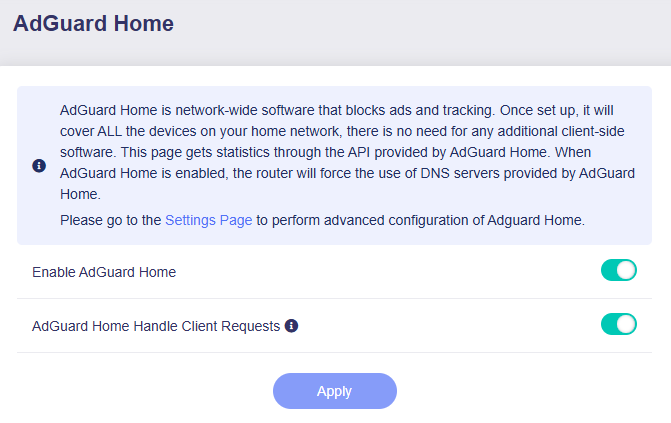
(AdGuard Home enabled and handles DNS requests)
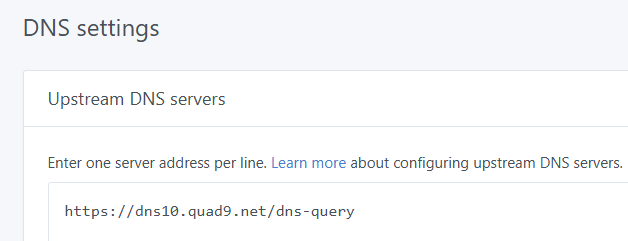
(AdGuard Home upstream DNS settings)
By default, all outbound traffic is routed through the VPN tunnel. This forces AdGuard Home's upstream DNS traffic onto the VPN, which cannot reach your public upstream DNS servers. As a result, all connected clients will fail to resolve domain names.
To keep AdGuard Home functional while VPN is active, you can add a static route in LuCI to forward upstream DNS traffic to the regular WAN gateway and bypass the VPN tunnel. Follow the steps below.
-
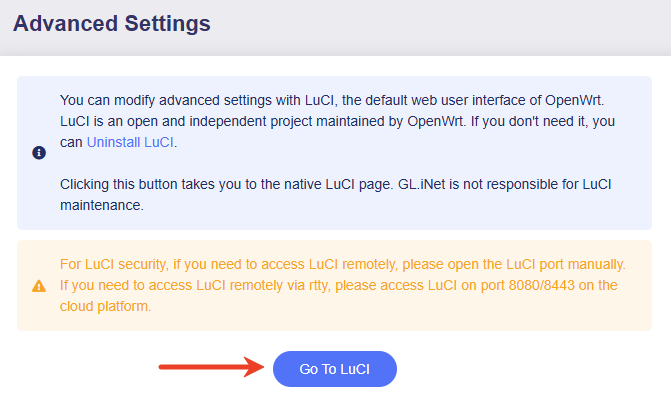
Log in to your router's web Admin Panel and go to SYSTEM -> Advanced Settings -> Go to LuCI.
Log in with the same admin password.
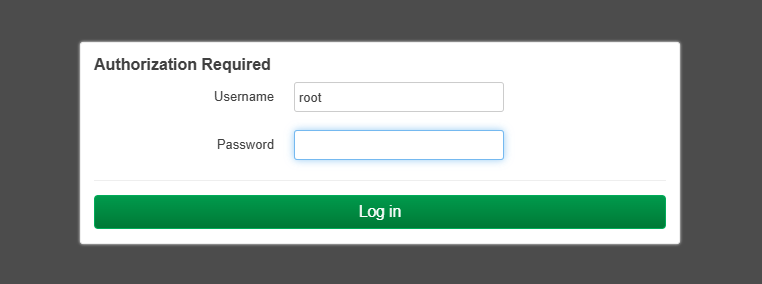
-
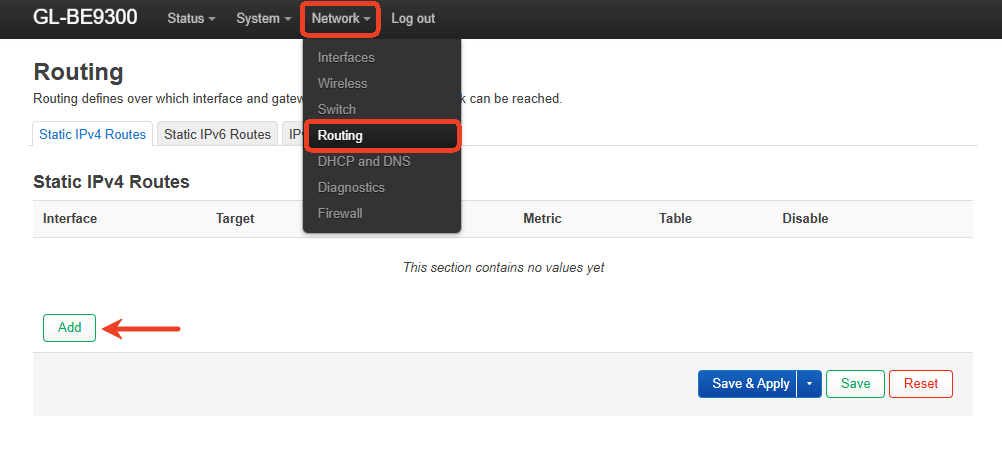
In the LuCI, navigate to Network -> Routing, then click Add.
-
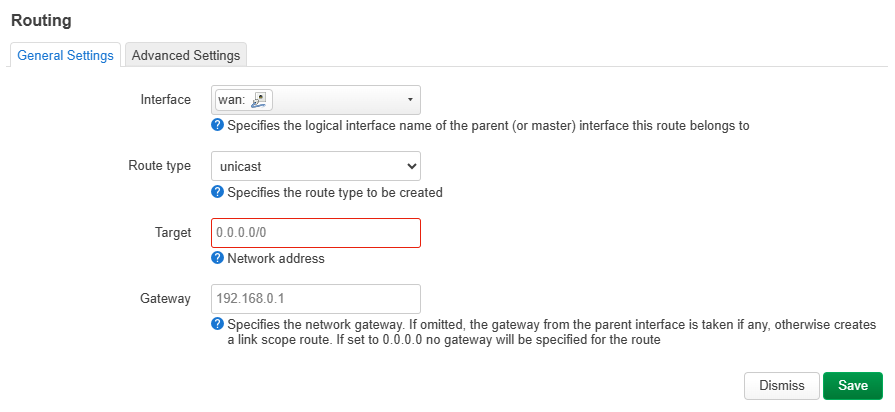
Create a new static route for your upstream DNS addresses.
-
Interface: Select the physical WAN interface wan.
-
Route type: Keep the default value.
-
Target:
[Your Public Upstream DNS Server]/32You can use
nslookupto verify the actual IP address of your public upstream DNS server. -
Gateway:
[Your WAN Upstream Gateway IP]This is usually the IP address of your modem or ISP gateway, such as
192.168.0.1. Find it in your router's internet status page.
This route ensures AdGuard Home's upstream DNS queries bypass the VPN tunnel and go directly through your WAN connection.
-
-
Save and apply the settings. AdGuard Home will then resume normal DNS resolution.
-
Test upstream DNS servers.
You can verify your upstream DNS servers directly in the AdGuard Home interface.
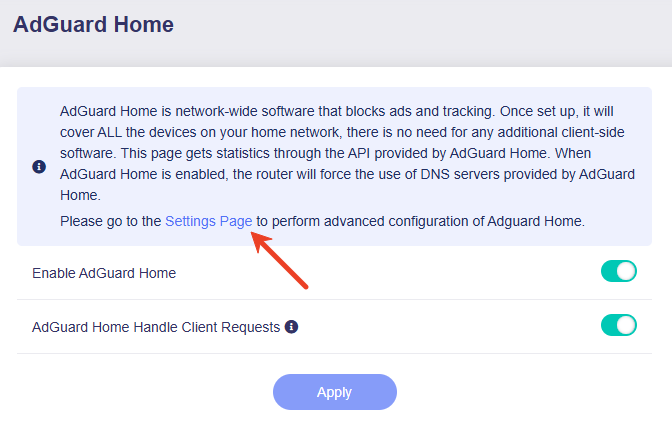
On your router's web Admin Panel, go to APPLICATIONS -> AdGuard Home, then click Settings Page to open the AdGuard Home dashboard.
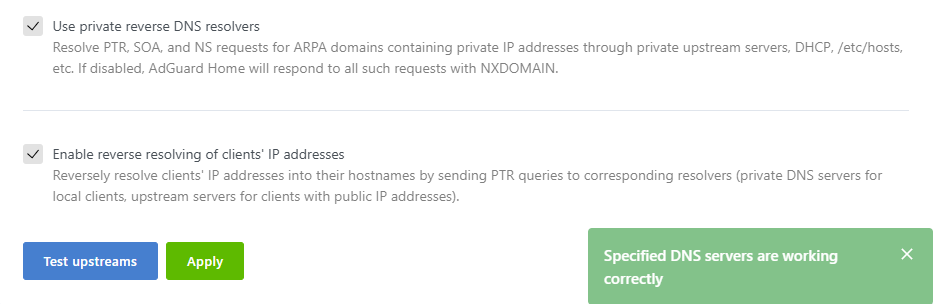
On the AdGuard Home dashboard, go to Settings -> DNS settings -> Upstream DNS servers and click Test upstreams. Results will appear on the right.
Tip: If you have more than one DNS server and they are a mix of IP and domain, you can separate AdGuard DNS from VPN DNS, which might be easier than using a static route.
SSH log in to your GL.iNet router and run the following commands to force AdGuard Home to send DNS queries through the WAN only.
sed -i 's/explict_vpn/nonevpn/g' /etc/init.d/adguardhome
/etc/init.d/adguardhome restart

# To restore:
cp -r /rom/etc/init.d/adguardhome /etc/init.d/adguardhome
/etc/init.d/adguardhome restart
Still have questions? Visit our Community Forum or Contact us.