QoS (Quality of Service)
Note: This feature was introduced in firmware v4.9.
Some models, such as Mango 2 (GL-MG1300), do not support QoS due to insufficient memory, even when running firmware v4.9 or later. Please refer to Supported Models for details.
On the left side of the web Admin Panel, go to FLOW CONTROL -> QoS.
QoS (Quality of Service) optimizes bandwidth allocation by prioritizing critical activities (e.g., video calls, gaming) during network congestion, reducing latency and improving overall network performance.
Note:
- This feature only affects traffic passing through the router when it operates as a gateway, including local client traffic and VPN client traffic. It does not apply to inbound traffic when the router acts as a VPN server.
- QoS will not take effect when the router is in Drop-in Gateway mode.
- QoS and SQM cannot be enabled simultaneously.
- QoS cannot work with Network Acceleration. Enabling QoS will automatically disable Network Acceleration to ensure stable performance.
Supported Models
Supported Models
- GL-MT6000 (Fortify)
- GL-BE14000 (Flint 4)
- GL-BE10000 (Slate 7 Pro)
- GL-E5800 (Mudi 7)
- GL-MT5000 (Brume 3)
- GL-MT3600BE (Beryl 7)
- GL-BE6500 (Flint 3e)
- GL-BE9300 (Flint 3)
- GL-BE3600 (Slate 7)
- GL-MT6000 (Flint 2)
- GL-MT3000 (Beryl AX)
Unsupported Models
- GL-MG1300 (Mango 2)
- GL-X2000 (Spitz Plus)
- GL-X3000 (Spitz AX)
- GL-XE3000 (Puli AX)
- GL-B3000 (Marble)
- GL-AX1800 (Flint)
- GL-AXT1800 (Slate AX)
- GL-SFT1200 (Opal)
- GL-MT1300 (Beryl)
- GL-E750/E750V2 (Mudi)
- GL-AR750S (Slate)
- GL-XE300 (Puli)
- GL-X750 (Spitz)
- GL-MT300N-V2 (Mango)
- GL-AR300M Series (Shadow)
- GL-B1300 (Convexa-B)
- GL-X300B (Collie)
- GL-A1300 (Slate Plus)
- GL-MT2500/GL-MT2500A (Brume 2)
- GL-AP1300 (Cirrus)
- GL-S1300 (Convexa-S)
For firmware v4.11 and above
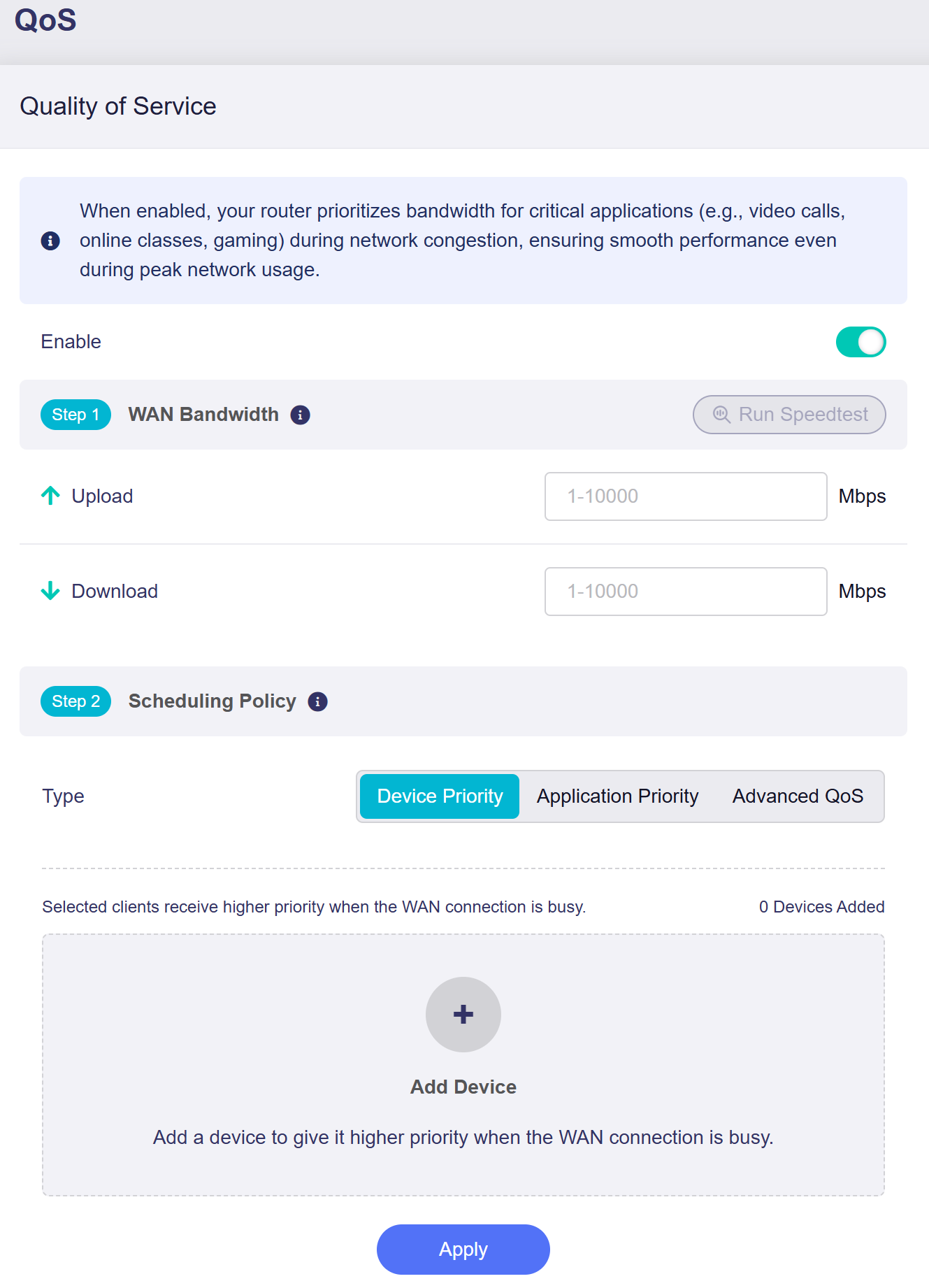
Toggle the switch to enable QoS, then complete the configuration by following the steps below.
-
WAN Bandwidth
Enter your WAN upload and download speeds (input range: 1 - 10000) manually, or click Run Speedtest to measure them and automatically populate the fields. An active internet connection is required to run the speed test.
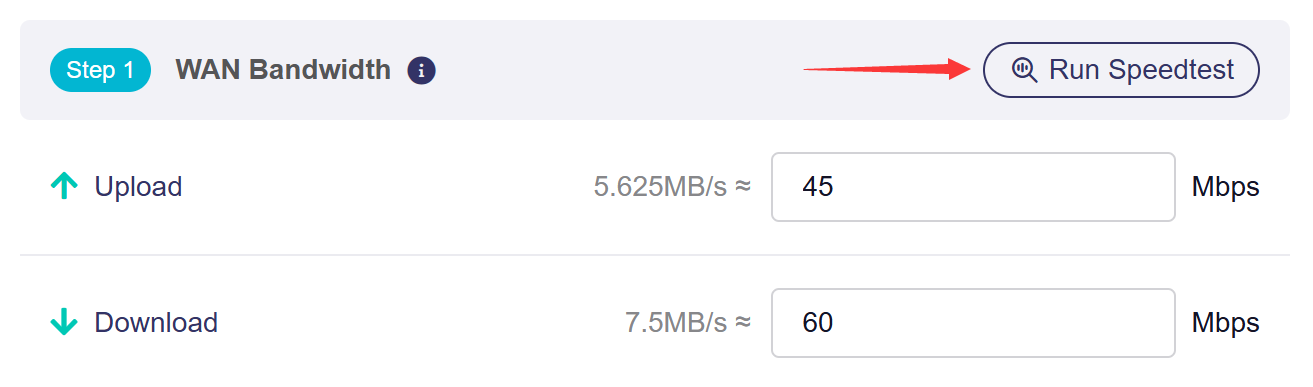
Note: Values entered in the input field are in Mbps (megabits per second). The equivalent MB/s (megabytes per second) is displayed for your reference.
-
Scheduling Policy
You can select one policy mode. Advanced rules override the basic policy for matched traffic.
-
Device Priority
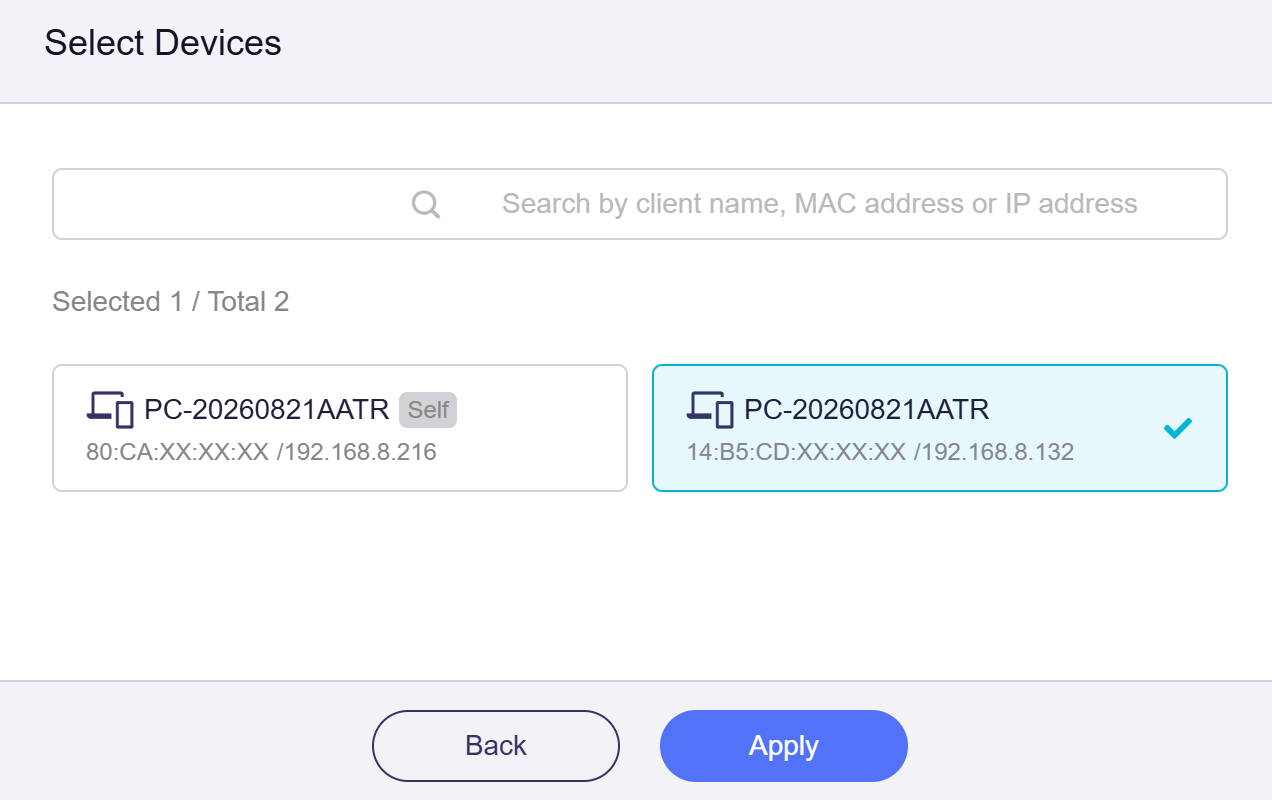
In this mode, selected local clients receive higher network priority when the WAN connection is congested. Click Add Device and select devices to get bandwidth priority during heavy WAN load.
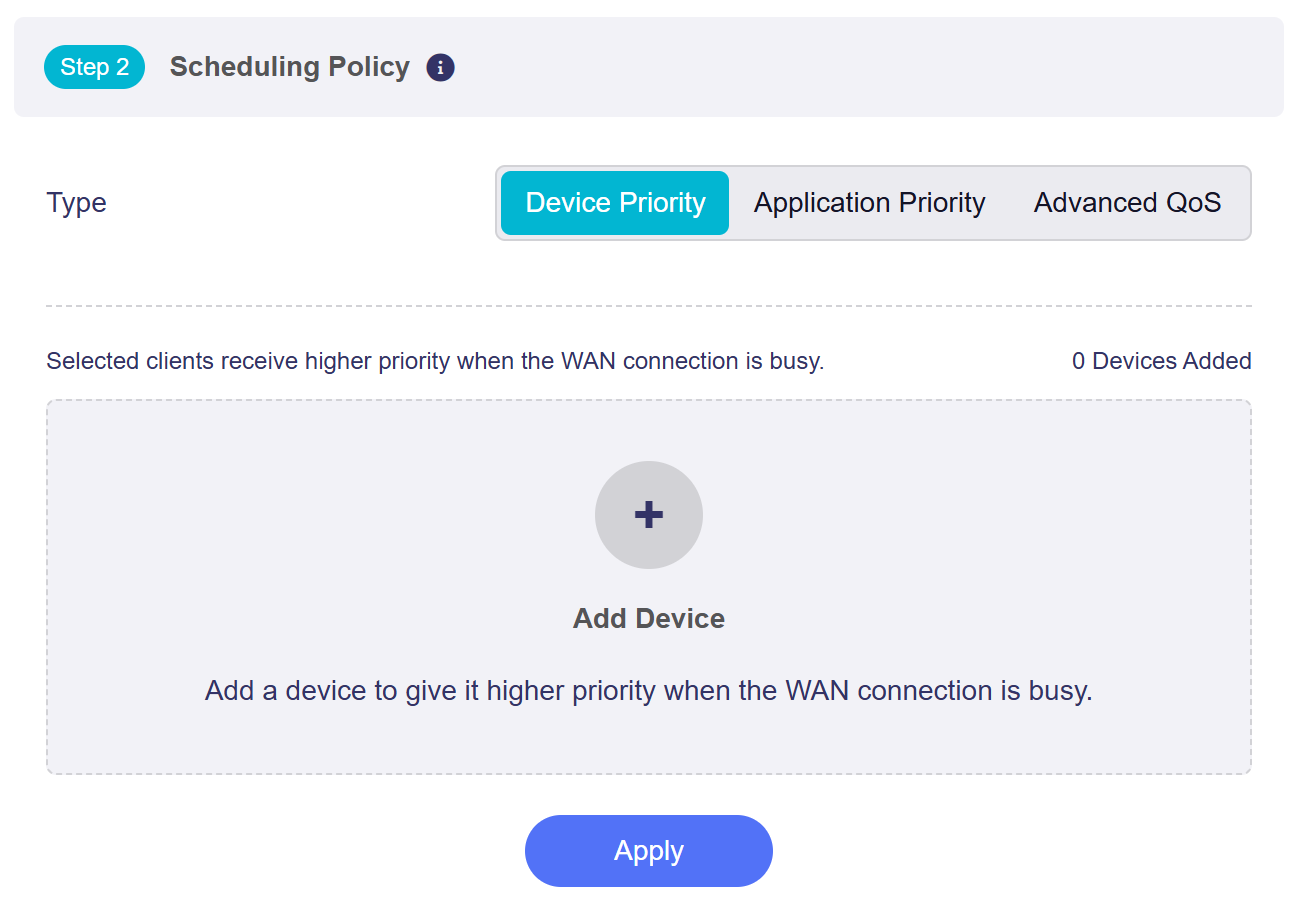
You can search for devices by client name, MAC address or IP address. Select target devices and click Apply.
-
Application Priority
In this mode, you can set priorities for different applications. The router will allocate bandwidth accordingly.
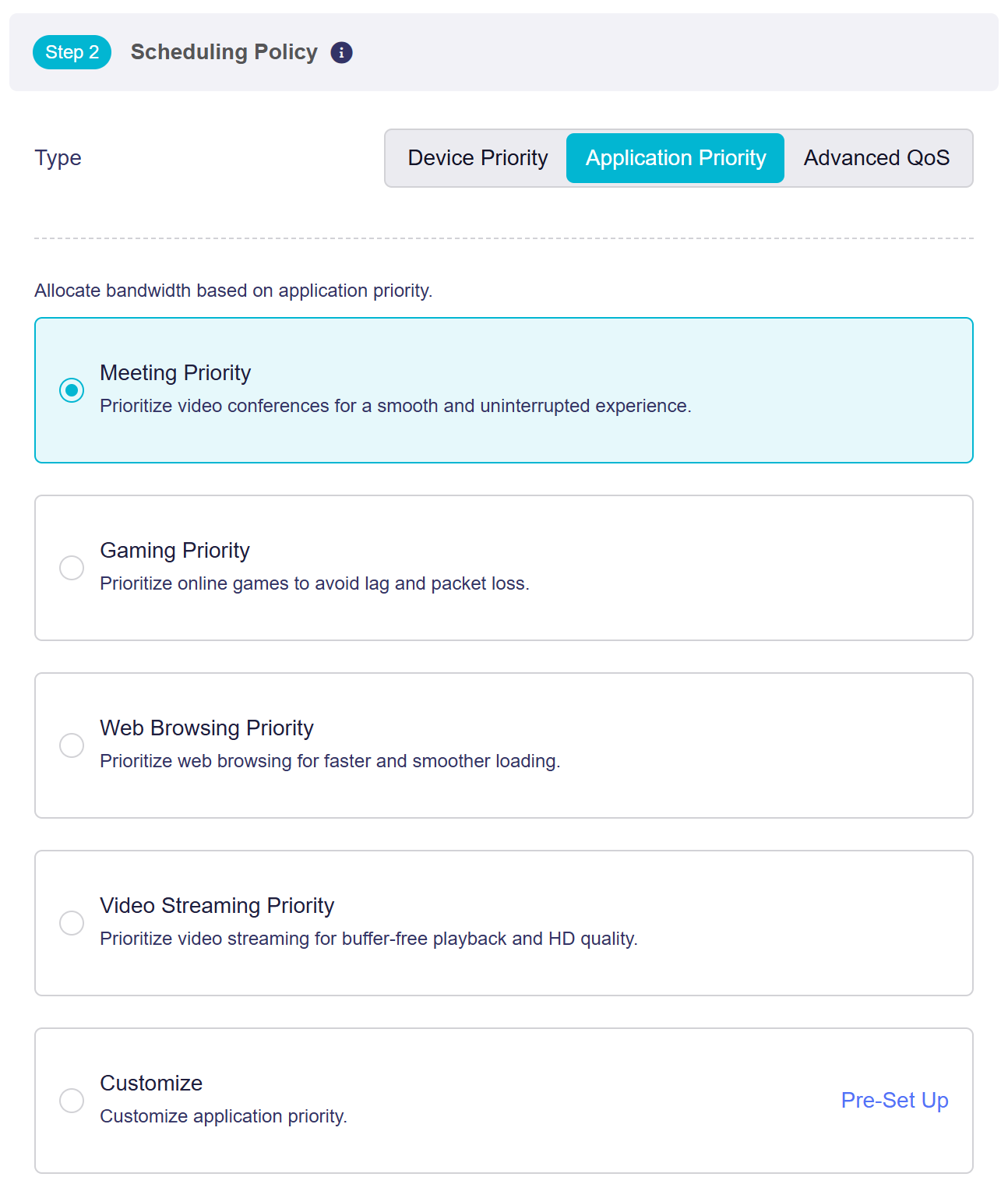
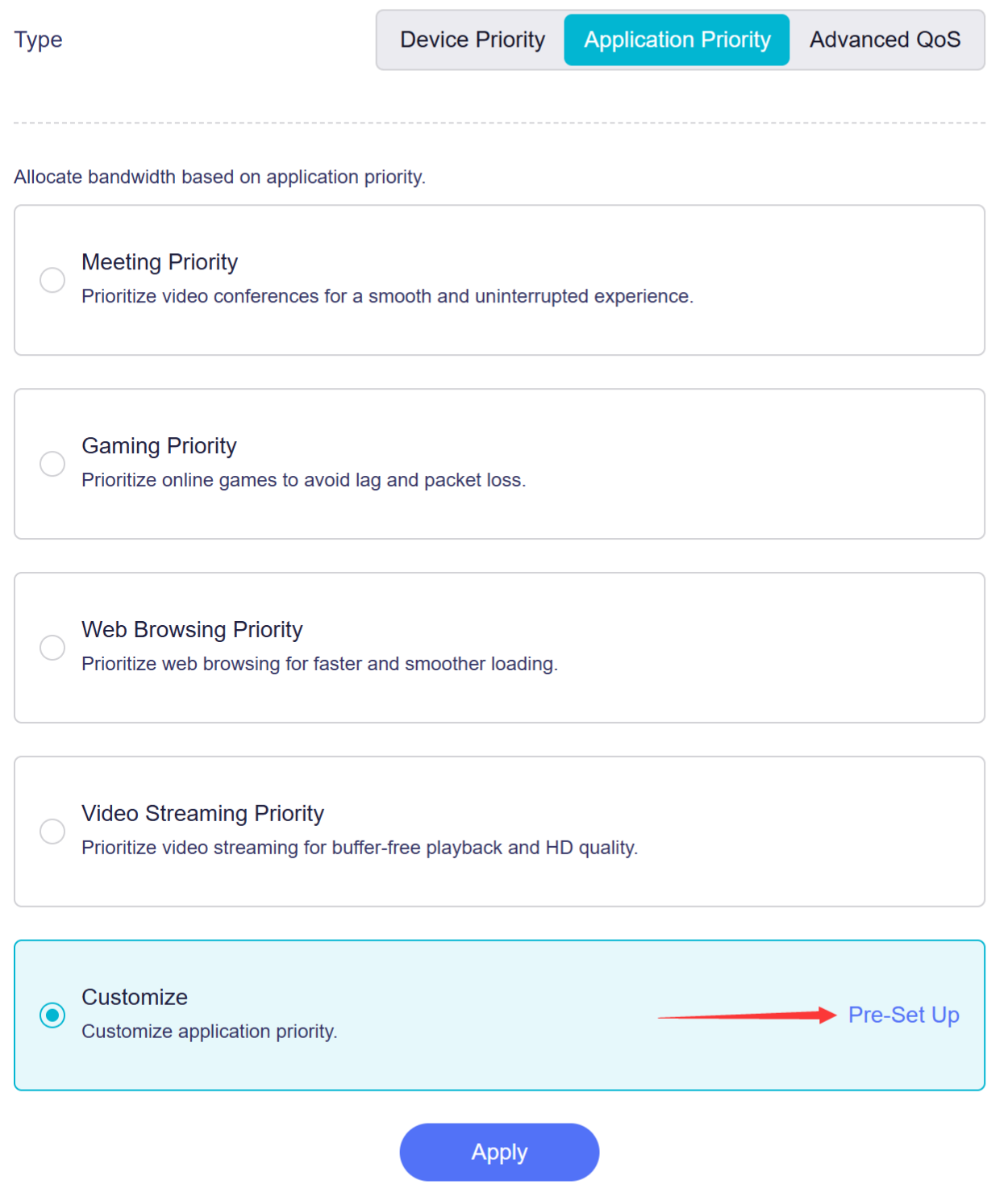
To customize application priority, select Customize and click Pre-Set up.
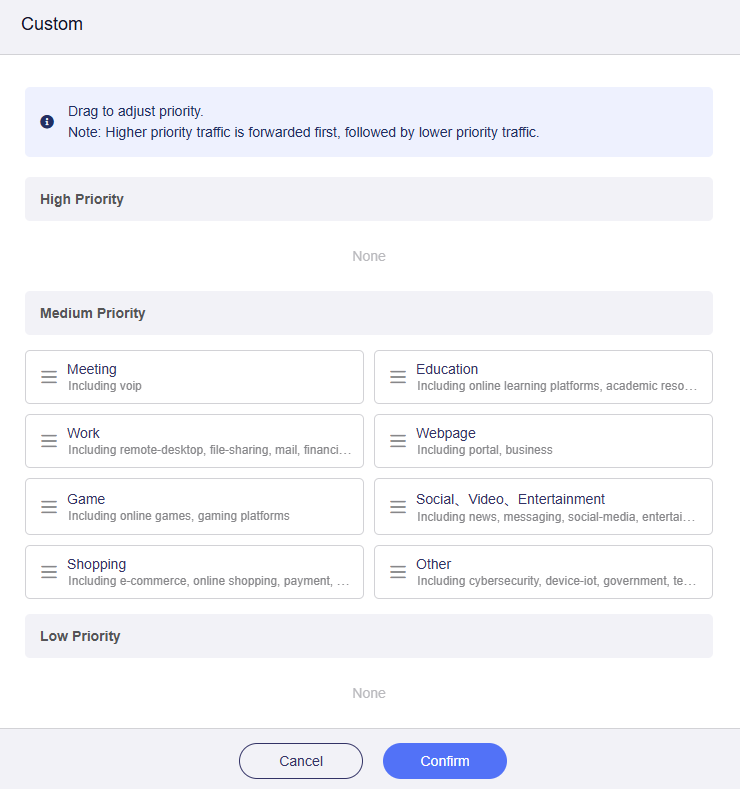
In the pop-up window, all categories are set to Medium Priority by default.
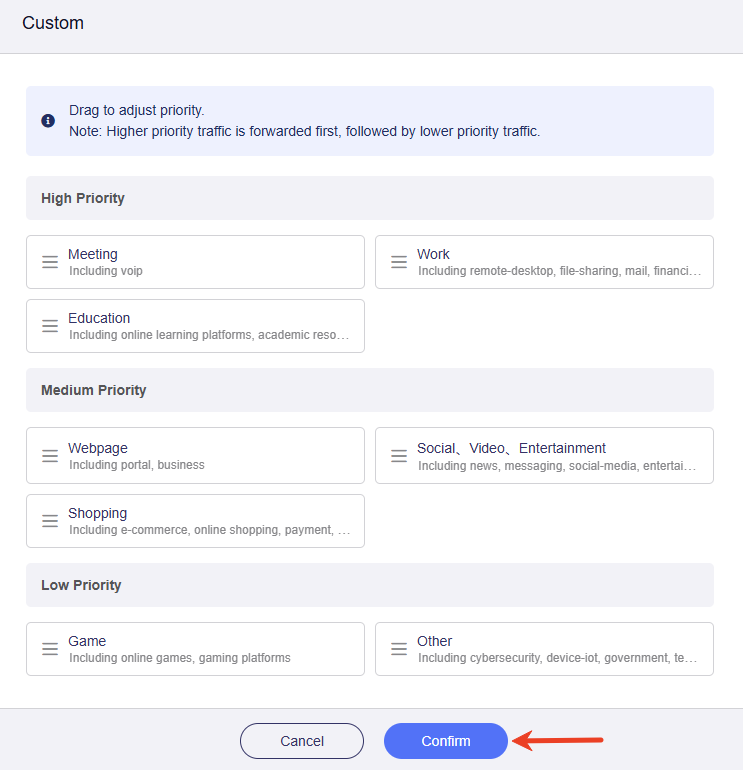
Drag the categories to adjust their priority as needed, then click Confirm.
-
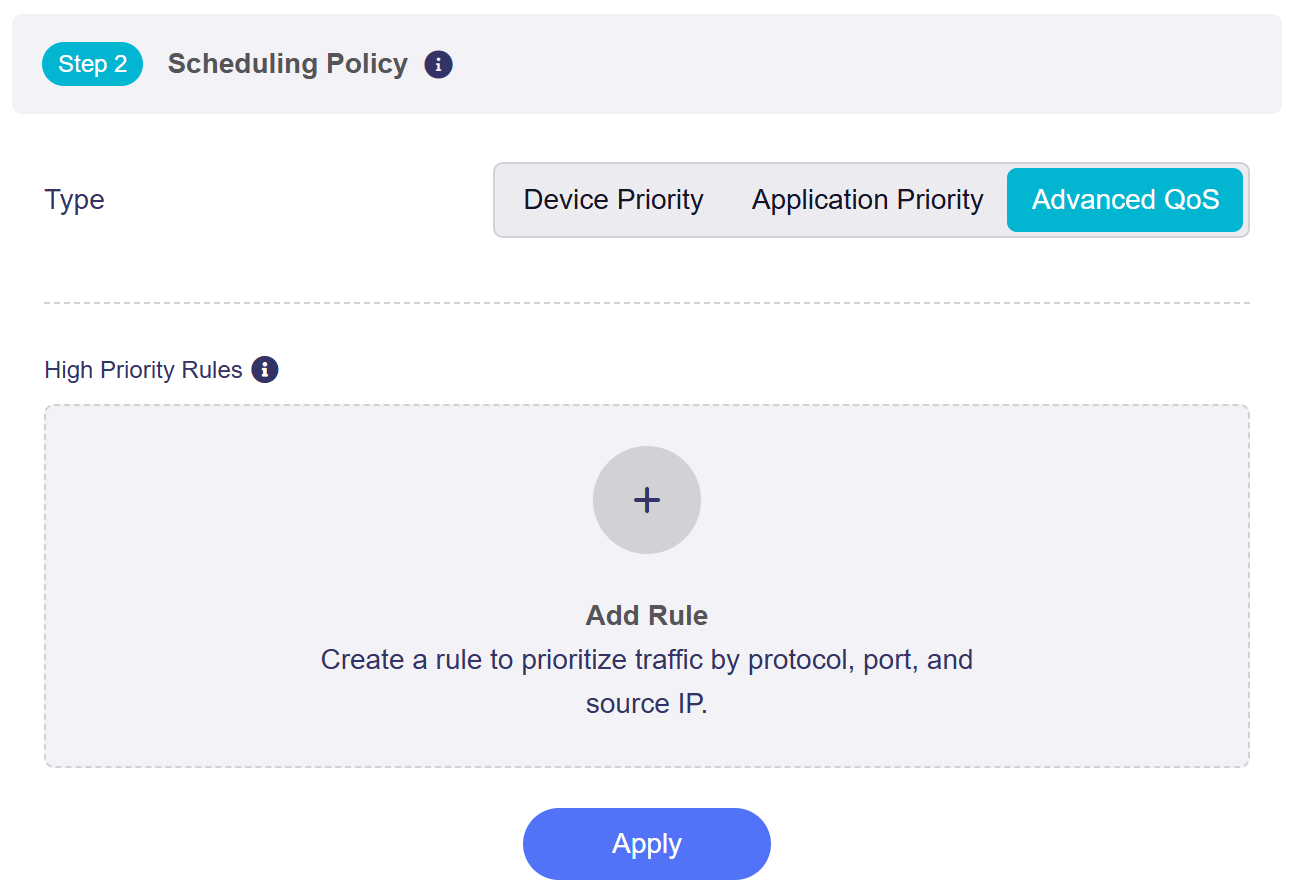
Advanced QoS
In this mode, you can create advanced QoS rules for high-priority traffic. Click Add Rule to define rules based on protocol, port, and source IP.
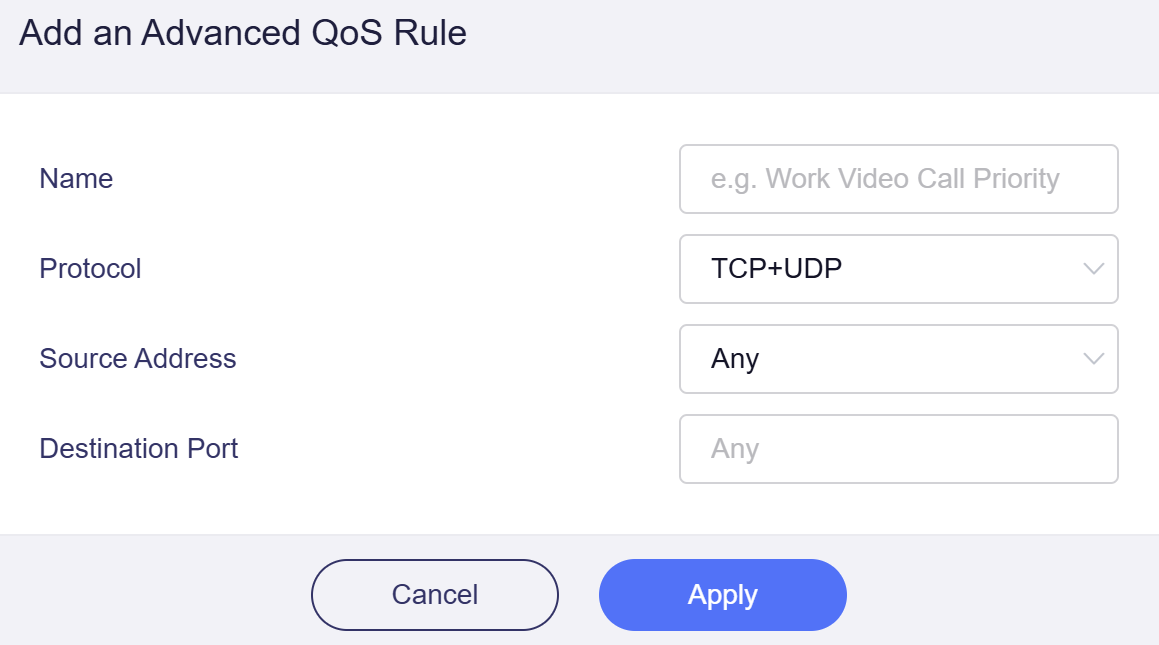
Specify the Name, Protocol, Source Address, and Destination Port, then click Apply.
-
For firmware v4.9 to v4.10
Toggle the switch to enable QoS, and the page displays as follows.
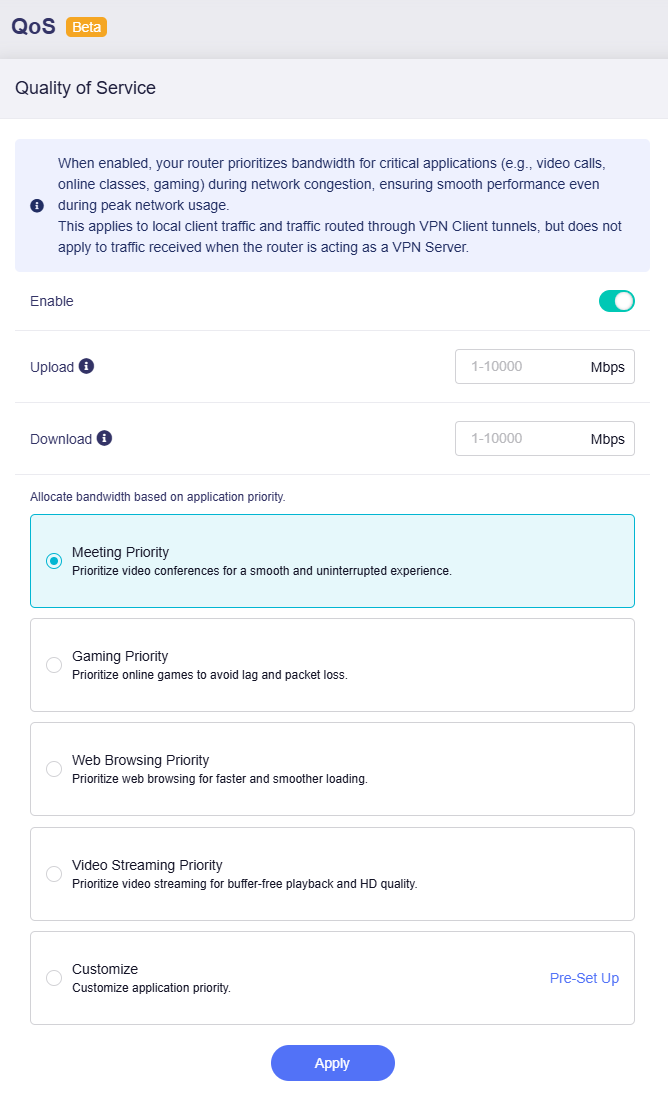
Set your maximum upload and download speeds (input range: 1 - 10000) for traffic scheduling. Match them to your actual internet bandwidth for the best results.
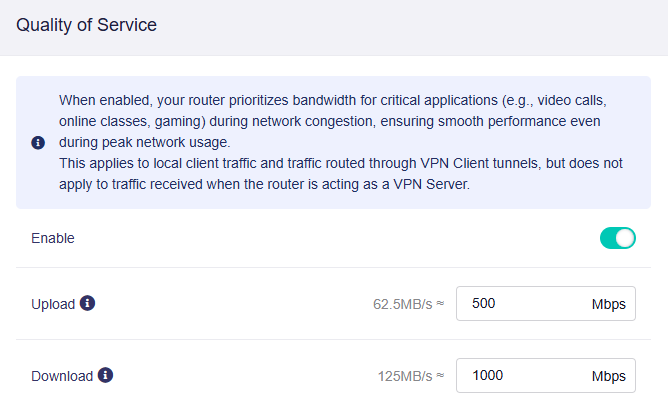
Note: Values entered in the input field are in Mbps (megabits per second). The equivalent MB/s (megabytes per second) is displayed for your reference.
Then set priorities for different applications. The router will allocate bandwidth accordingly.
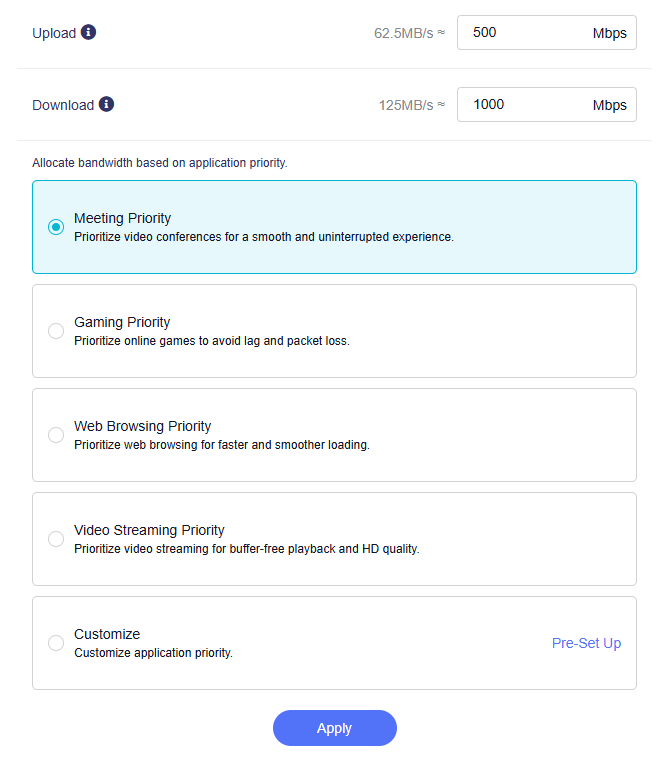
To customize application priority, select Customize and click Pre-Set up.
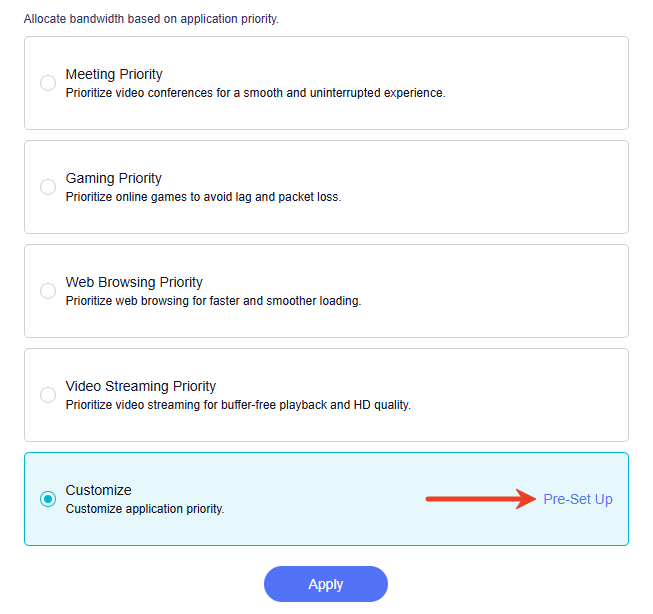
In the pop-up window, all categories are set to Medium Priority by default.
Drag the categories to adjust their priority as needed, then click Confirm.
Still have questions? Visit our Community Forum or Contact us.