IoT Network
Note: The IoT Network feature was introduced in firmware v4.9.
On the left side of the web Admin Panel, go to NETWORK -> IoT Network.
This page allows you to create a dedicated Wi-Fi network for IoT devices. Isolated from the primary network, it delivers better compatibility and improved security.
Note: Some models (e.g., GL-MT5000, GL-MT2500/GL-MT2500A) do not have Wi-Fi functionality, thus the IoT Network settings are not available on their web Admin Panel.
It includes two sections: Basic Settings and DHCP Server Settings.
Basic Settings
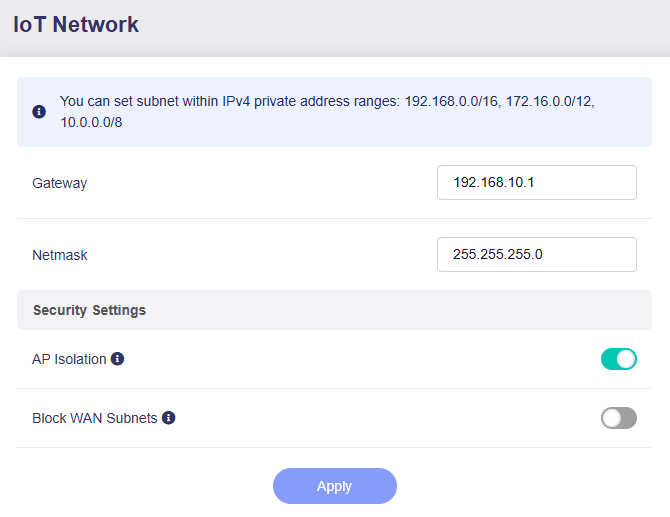
You can set the subnet within the IPv4 private address ranges: 192.168.0.0/16, 172.16.0.0/12, 10.0.0.0/8
-
Gateway
The default gateway of the IoT Network is 192.168.10.1. If it conflicts with your local network, change it to a different one.
-
Netmask
Defaults to 255.255.255.0. You can also select 255.255.0.0 if you need a larger subnet with more IP addresses.
-
AP Isolation
This feature has been available since firmware v4.5
You can isolate client devices into a separate network segment. These devices will not be able to communicate with other devices on the same network.
-
Block WAN Subnets
This feature has been available since firmware v4.8
When enabled, the IoT network cannot access the upstream network and its subnet.
DHCP Server
If IoT Network is enabled, its DHCP server will be enabled accordingly.
The DHCP server automatically assigns IP addresses and other communication parameters to each client devices connected to IoT Network. If the DHCP server is disabled, you will need to configure network settings for client devices manually. Click here to learn how to manually configure a static IP.
You can change the starting and ending IP addresses to suit your needs — for example, if your network expands or shrinks, if IP address conflicts occur, or if the subnet mask range is modified.
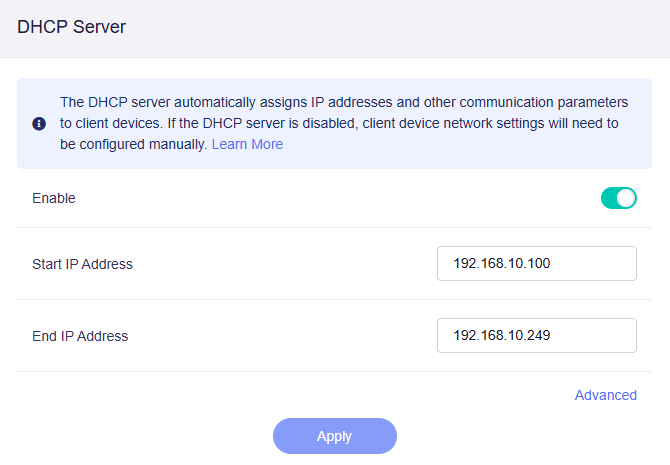
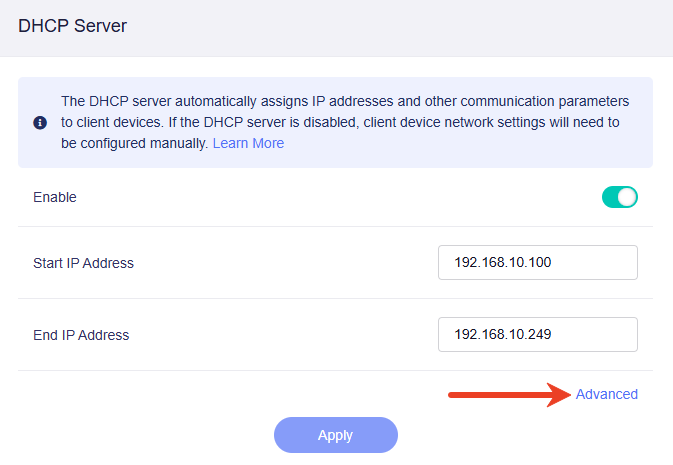
Click Advanced for further configuration as needed.
-
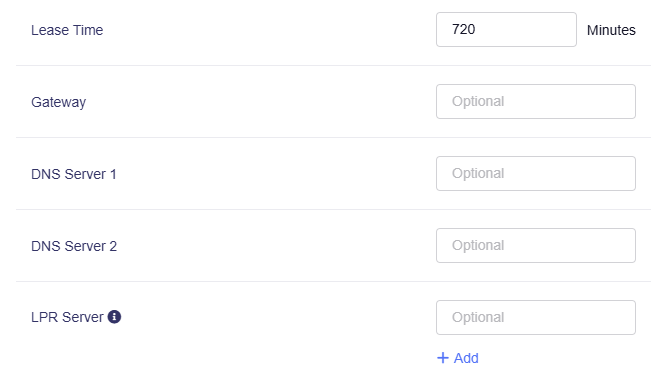
Lease Time: The period for which a DHCP-assigned IP address is valid for a device.
-
Gateway: The device that routes traffic between the IoT network and external networks, such as the Internet.
-
DNS Server 1: The primary server that translates domain names into IP addresses.
-
DNS Server 2: The secondary server used for domain name resolution if the primary DNS server is unavailable.
-
LPR Server: (Line Printer Remote Server) A service that manages print jobs and allows network devices to send print requests to remote printers. Multiple LPR printer ports can be configured.
Still have questions? Visit our Community Forum or Contact us.