Firmware v4.11
This release focuses on improving network quality monitoring and security assessment, helping you identify connectivity issues and potential security risks. It also introduces new Mesh, GL.iNet Account, and VLAN features, alongside major enhancements to DNS, SQM, QoS, and traffic statistics.
Get the latest firmware from the Firmware Download Center.
Network Quality
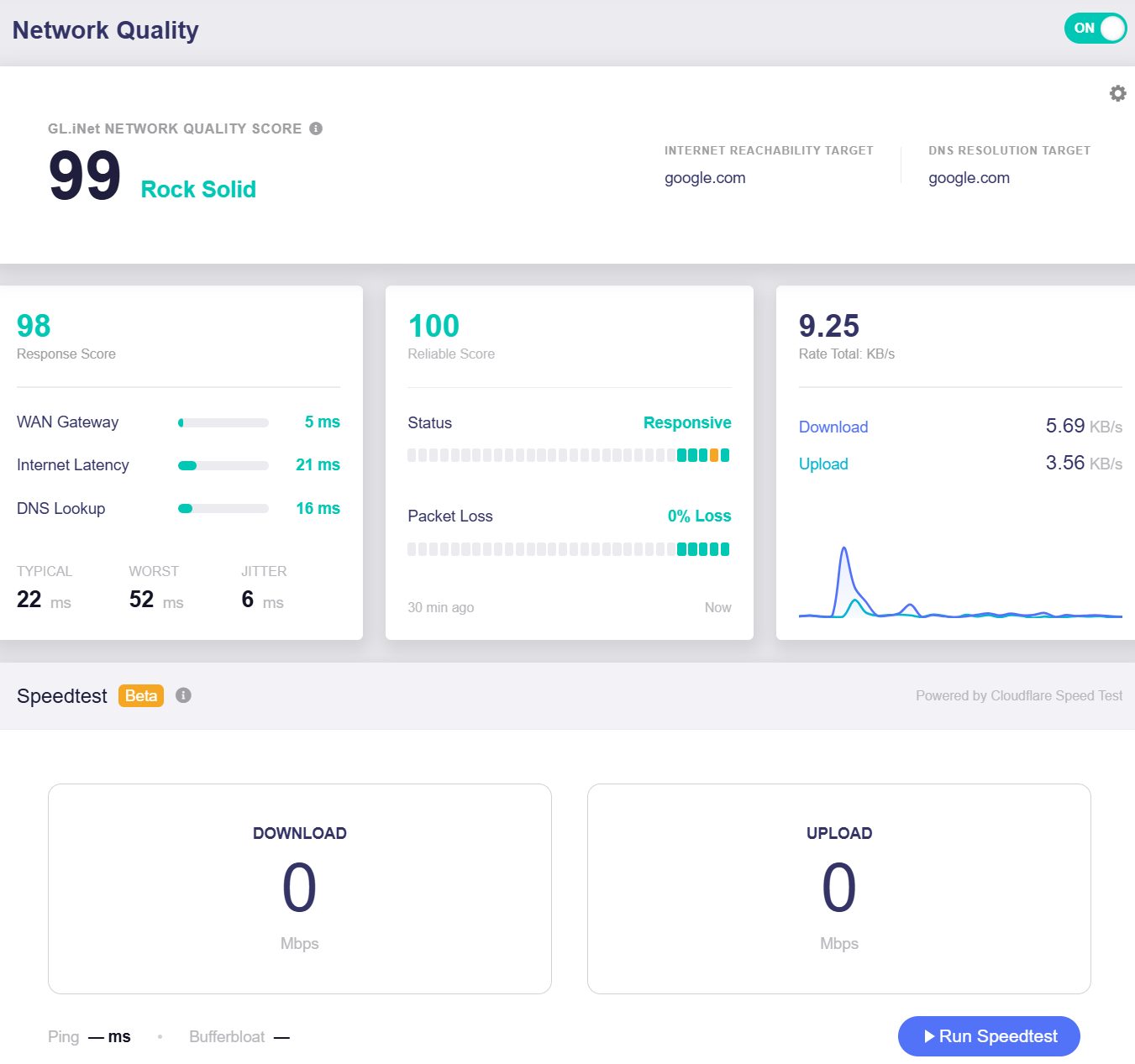
Network Quality is a new feature that monitors your Internet connection in real time. It evaluates responsiveness, latency, and DNS performance, while detecting connection drops and packet loss to help identify network instability and connectivity issues that bandwidth tests alone may not reveal.
Security Scan
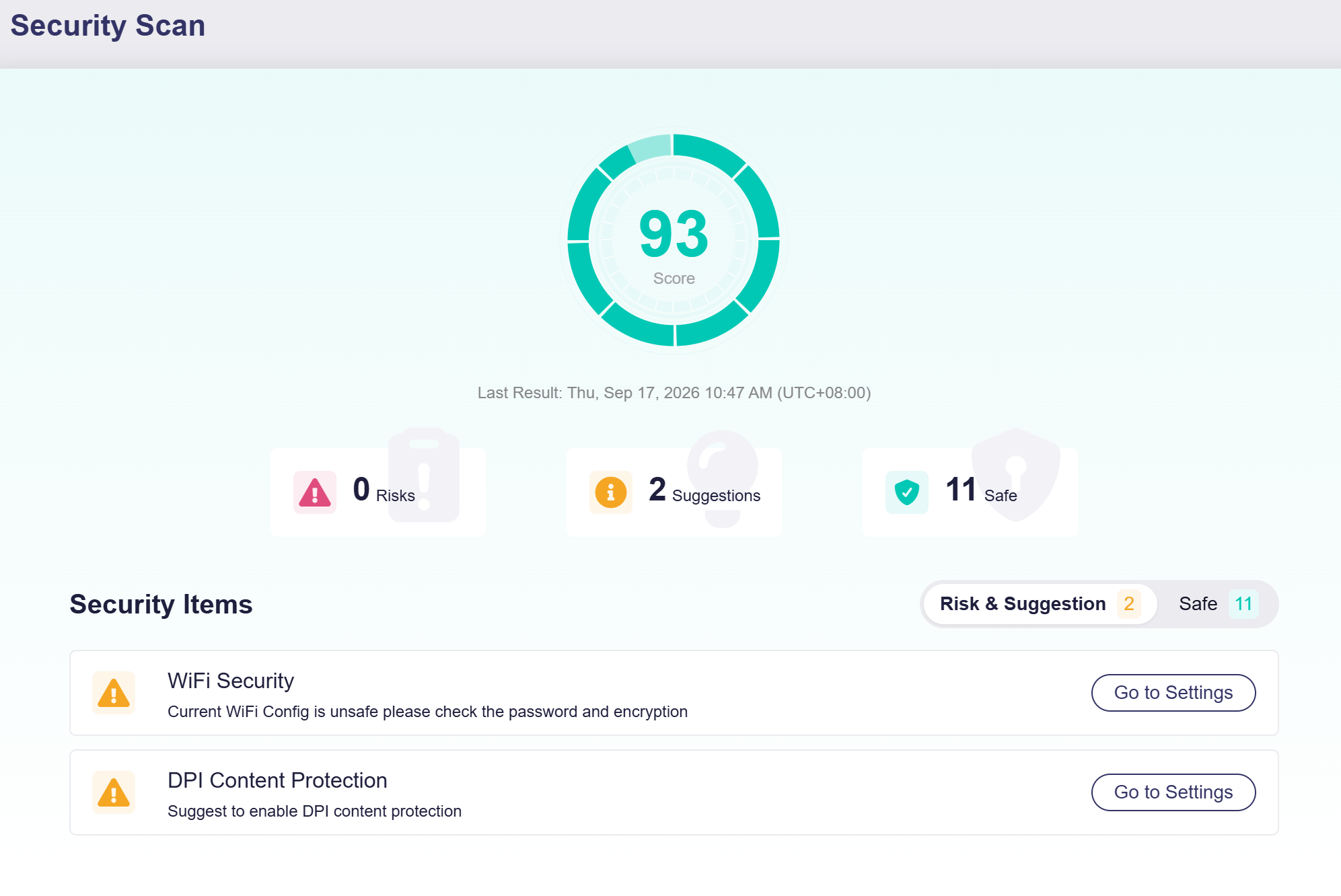
Security Scan is a new feature that evaluates your router's security settings and provides a security score, risk alerts, and optimization suggestions. It checks items such as Wi-Fi security, WAN ping, remote SSH, port forwarding, and DPI content protection, helping you identify and address potential security risks. A scan starts automatically when you open the page. You can also click the score icon to reset and rerun the scan.
Mesh
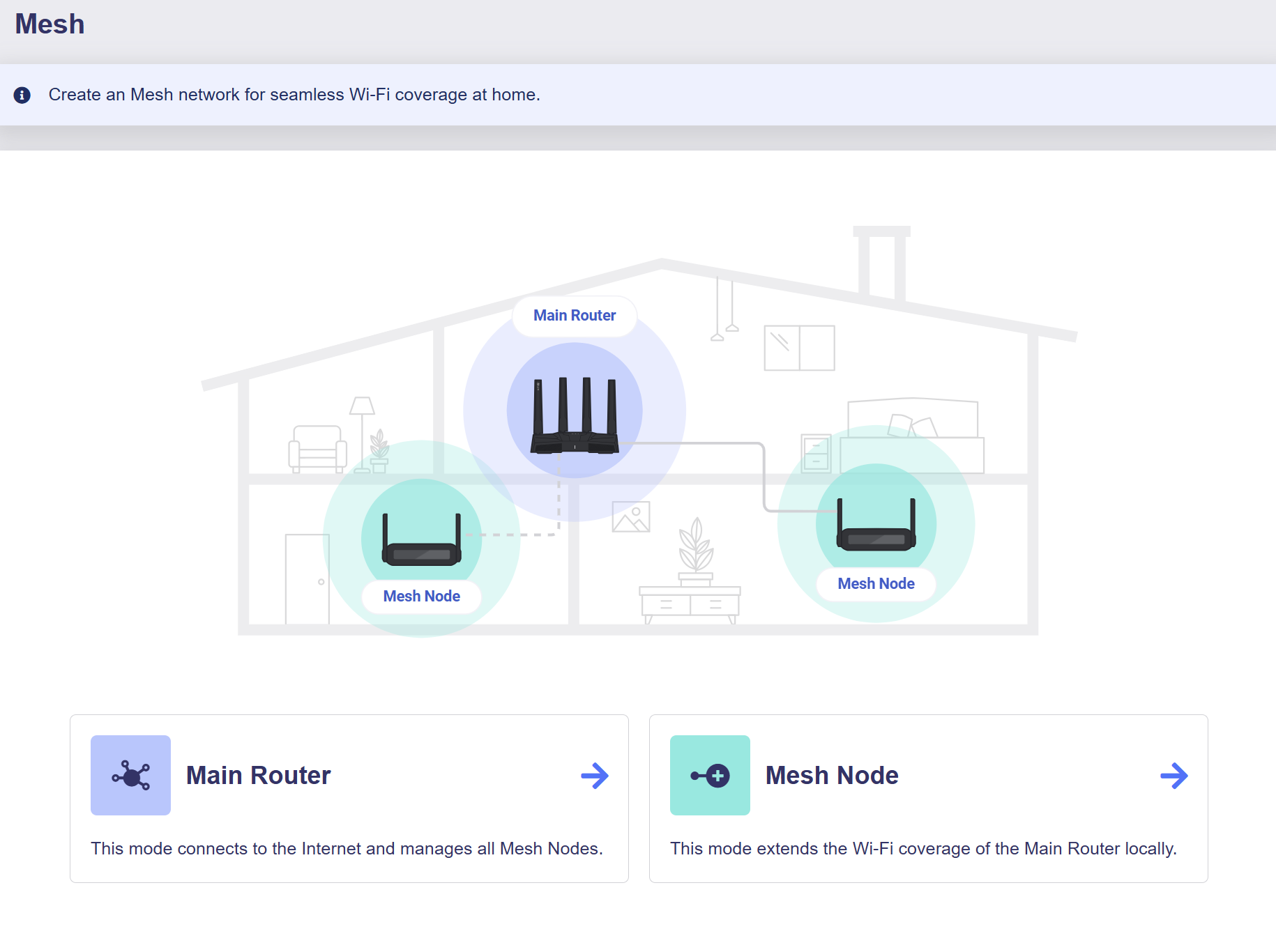
Mesh is a feature based on the Wi-Fi EasyMesh™ standard that extends whole-home Wi‑Fi coverage and enables seamless roaming. If you have multiple GL.iNet routers, set one as the main router and the rest as mesh nodes for seamless Wi-Fi roaming around your home.
Note: This feature was first released on specific models and rolled out to more models in firmware version 4.11.
GL.iNet Account
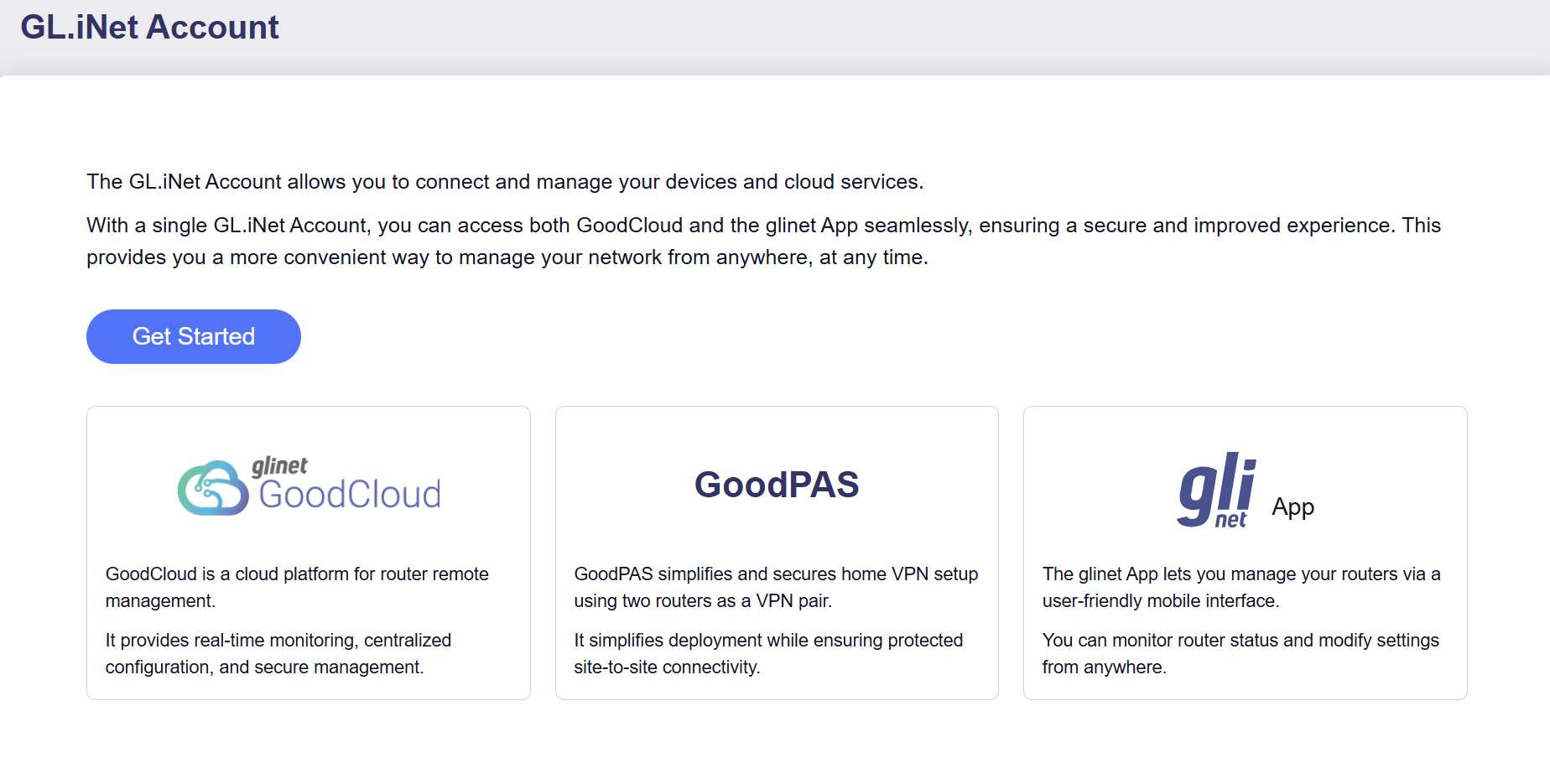
A GL.iNet Account provides unified access to your devices and cloud services. With a single GL.iNet Account, you can seamlessly access GoodCloud and the GL.iNet App for more convenient network and device management. In addition, you can use GoodPAS to quickly establish a secure connection between your travel router and home network, enabling seamless remote access when you are away from home.
Note: This feature was first released on specific models and rolled out to more models in firmware version 4.11.
GoodPAS
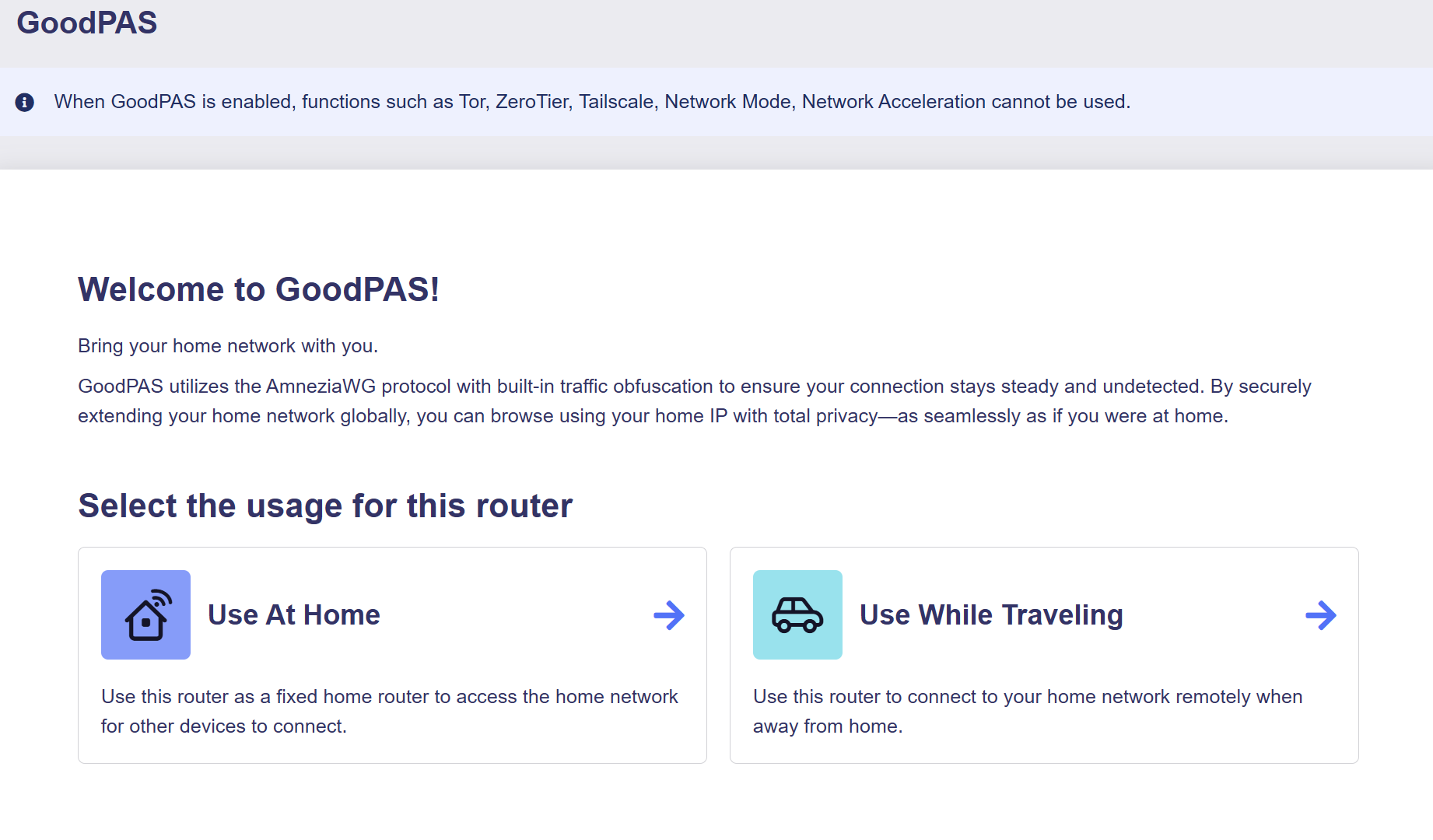
GoodPAS is a remote access solution based on the AmneziaWG protocol with built-in traffic obfuscation. It lets you securely connect your travel router to your home network using a dynamic access code, without registration or login.
Note: This feature was first released on specific models and rolled out to more models in firmware version 4.11.
GoodCloud
GoodCloud enables remote access and centralized management of GL.iNet routers. You can manage devices in batches, deploy network configurations, perform firmware upgrades, and access the router’s web Admin Panel or SSH terminal remotely.
Note: This feature was first released on specific models and rolled out to more models in firmware version 4.11.
Ethernet Port
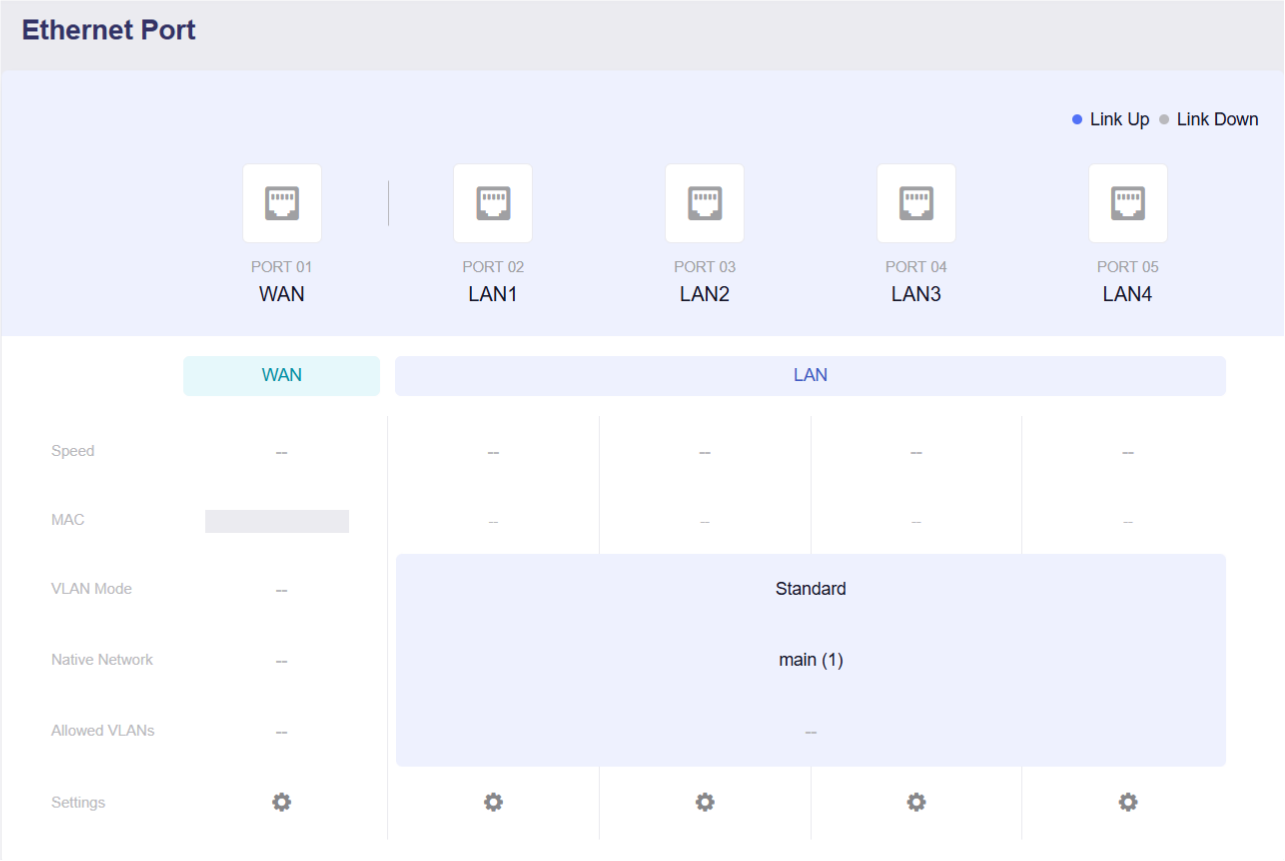
The Ethernet Port page displays all router interfaces. You can view the connection status of each interface, manage Ethernet port roles (WAN or LAN), and view port details such as MAC address, negotiated speed, and current link status. Additionally, you can assign physical interfaces to any subnets you have created.
Note: This feature was first released on specific models and rolled out to more models in firmware version 4.11.
The following figure shows the Ethernet Port on the Flint 3 (GL-BE9300).
DNS
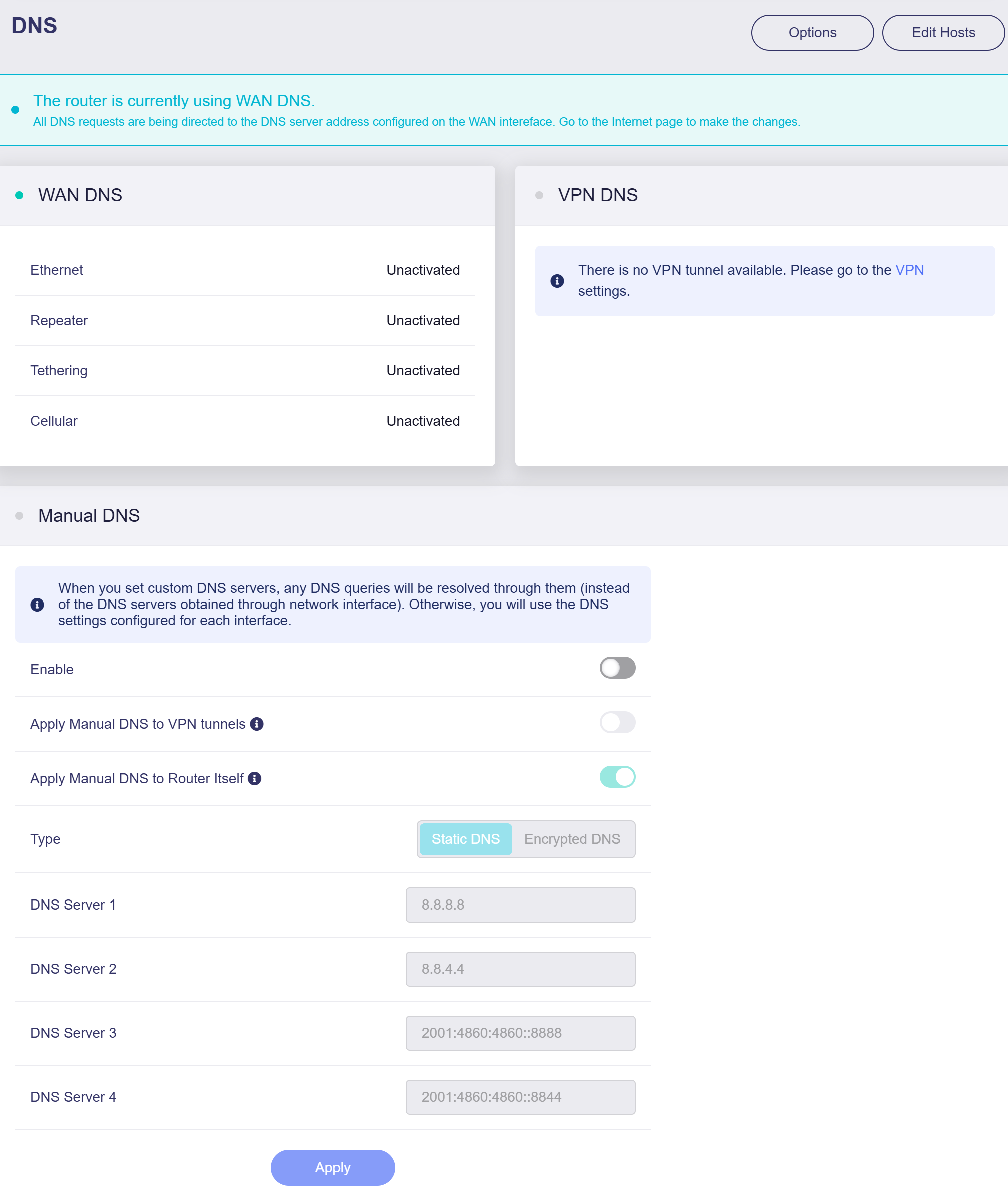
This release improves DNS configuration by bringing WAN DNS, VPN DNS, and Manual DNS together on a single page. You can easily view the DNS status for each connection type, configure custom DNS servers, and choose whether manual DNS settings apply to VPN tunnels or the router itself.
QoS
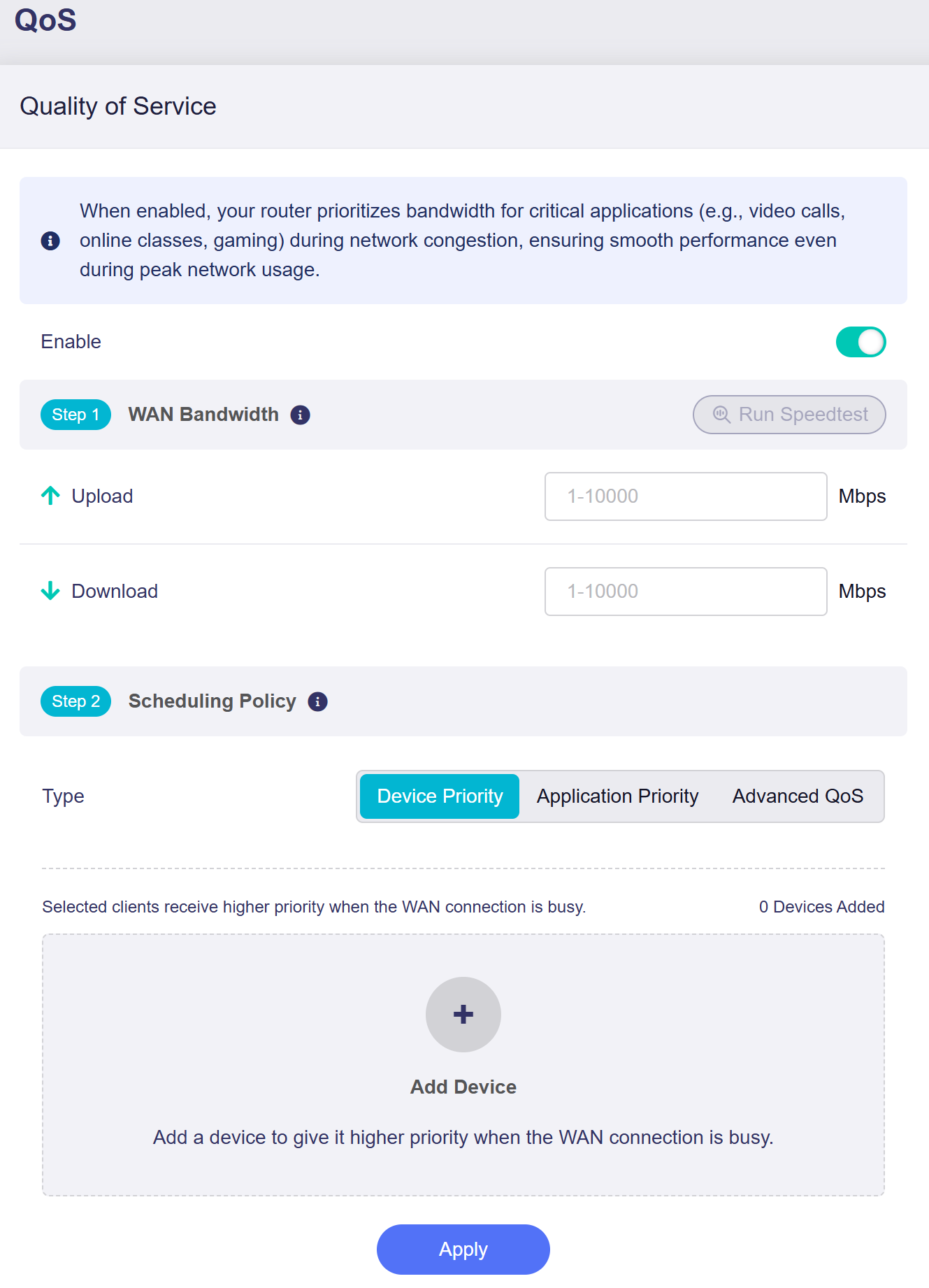
QoS (Quality of Service) has been enhanced in this firmware. It adds Run Speedtest for WAN bandwidth, which measures the WAN download and upload bandwidth and automatically fills in the corresponding fields. Three scheduling policies are available, including the newly introduced Device Priority and Advanced QoS.
-
Device Priority: Selected local clients get higher network priority during WAN congestion.
-
Application Priority: Set custom priorities for different applications, and the router will allocate bandwidth accordingly.
-
Advanced QoS: Create advanced QoS rules for high-priority traffic.
SQM
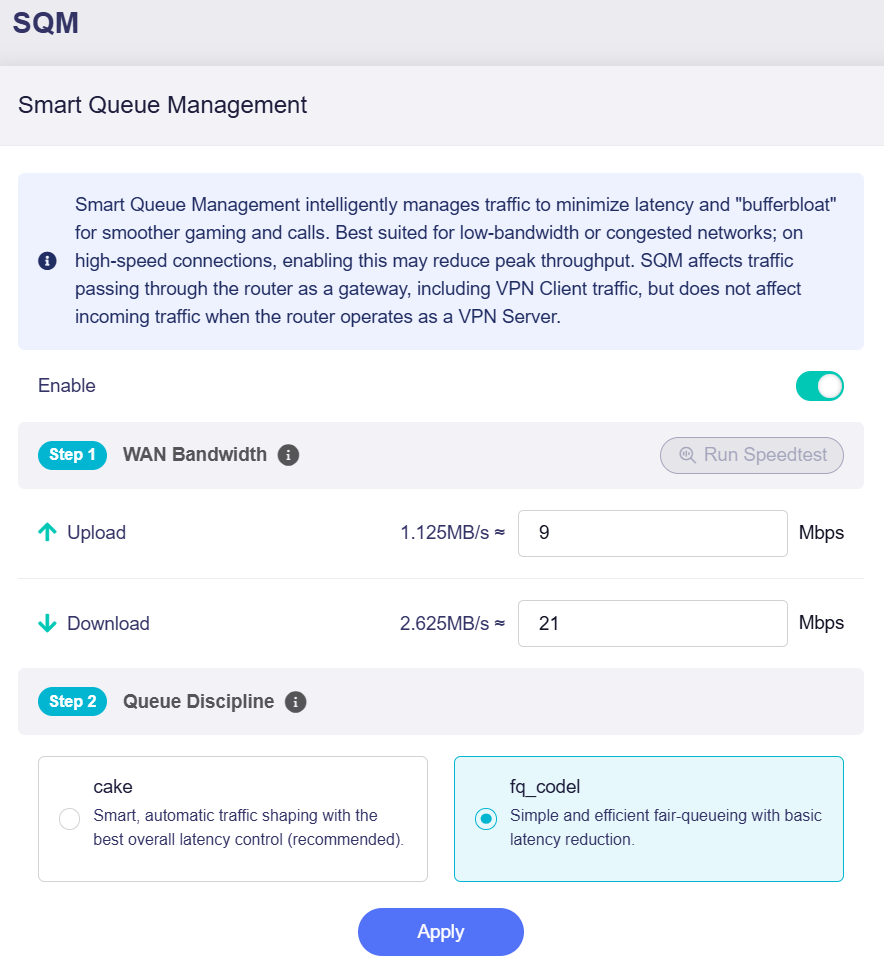
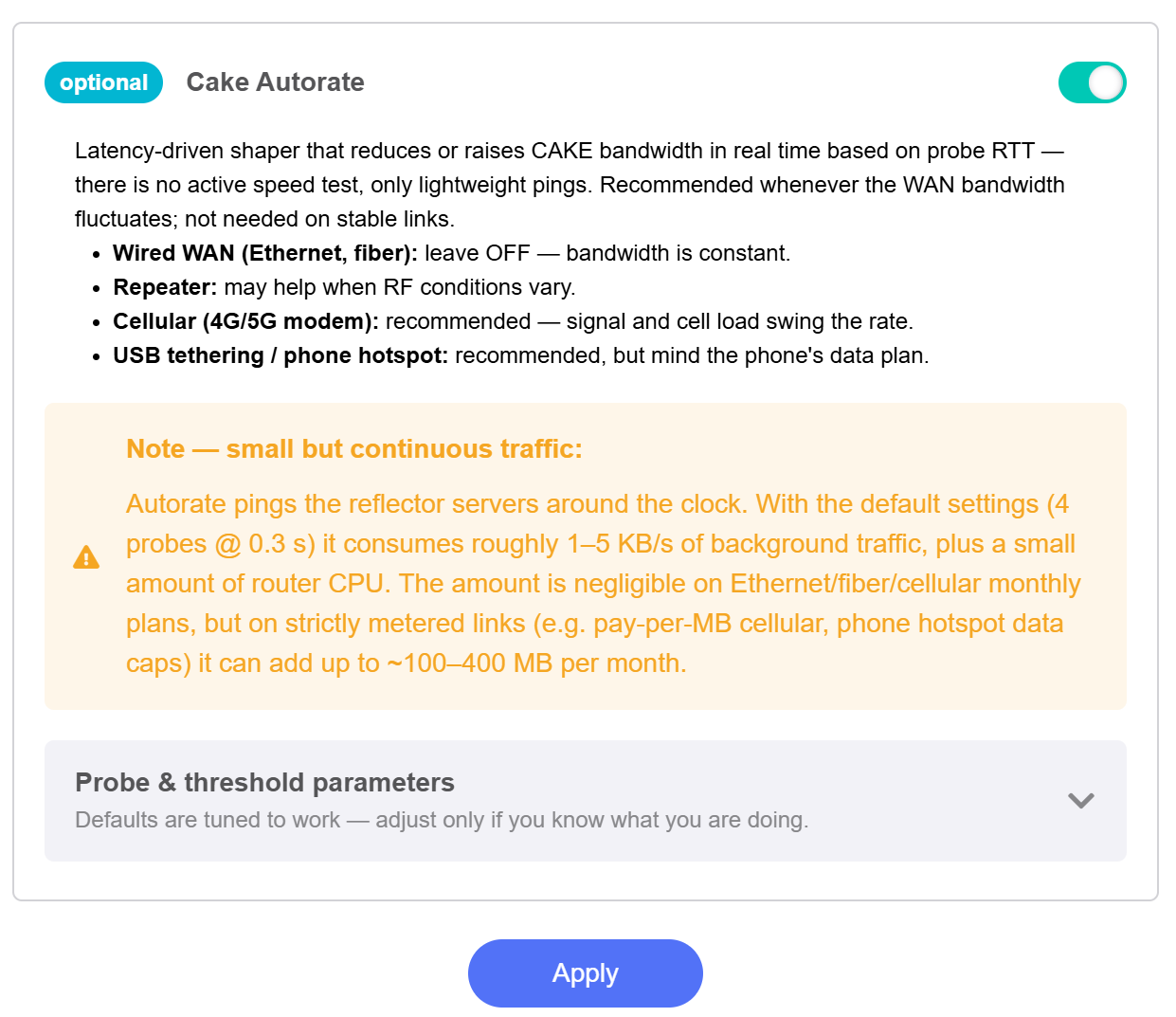
SQM (Smart Queue Management) provides a Run Speedtest option for WAN bandwidth, measuring download and upload speeds and auto‑filling the relevant fields. For the cake queue discipline, the newly added Cake Autorate dynamically adjusts the configured bandwidth based on probe RTT. It uses lightweight pings rather than active speed tests and is recommended for WAN connections with fluctuating bandwidth.
Data Statistics
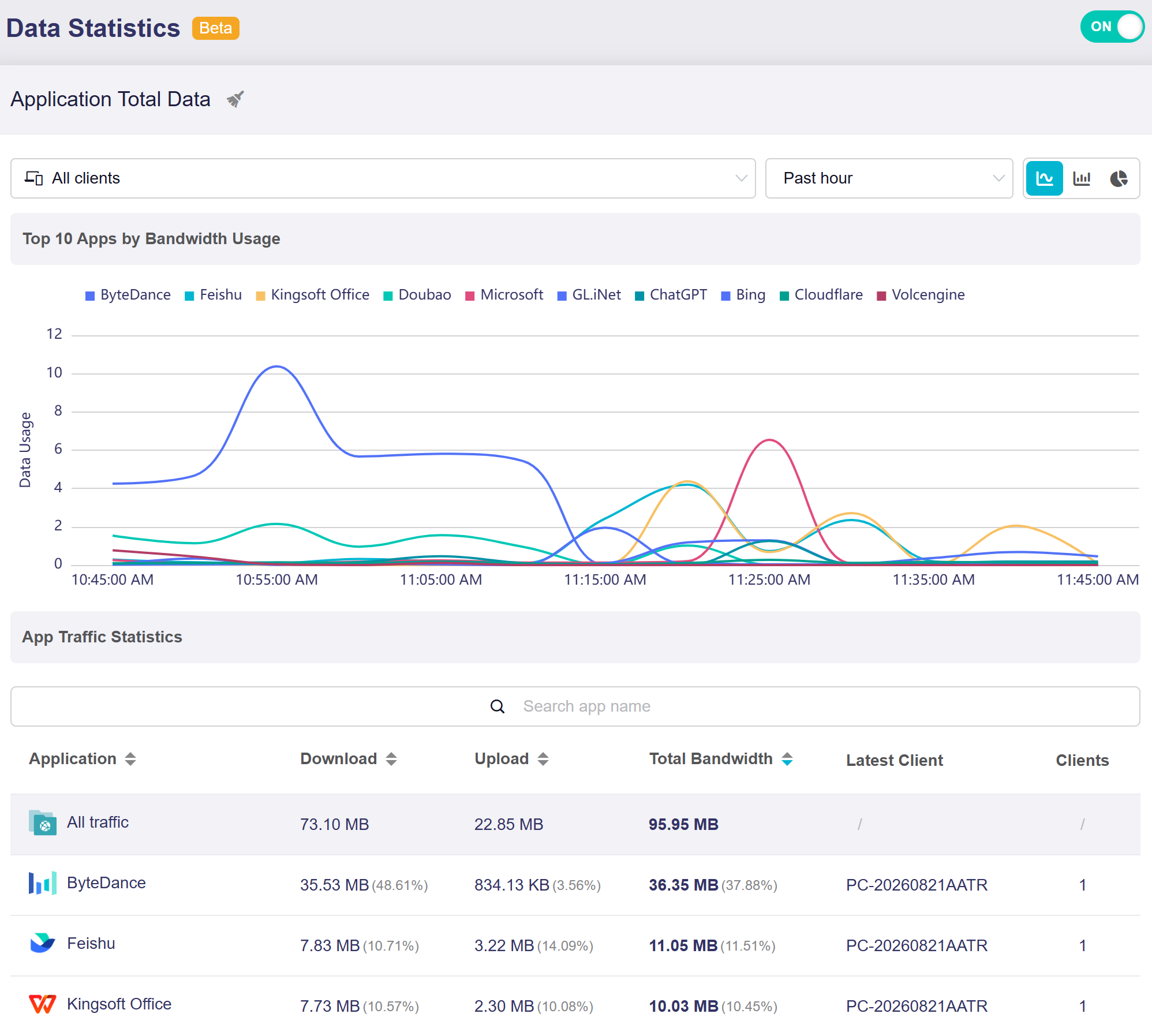
Data Statistics now supports traffic filtering by client and introduces new chart views, including bar charts and pie charts. When viewing App Traffic Statistics, you can select a specific client and switch between chart views for a clearer analysis of traffic usage.
Still have questions? Visit our Community Forum or Contact us.