Security Scan
Note: This feature was introduced in firmware v4.11.
On the left side of the web Admin Panel, go to SECURITY -> Security Scan.
The Security Scan performs a security check on your router. It evaluates your router's security settings and produces a security score, alongside risk alerts and optimization suggestions. You can adjust your configurations based on the scan results to enhance router's security.
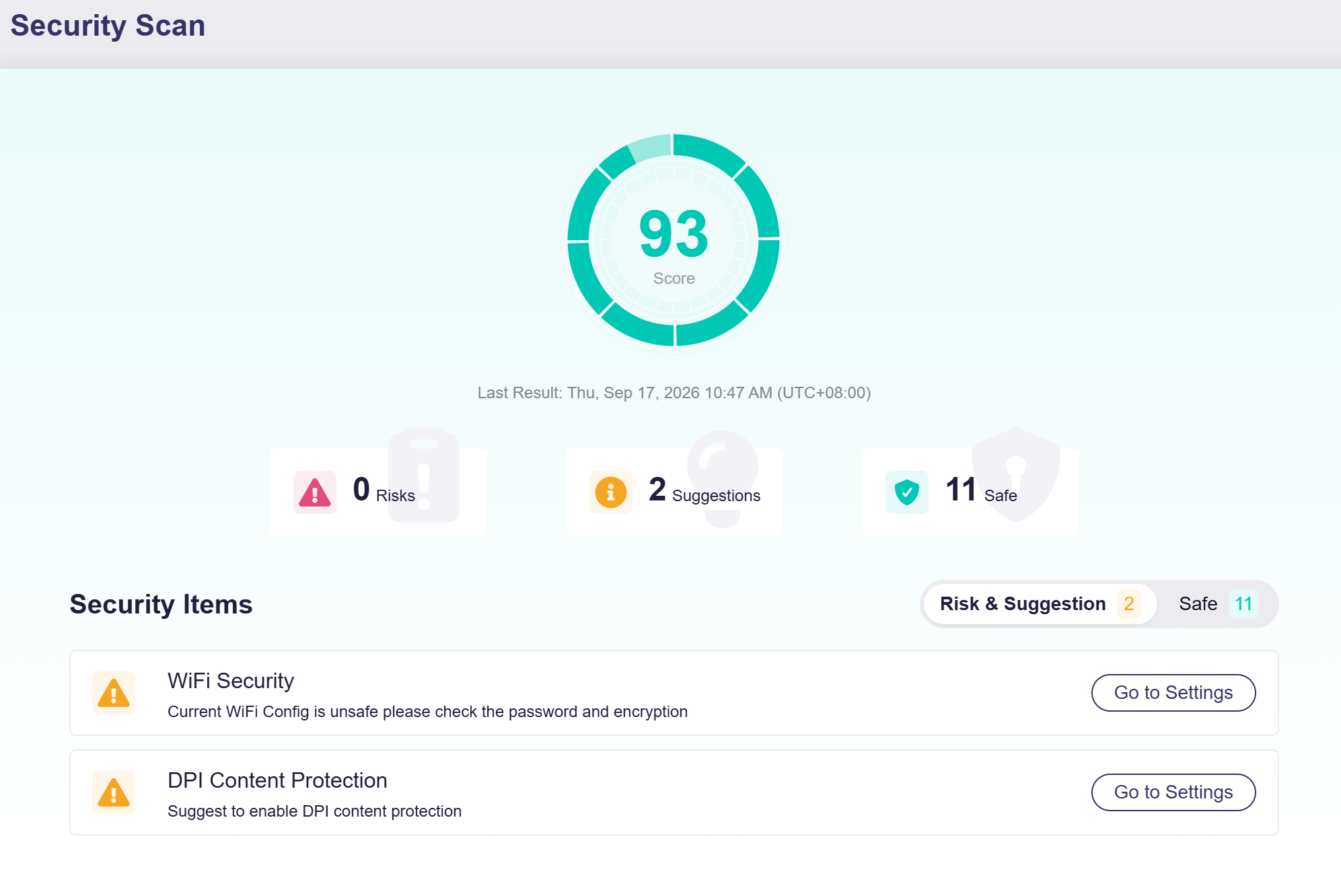
A security scan starts automatically when you open this page. It checks multiple security items such as Wi-Fi Security, WAN Ping, Remote SSH, Port Forwarding, and DPI Content Protection. Additionally, you can click the score icon to reset and rerun the security scan. You can view the key metrics when the scan finishes.
-
Score: Overall security score of your router configuration.
-
Risks: Critical security issues that require remediation.
-
Suggestions: Recommended best practices to improve security, not mandatory fixes.
-
Safe: Items that pass the security check.
You can browse detailed scan results by clicking the two tabs below.
-
Risk & Suggestion
Click Risk & Suggestion to view risks and optimization suggestions.
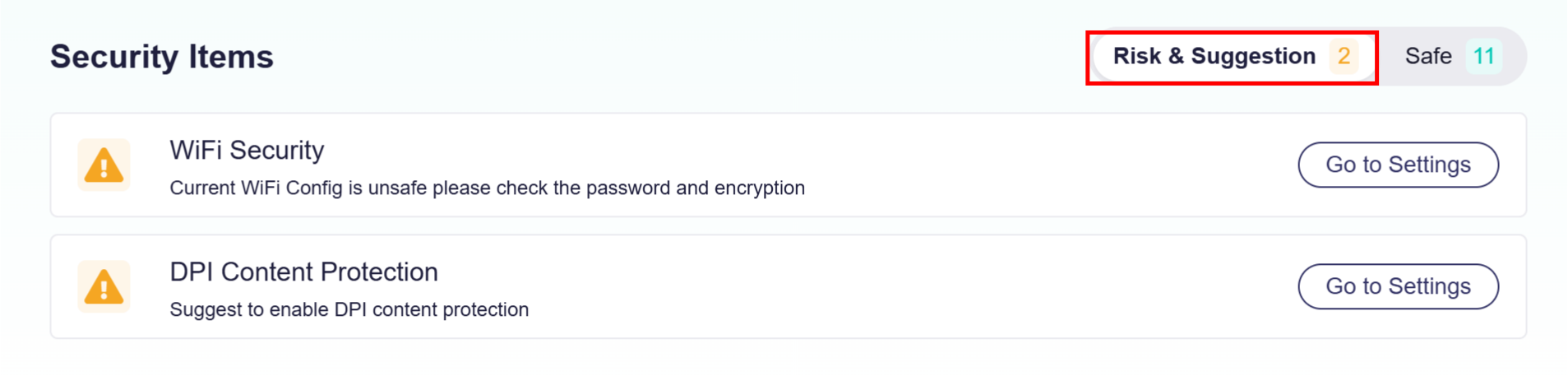
To improve router's security, you can click Go to Settings next to each item to jump directly to the corresponding configuration page and adjust your settings.
-
Safe
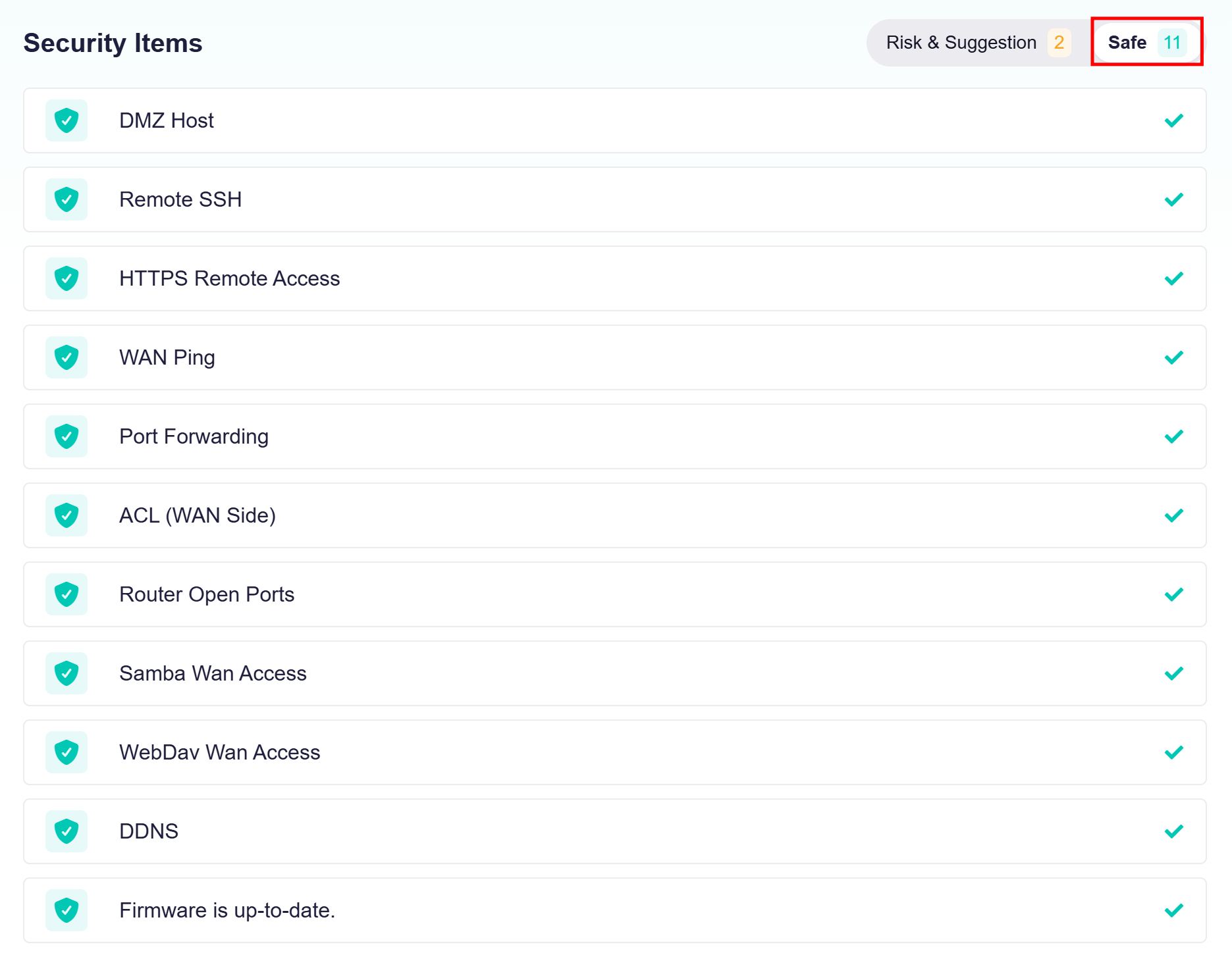
Click Safe to view all security items that have passed the security check.
Still have questions? Visit our Community Forum or Contact us.