UPnP
Note: This feature was introduced in firmware v4.11.
On the left side of the web Admin Panel, go to SECURITY -> UPnP.
UPnP (Universal Plug and Play) allows compatible LAN devices and applications to automatically request port mappings on GL.iNet routers. These mappings forward incoming WAN traffic to specified LAN IP addresses and ports, allowing external clients to connect to local services without manually configured port forwarding rules.
UPnP differs from Port Forwarding and DMZ: UPnP creates mappings automatically upon device requests. Port forwarding exposes selected ports, while DMZ exposes all ports of a LAN host; both port forwarding and DMZ require manual configuration. Before enabling any of these features, make sure you understand how they work and the associated security risks.
Note:
-
When UPnP is enabled, compatible LAN devices and applications can request port mappings without per-request approval.
-
A compromised device or malicious application may use UPnP to expose local services to the Internet. Enable UPnP only on trusted networks and disable it when not needed.
-
UPnP requires a public IP on the router's WAN interface to accept inbound connections from the Internet. It will not work if your ISP uses CGNAT.
Common use cases for UPnP include:
-
Online gaming: Compatible games and consoles (e.g., Steam multiplayer games, Xbox Series X|S, PlayStation 5, Nintendo Switch) can automatically create port mappings to help establish connections with other players.
-
Peer-to-peer file sharing: BitTorrent clients and other compatible P2P applications can automatically map listening ports to accept incoming connections from peers.
-
Remote access: Devices and applications that support UPnP port mapping, such as certain NAS devices, IP cameras, and media servers, can automatically configure mappings for access from outside the local network.
Quick Setup
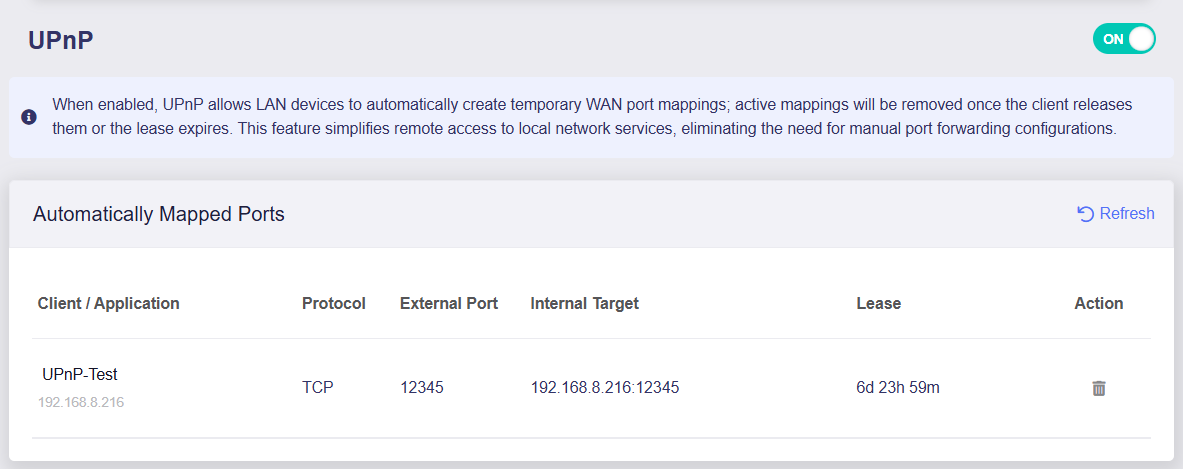
Toggle the switch to enable UPnP. Compatible devices and applications can then request port mappings as needed, as shown in the example below.
-
Client / Application: The description of client/app and the requesting device's LAN IP address.
-
Protocol: Transport protocol of the mapping, e.g. TCP or UDP.
-
External Port: The WAN port for incoming connections.
-
Internal Target: The target LAN IP address and port.
-
Lease: The remaining time before the mapping expires. The default lease duration is 7 days.
-
Action: Click the trash icon to delete the mapping. The client/app may request it again if still running.
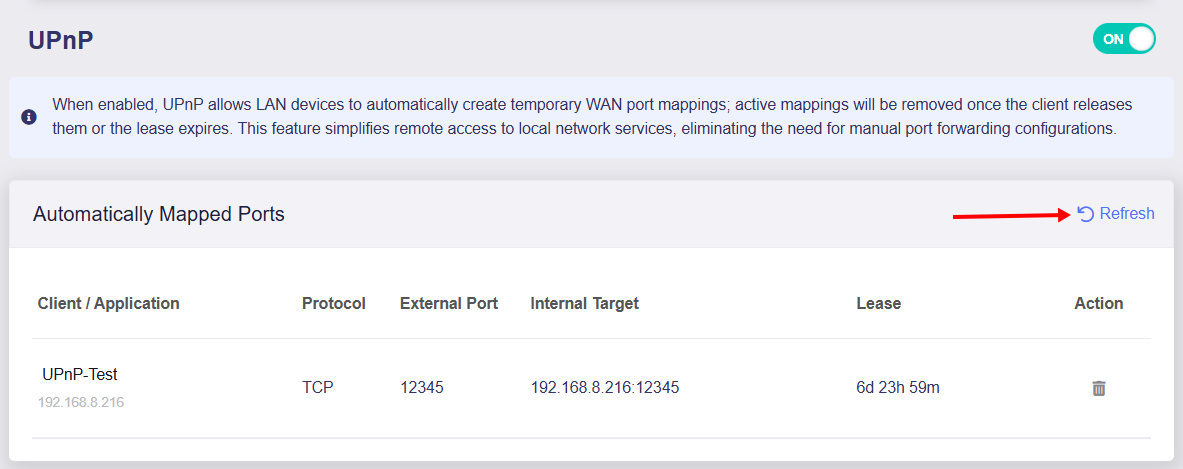
Active port mappings are removed when the client releases them or their leases expire. Click Refresh to view the latest port mappings.
Still have questions? Visit our Community Forum or Contact us.